
Turn on suggestions
Auto-suggest helps you quickly narrow down your search results by suggesting possible matches as you type.
Showing results for
I'm not sure if there's a reason for it, but PO's getting sent out from
MY-Company<[email address removed]> causes my customers to REPLY and it goes back to QuickBooks - So my customers that have problems can't just hit me directly, they have to research my company email. Not NOT
Hi there, rdoboss63.
Welcome to the QuickBooks Community. Let me discuss how sending purchased orders in QuickBooks Online works and the email being used for them. Also, I'll ensure you'll be able to achieve your goal by performing some alternative steps below.
We provide services that enhance your QuickBooks Online experience. Each of our services has its own email address. These service-related email addresses need to be set as a "safe sender" or unblocked on your email account to make sure you receive important communications from these services. With this, the email address associated when sending your purchase order is the default email in QuickBooks Online. Please know that changing it to another email such as your company email is currently unavailable.
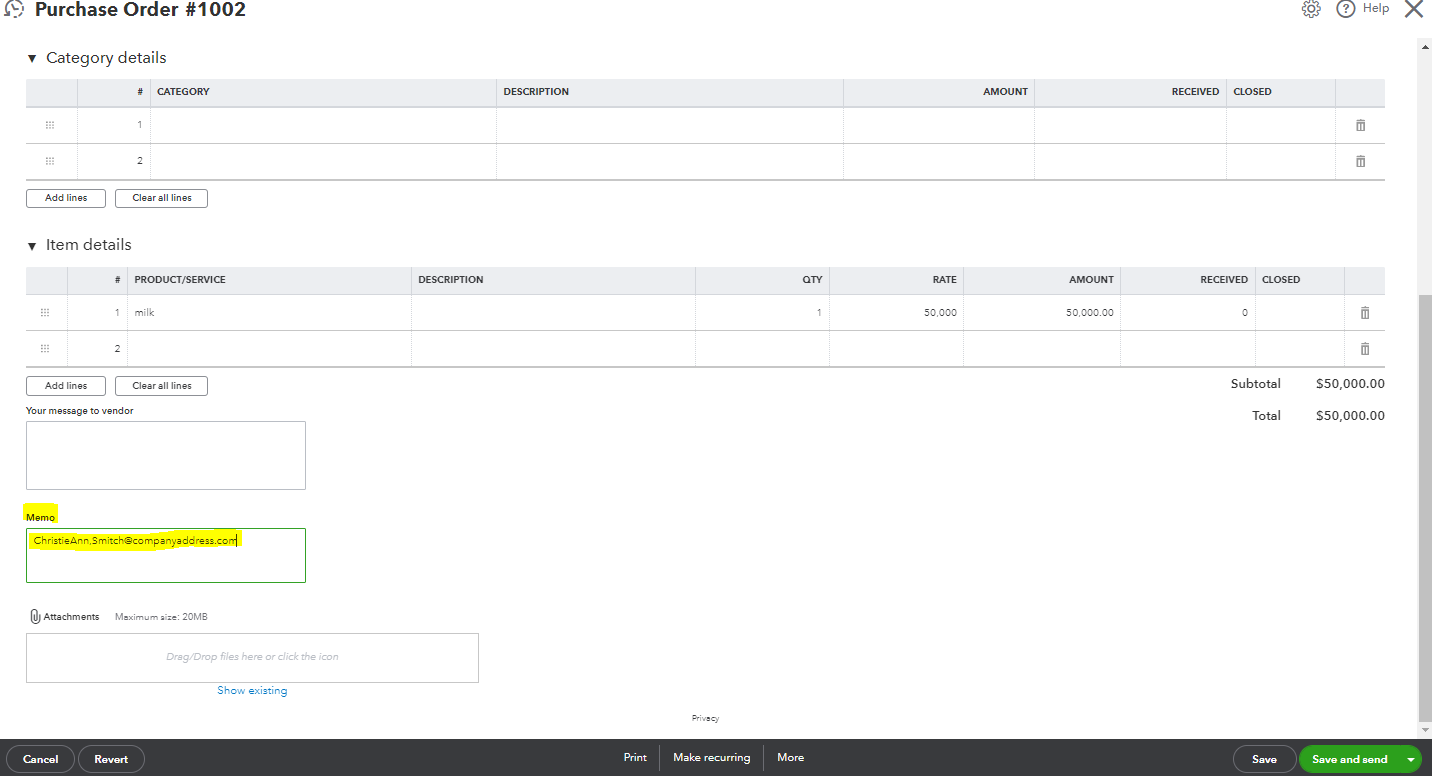
For now, I recommend adding your company's email address to the Memo field when sending the purchased order. Your customer can now see your email address and send you an important message directly. I've attached a screenshot below for visual reference.
On the other hand, you can also download the transaction and send it manually to your customer using your company email address.
Here's how:
After that, you can now send the purchase order to the right person using your company email address.
Lastly, you may refer to this article to see steps on how you can update the status of a purchase order and add it to a bill: Create and send purchase orders in QuickBooks Online.
You can always reply if you have any QuickBooks-related concerns like managing your purchase order. I'm always here to guide and assist you whenever you need help, rdoboss63. Have a good one!
You have clicked a link to a site outside of the QuickBooks or ProFile Communities. By clicking "Continue", you will leave the community and be taken to that site instead.
For more information visit our Security Center or to report suspicious websites you can contact us here


