Turn on suggestions
Auto-suggest helps you quickly narrow down your search results by suggesting possible matches as you type.
Showing results for
Hello there, @slarmond.
Yes, there is an option to customize your invoices to display GST at the end of each line item instead of summarizing it at the end of the invoice. QuickBooks Online (QBO) offers the flexibility to modify how the GST column appears on your invoices by creating a custom form style template.
Here's how to set it up:
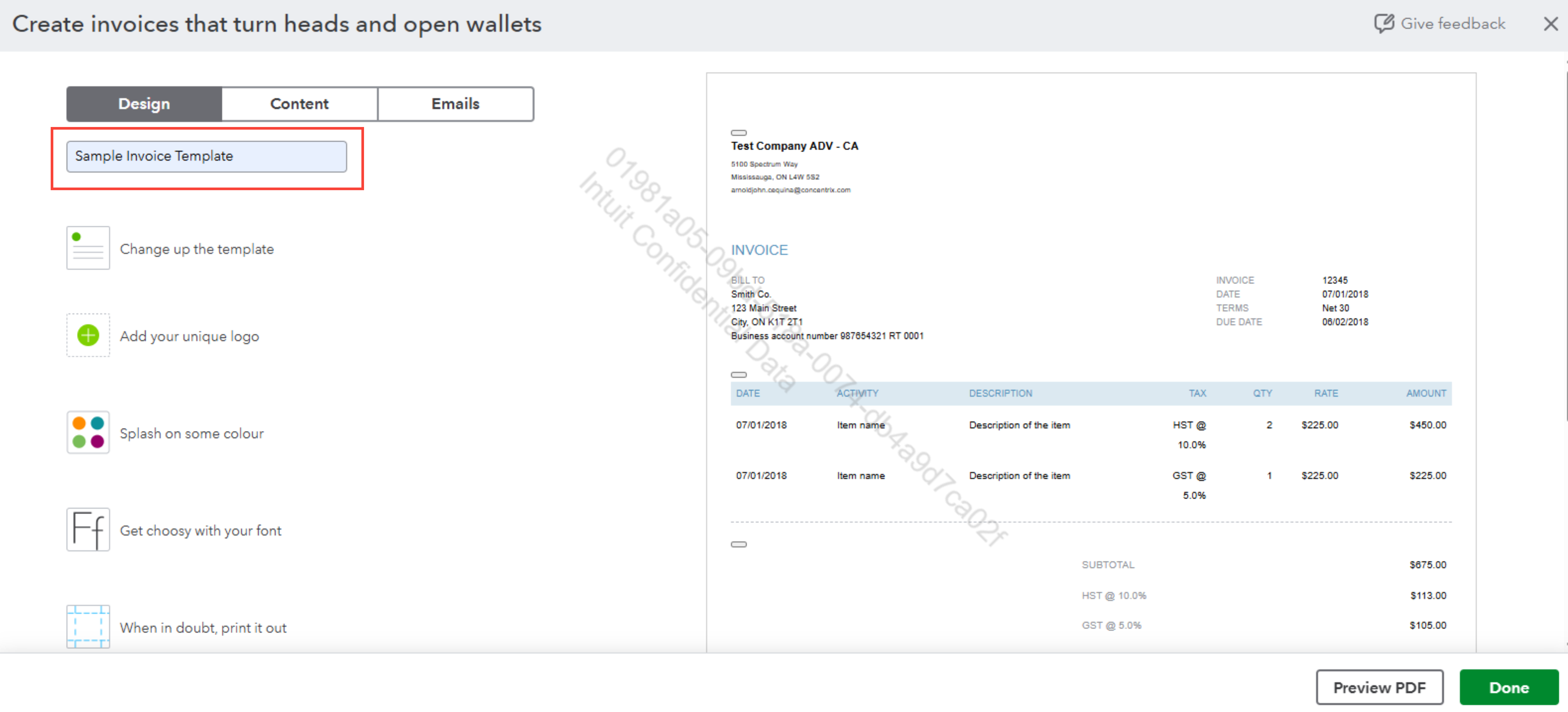
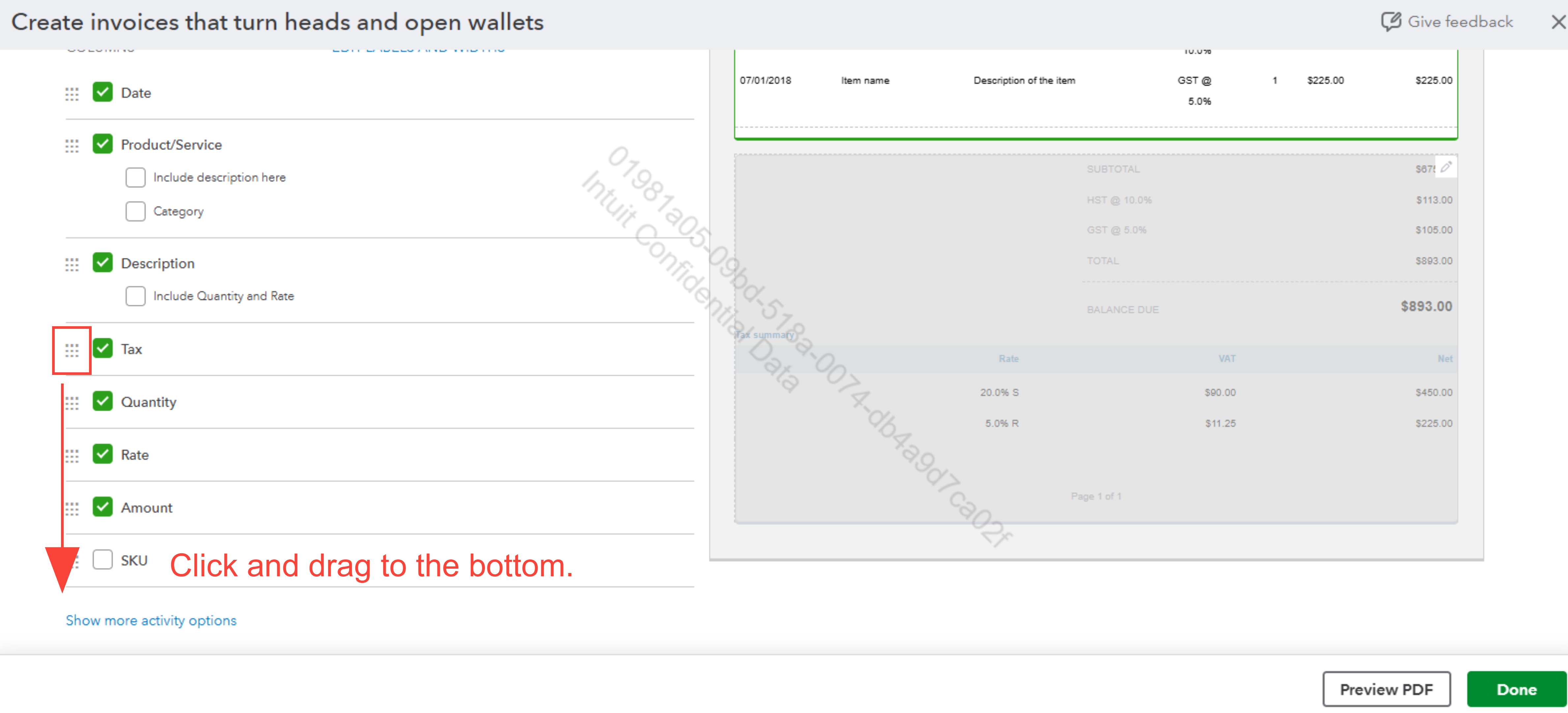
You can hide the Tax Summary at the bottom of the invoice by following these steps below:
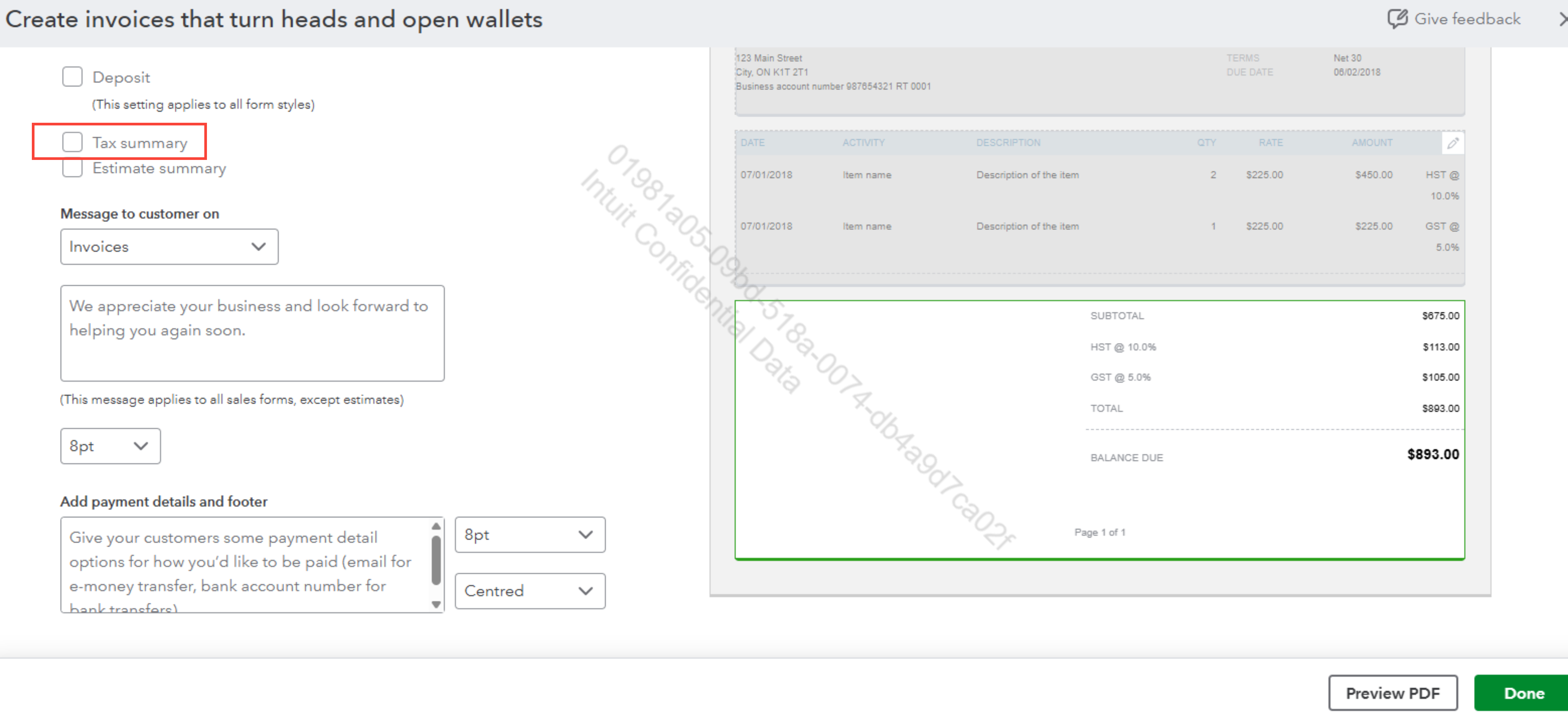
After completing these steps, GST will now appear alongside each line item rather than being presented at the bottom of the invoice.
To use the custom template for this specific invoice your customer requested, here are the steps:
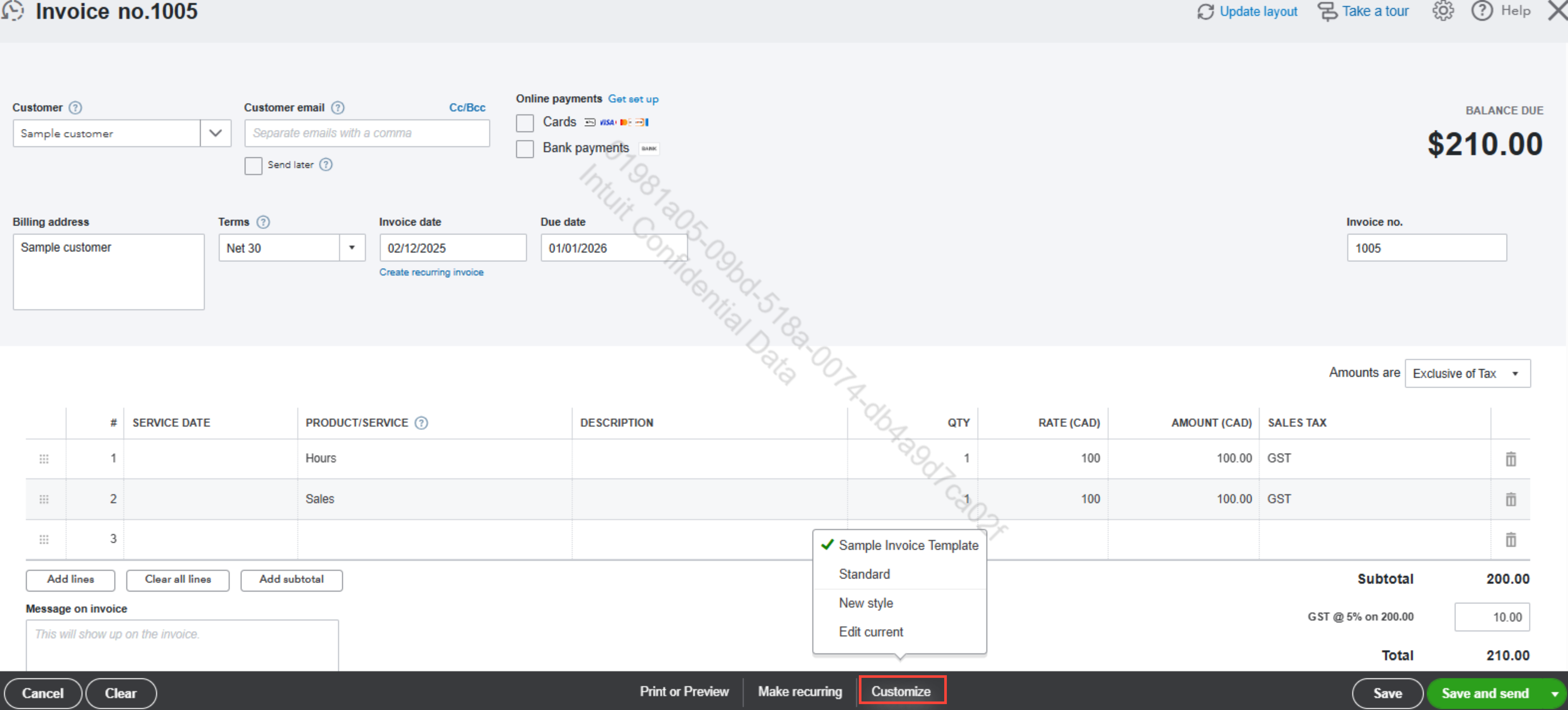
Once done, you’ll be able to meet your customer’s requirements with invoices tailored to their preferences.
Should you have further questions or need additional support, feel free to reach out anytime.

