Turn on suggestions
Auto-suggest helps you quickly narrow down your search results by suggesting possible matches as you type.
Showing results for
CYBER MONDAY SALE 70% OFF QuickBooks for 3 months* Ends 12/5
Buy nowThanks for sharing some clarifications for us to help you further, @cmjesquire,
Before adding users in your QBO account, please note that there are usage limits as to the maximum number of login in the program. Check this link and see if you already reached the billable users limit for your subscription: Learn about usage limits in QuickBooks Online
This is the only thing I can think of that might stop you from adding another user in your account. Also, the feature to add a time tracking user is still available, so you must be able to use it.
Here's how you can add a time tracking user in QuickBooks Online:

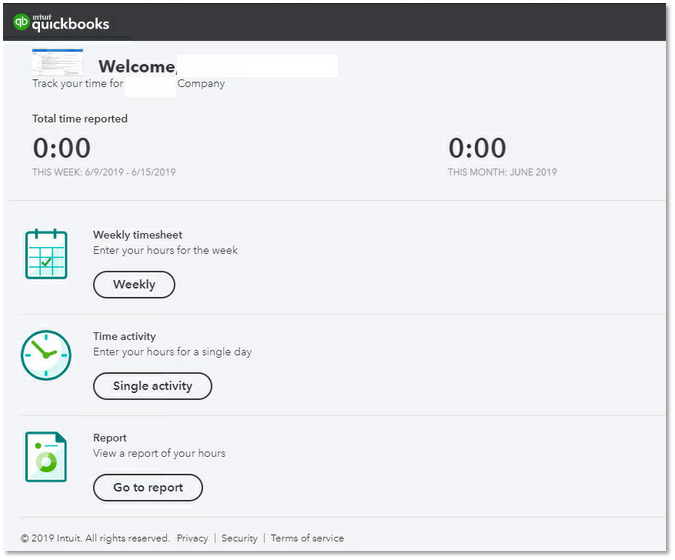
Once added, the user can now enter hours in a timesheet:
I'll be adding some related links to help you further with this:
You may also use a private window to add a new user if it doesn't allow you in the regular browser. The incognito mode will not save any history, so it's a great place to identify issues in the browser.
Use these keyboard shortcuts to launch a new private window:
Clearing your cookies and temporary internet files will also help resolve browser issues in the program.
Please let me know the result after trying out the steps. I want to make sure this time tracking user issue is resolved and I'll be right here if you need further help.

