Turn on suggestions
Auto-suggest helps you quickly narrow down your search results by suggesting possible matches as you type.
Showing results for
CYBER MONDAY SALE 70% OFF QuickBooks for 3 months* Ends 12/5
Buy nowI would feel the same way you do if I were in your situation, @DAWILSON5.
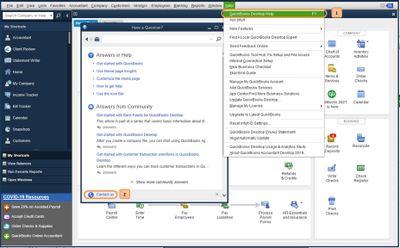
Error 2107 occurs when something needs to be verified with your payroll data. A situation like this requires pulling up your account. I recommend contacting our Payroll Support Team. They can verify what's causing the error and provide the troubleshooting to resolve this.
Here's how:
In the meantime, I've included the steps below on how to update the company's business name. There may be a special character in it that's causing the error. It can only contain letters, numbers, and spaces.
Additionally, I've attached an article you can use to check the status of an employee's direct deposit: Payroll Statuses.
Keep me posted on your progress in resolving this error 2017.

