Hi there, Emma. I can help you locate the time tracking option.
Please note that the Time tracking only role is available in QBO Advanced plans. If you're using a lower plan, consider upgrading your account.
If you're using QBO Advanced, here's how to add a user that can do time tracking:
- Click the Gear icon, then go to Your Company and select Manage Users.
- Under user type, choose Time tracking only.
- Open the View all permissions arrow and select Sync team member to enable time tracking access.
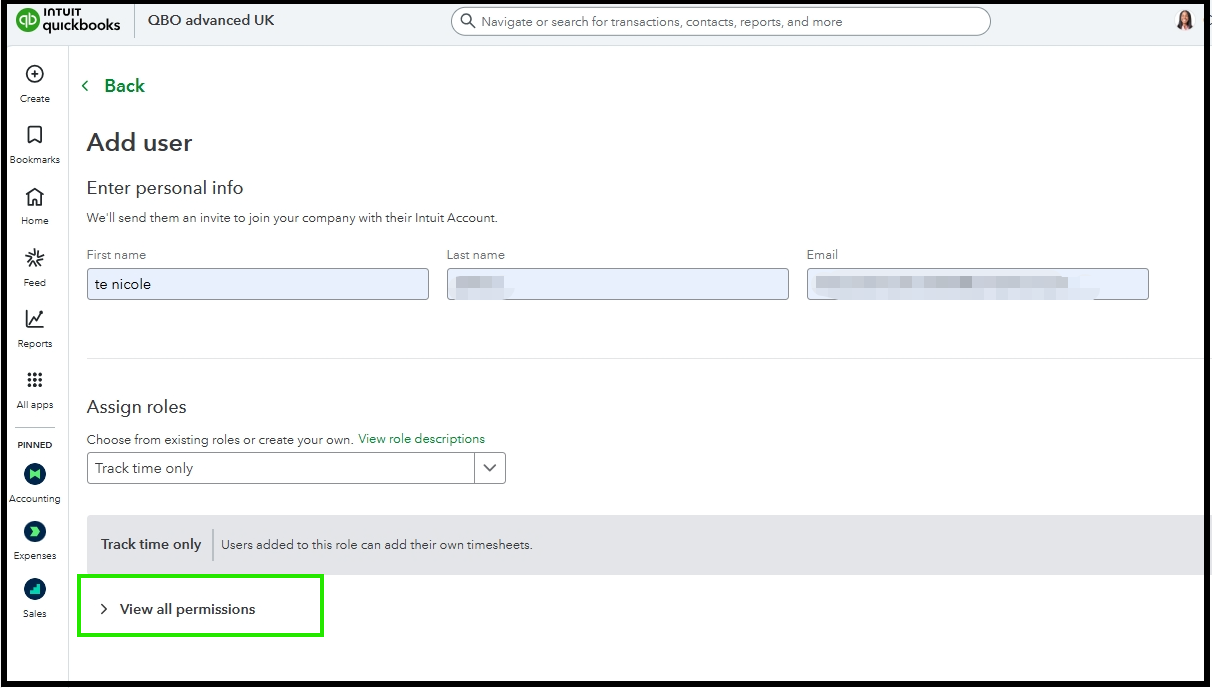
- You can then either add a new team member or sync an existing one to provide time tracking permissions.
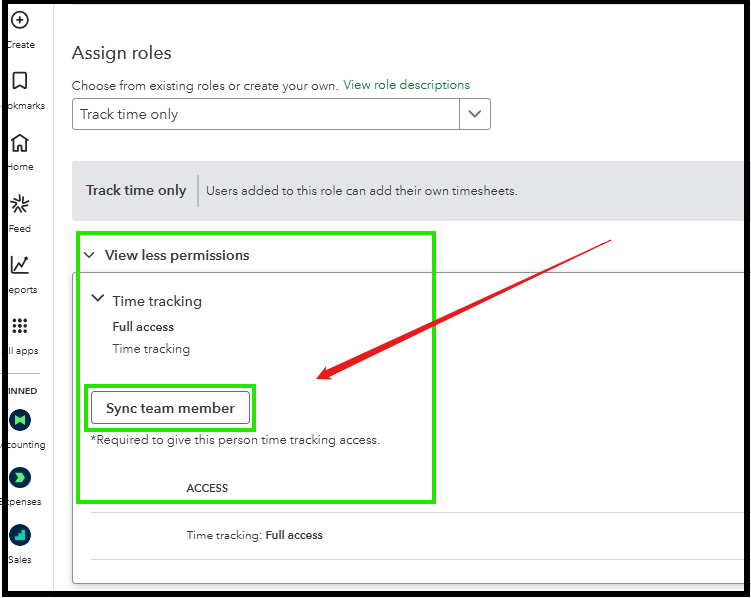
- After syncing, you can click Send invite to invite the user.
If you have further questions or concerns, you can leave a comment below. We are here to help.


