cancel
Showing results forΒ 
Search instead forΒ 
Did you mean:Β 
Announcements
Everything you need to know about connecting your bank and credit cards in QuickBooks Online

Reply to Message

View discussion in a popup

Replying to:
ClaireSamanthaS
QuickBooks Team

Reply to Message

Hi there, Emma. I can help you locate the time tracking option.

Please note that the Time tracking only role is available in QBO Advanced plans. If you're using a lower plan, consider upgrading your account.


If you're using QBO Advanced, here's how to add a user that can do time tracking:
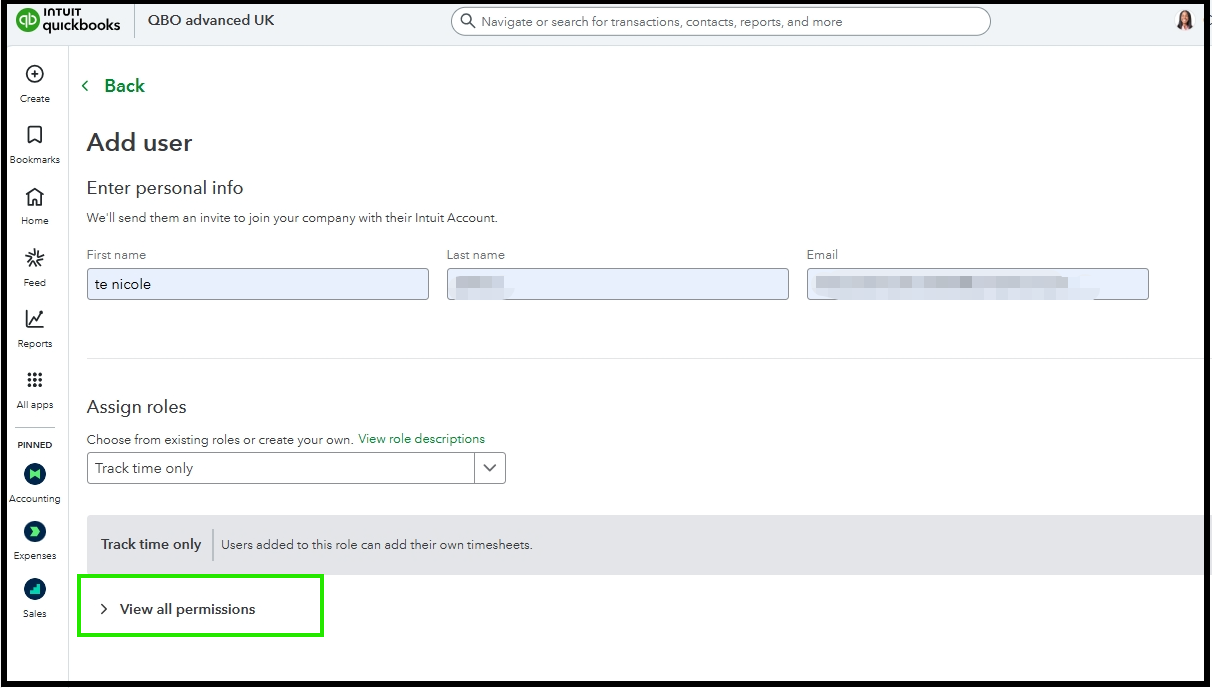
 

  1. Click the Gear icon, then go to Your Company and select Manage Users.
  2. Under user type, choose Time tracking only.
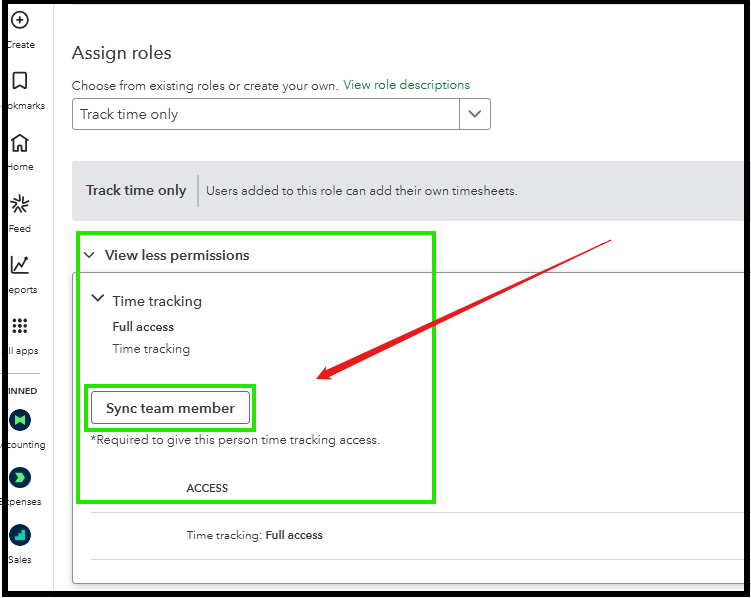
  3. Open the View all permissions arrow and select Sync team member to enable time tracking access.


  4. You can then either add a new team member or sync an existing one to provide time tracking permissions.


  5. After syncing, you can click Send invite to invite the user.
     

If you have further questions or concerns, you can leave a comment below. We are here to help.

Need to get in touch?

Contact us