
Turn on suggestions
Auto-suggest helps you quickly narrow down your search results by suggesting possible matches as you type.
Showing results for
Welcome to the Community, @Selene-ANN.
If you have entered your client data in QuickBooks Online Accountant (QBOA), you can transfer it to your client's QBO by exporting it from QBOA and then importing it into the client's QBO. Here's how:
Once exported, sign in to your client's QBO and import the file by going to the Gear icon and selecting Import data.
If you entered your client's data into the wrong company, you can move it to the correct company using the same approach: export it from the incorrect company and import it into the correct client's QBO. Here's how:
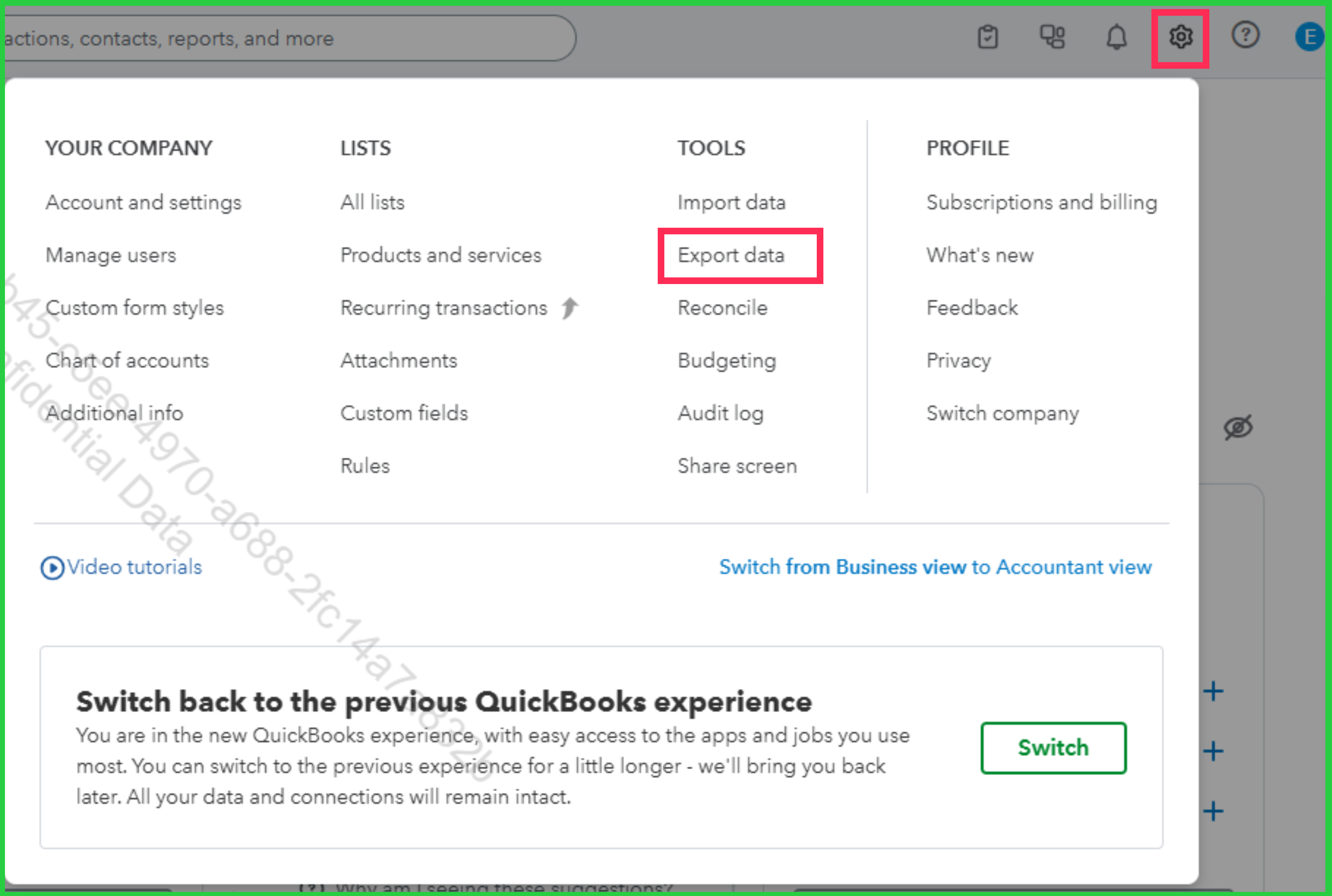
For FAQs about importing data to QBO, check out this article: Common questions about importing data to QuickBooks Online.
If you have other concerns, don't hesitate to drop a comment in thread.
You can purchase a 3rd party service to migrate your data.
You have clicked a link to a site outside of the QuickBooks or ProFile Communities. By clicking "Continue", you will leave the community and be taken to that site instead.
For more information visit our Security Center or to report suspicious websites you can contact us here


