
Turn on suggestions
Auto-suggest helps you quickly narrow down your search results by suggesting possible matches as you type.
Showing results for
Welcome to the Community, @silverprintuae.
You should be prompted to resubscribe as soon as you sign in to your QuickBooks Online company. If not, follow the steps below to continue.
Please note that you can update the payment method during the resubscribe process. You can also switch to a different payment method and billing frequency after resubscribing.
Here are the steps to resubscribe:
1. Sign in to your QuickBooks Online account.
2. Go to the Gear icon, then select Subscriptions and billing.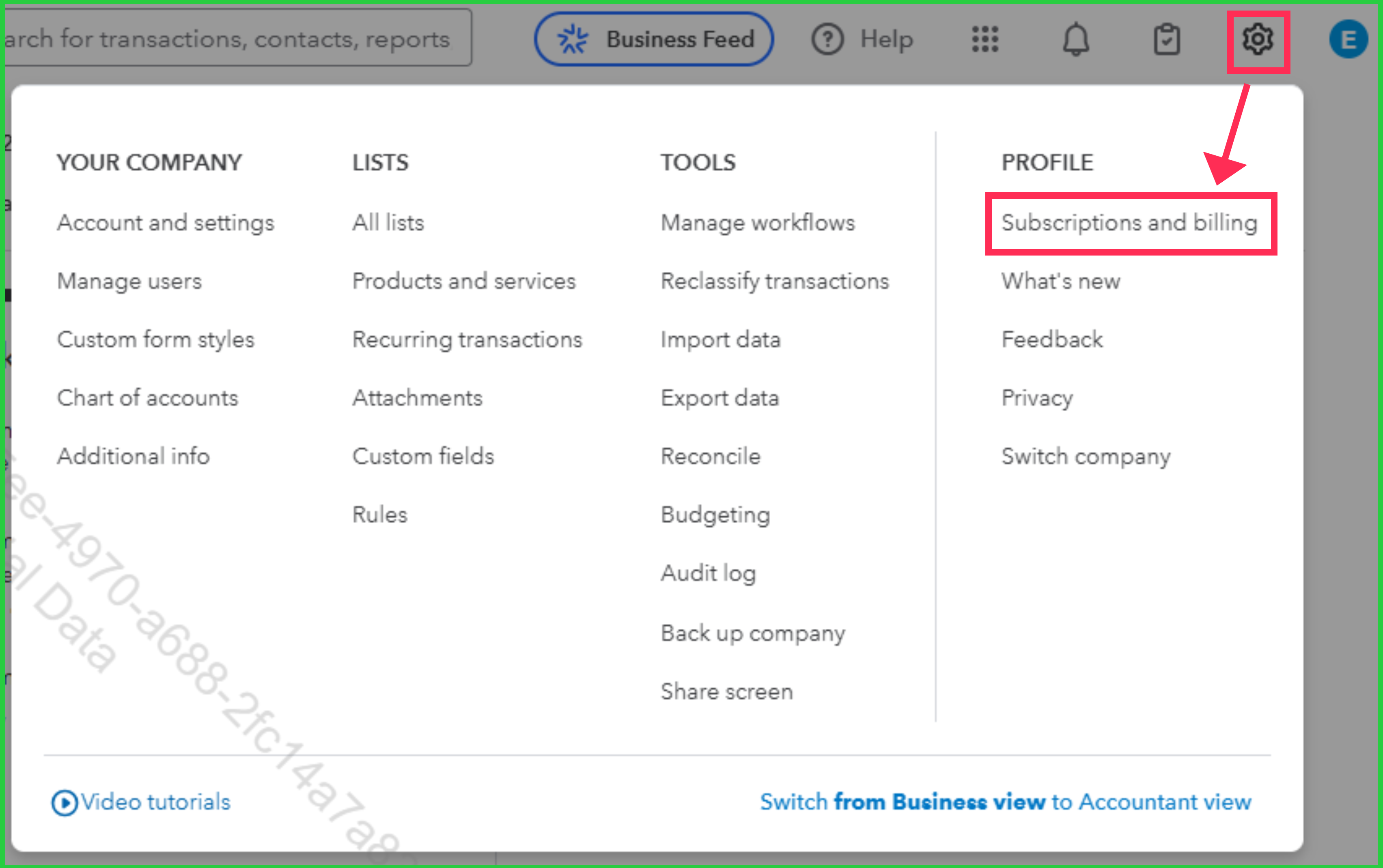
3. Choose Resubscribe, then enter your updated billing information.
4. Click Resubscribe to complete the process.
If you encounter any errors while resubscribing or reactivating your QuickBooks Online account, kindly contact our Live Support team. Here's how:
1. Go to the Help (?) icon, then select Search tab.
2. Enter 'support' in the search box and hit Contact Us.
3. Provide a brief description of your concern, then select Continue.
4. Choose either Appointment, Chat or Callback options. Before you reach out, it's a good idea to check their support hours to ensure you can get through them successfully.
If you have any other concerns, please don't hesitate to comment in the thread.
You have clicked a link to a site outside of the QuickBooks or ProFile Communities. By clicking "Continue", you will leave the community and be taken to that site instead.
For more information visit our Security Center or to report suspicious websites you can contact us here


