Turn on suggestions
Auto-suggest helps you quickly narrow down your search results by suggesting possible matches as you type.
Showing results for
CYBER MONDAY SALE 70% OFF QuickBooks for 3 months* Ends 12/5
Buy nowHello, @BreeC.
QuickBooks is constantly changing and evolving based largely on the suggestions and requests of users, like yourself. Allow me to share some information on how you can maximize the use of the different features in QuickBooks Online.
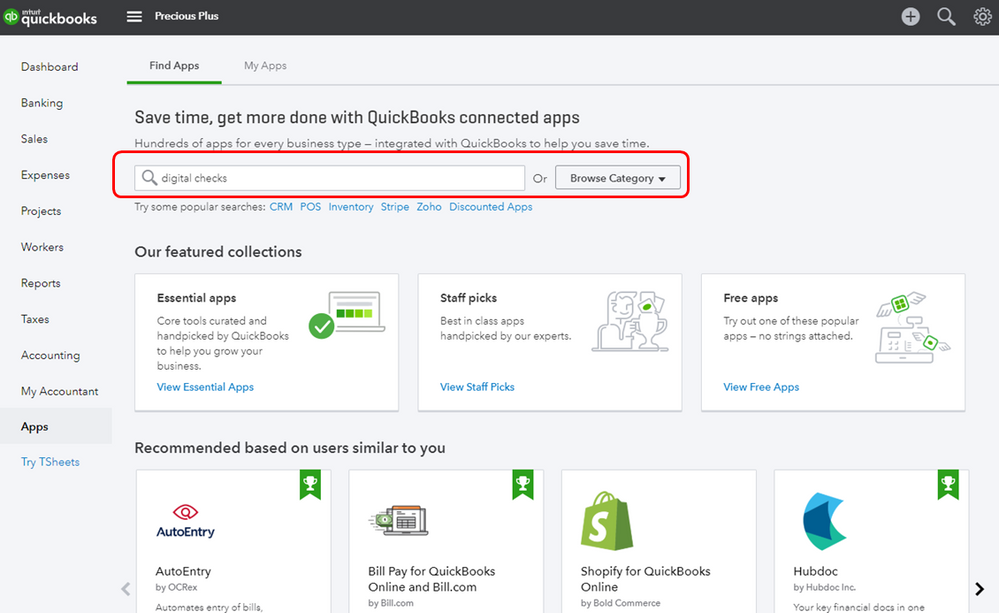
Currently, QuickBooks Online offers basic functionality in creating and printing checks. What you can do for now is to affix your signature manually on every check you’ve printed or integrate a supported E-signature Third-Party applications.
Here’s how:
Also, you can use the mobile app to add e-signature to your invoices and estimates.
Feel free to leave a message below if you have other questions about creating checks in QuickBooks. I'll keep my notifications open.

