SALE EXTENDED 70% OFF QuickBooks for 3 months*   Ends 12/8

Buy now
cancel
Showing results for 
Search instead for 
Did you mean: 
Announcements
Simplify payday and set payroll to run automatically on QuickBooks. Explore QuickBooks Payroll

Reply to message

View discussion in a popup

Replying to:
Rusimyhr
QuickBooks Team

Reply to message

Hey there, @Charlietbh.


After thoroughly checking on my end, the option to view the Profit and Loss report by month is available in both classic view and modern view. Here's how you can adjust the report to display data by month:


For Classic view:
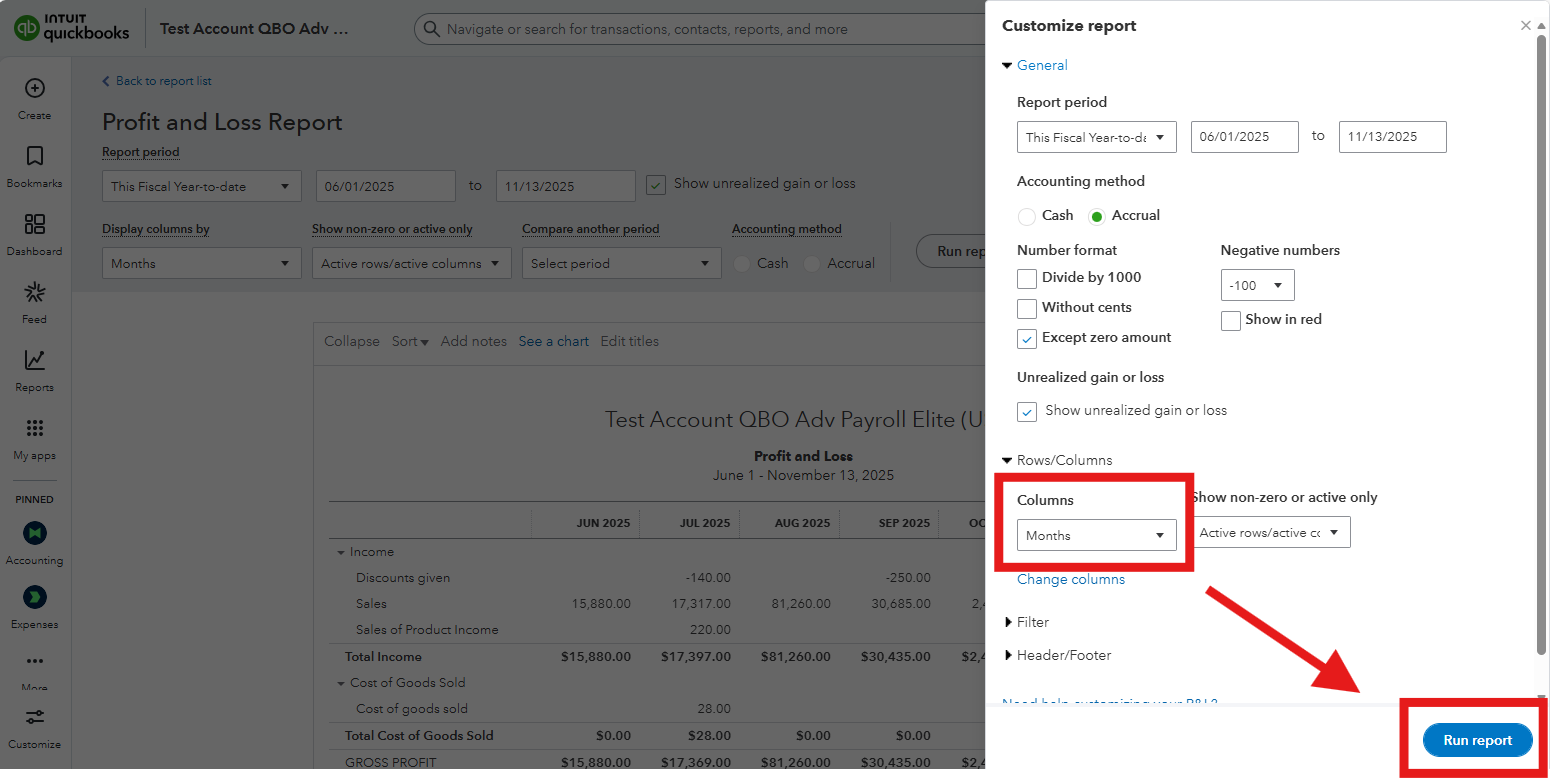
 

  1. Navigate to Reports menu.
  2. Open the Profit and Loss report.
  3. Click the Customize button, and under Rows/Columns, select Months. 
  4. Hit Run report.                                                  


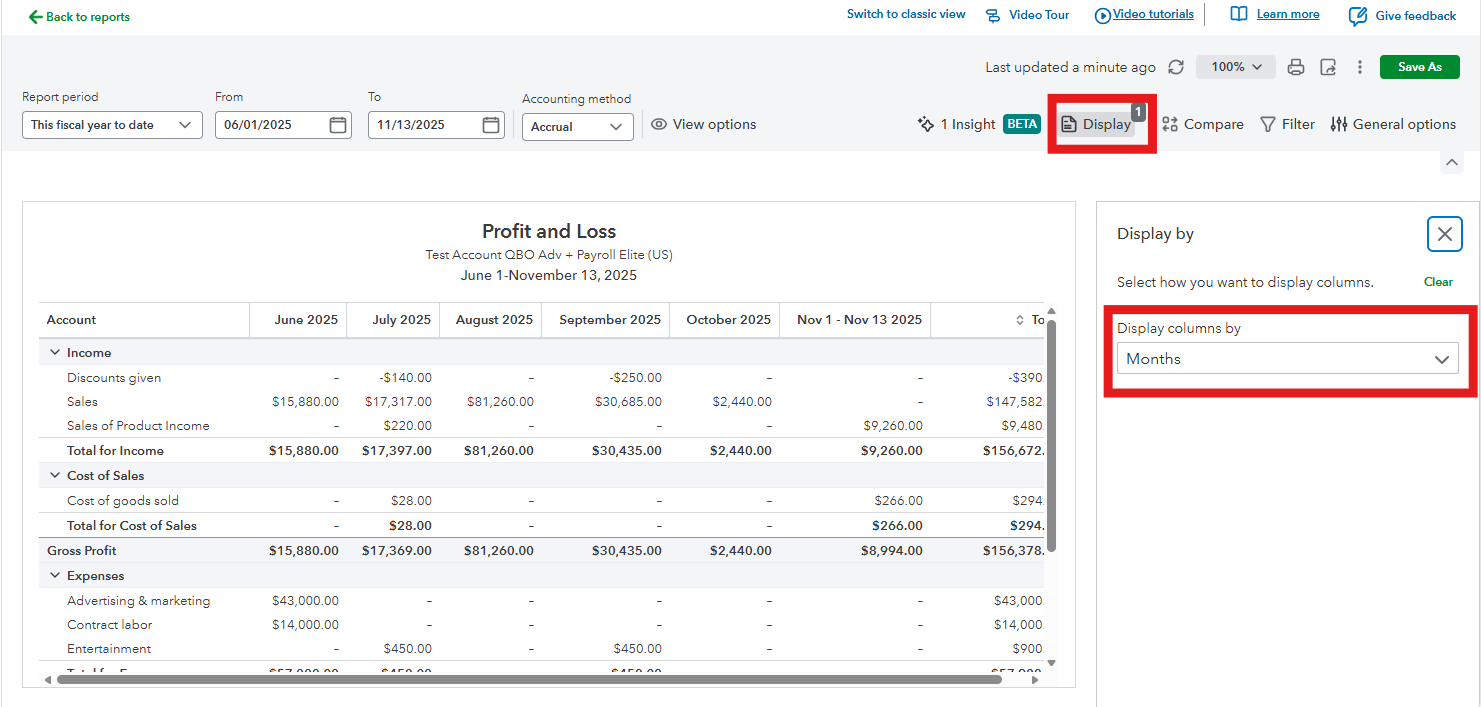
For Modern view:


  1. Navigate to Reports menu.
  2. Open the Profit and Loss report.
  3. Click the Display section, and under Display columns by, select Month.                                                   


Let us know if you need more help navigating QuickBooks Online.

Need to get in touch?

Contact us