Turn on suggestions
Auto-suggest helps you quickly narrow down your search results by suggesting possible matches as you type.
Showing results for
CYBER MONDAY SALE 70% OFF QuickBooks for 3 months* Ends 12/5
Buy nowLet's go over some details to help you with sending email invoices to multiple recipients in QuickBooks, CB247.
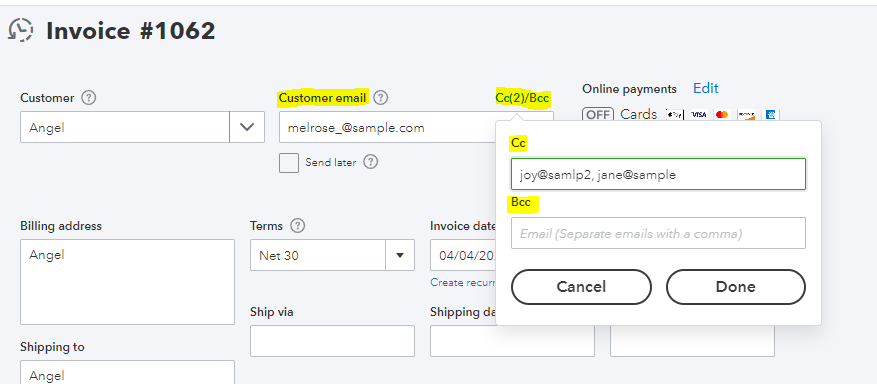
You can use one of the following two methods to send an invoice to multiple email addresses:
To send your invoice to multiple email recipients, follow these instructions:
For more information, open these articles:
I've also included these articles that will help you send reminders to your customers when their invoice is due. This will help you make sure you get paid on time.
If you have any questions about sending invoices or other customer-related activities, please click the Reply button. I am always ready to help you with your questions.

