Turn on suggestions
Auto-suggest helps you quickly narrow down your search results by suggesting possible matches as you type.
Showing results for
Get 50% OFF QuickBooks for 3 months*
Buy nowHi there,
I appreciate you getting back to us here in the Community. I can clarify things about how the report works in QuickBooks Desktop.
The transactions that reflect on the report will depend on what you choose on the Total By dropdown. Only expenses linked to jobs will show if you filter by Customer.
I recommend you toggle and play around with the options under the Total By drop-down. Aside from it, review the filters and ensure all are correct.
Here's how:

If you need to show the other transactions from a different Total By, export your report to Excel (see screenshot below). This way, you can combine your QuickBooks data manually.
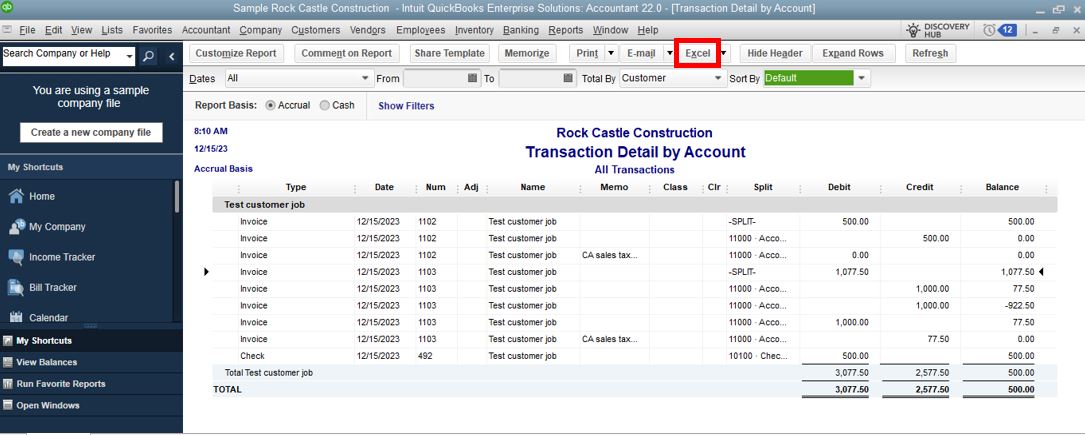
There are different ways to assign expenses to jobs in the Desktop version. I've attached an article you can visit to get a complete job cost picture and assign expenses correctly in QuickBooks: Track job costs in QuickBooks Desktop.
Let us know if you have additional questions about running reports or generating data. We'll be more than happy to lend a hand in this space. Take care.

