Turn on suggestions
Auto-suggest helps you quickly narrow down your search results by suggesting possible matches as you type.
Showing results for
CYBER MONDAY SALE 70% OFF QuickBooks for 3 months* Ends 12/5
Buy nowThanks for reaching out to us about reactivating inactive accounts in QuickBooks, @Dejali.
I'm joining the thread to help make sure this is resolved for you. You can have the Make Account Active button working, if you enable the Include inactive option. If it still shows the same problem even after following all the suggestions provided here, I highly recommend reaching out to our Technical Support. They have the tools to check your company file and help resolve this unexpected concern.
To get in touch with our QuickBooks Support, follow the steps below:
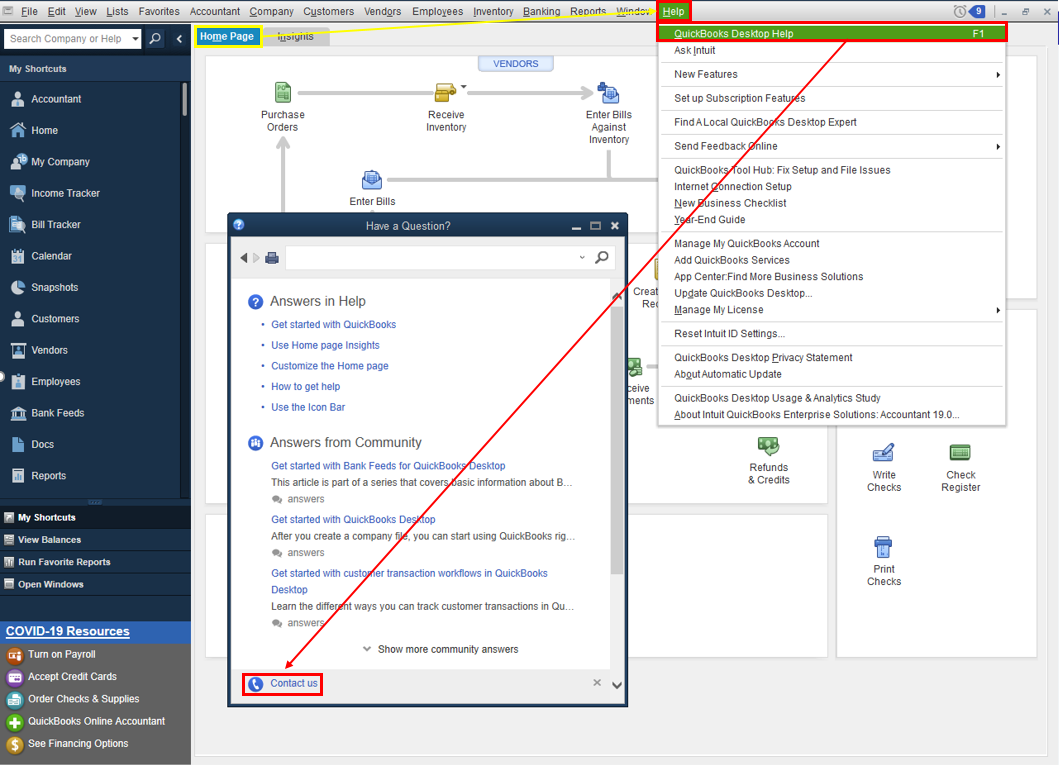
Refer to this article to learn more about our contact options and support availability: Contact QuickBooks Desktop support
I want to ensure everything is resolved for you. Post here again with the result of your call as I want to know that this has been taken care of. I'm also here to provide further assistance if you have other QuickBooks concerns.

