SALE EXTENDED 70% OFF QuickBooks for 3 months*   Ends 12/8

Buy now
cancel
Showing results for 
Search instead for 
Did you mean: 
Announcements
Simplify payday and set payroll to run automatically on QuickBooks. Explore QuickBooks Payroll

Reply to message

View discussion in a popup

Replying to:
IamjuViel
QuickBooks Team

Reply to message

Glad to have you here, @Takia1.


I'm pleased to help walk you through generating reports of your paid invoices in QuickBooks Online.


Here's how:
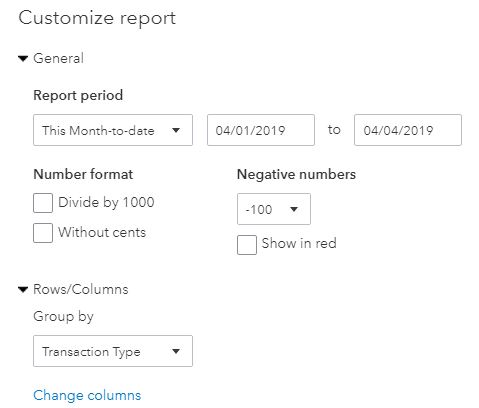
  1. Go to Reports.
  2. Under For my Accountant section, choose Transaction Detail by Account or Transaction List by Date.
  3. Click Customize button.
    1. Go to Row/Columns.
      1. Choose Transaction Type under Group by drop-down list. 
    2. Expand the Filter section.
    3. Put a check mark on the following:
      • Transaction Type : Invoices
      • AR Paid: Paid 
    4. Hit Run Report.
    5. Click the Gear Icon on the report page.
    6. Select the following:
      • Date
      • Transaction Type
      • Num
      • Name
      • A/R Paid
      • Amount
      • Balance
    7. Click Run Report.


That should do it! This will allow you to view a detailed list of your paid invoices.


For additional insights, you may check out these articles:

Feel free to visit us here in the Community if you have other questions about accessing and customizing transaction reports in QuickBooks Online. I'm always here to help.

Need to get in touch?

Contact us