Turn on suggestions
Auto-suggest helps you quickly narrow down your search results by suggesting possible matches as you type.
Showing results for
SALE EXTENDED 70% OFF QuickBooks for 3 months* Ends 12/8
Buy nowI appreciate you following the steps suggested by my colleague, amplate73. I'll explain why this happens so you can apply the credit memo to an invoice effectively without compromising the accuracy of your financial records.
Before we begin, may I know what specific sales report did you run? Any additional information is greatly appreciated as it will help provide the best solution.
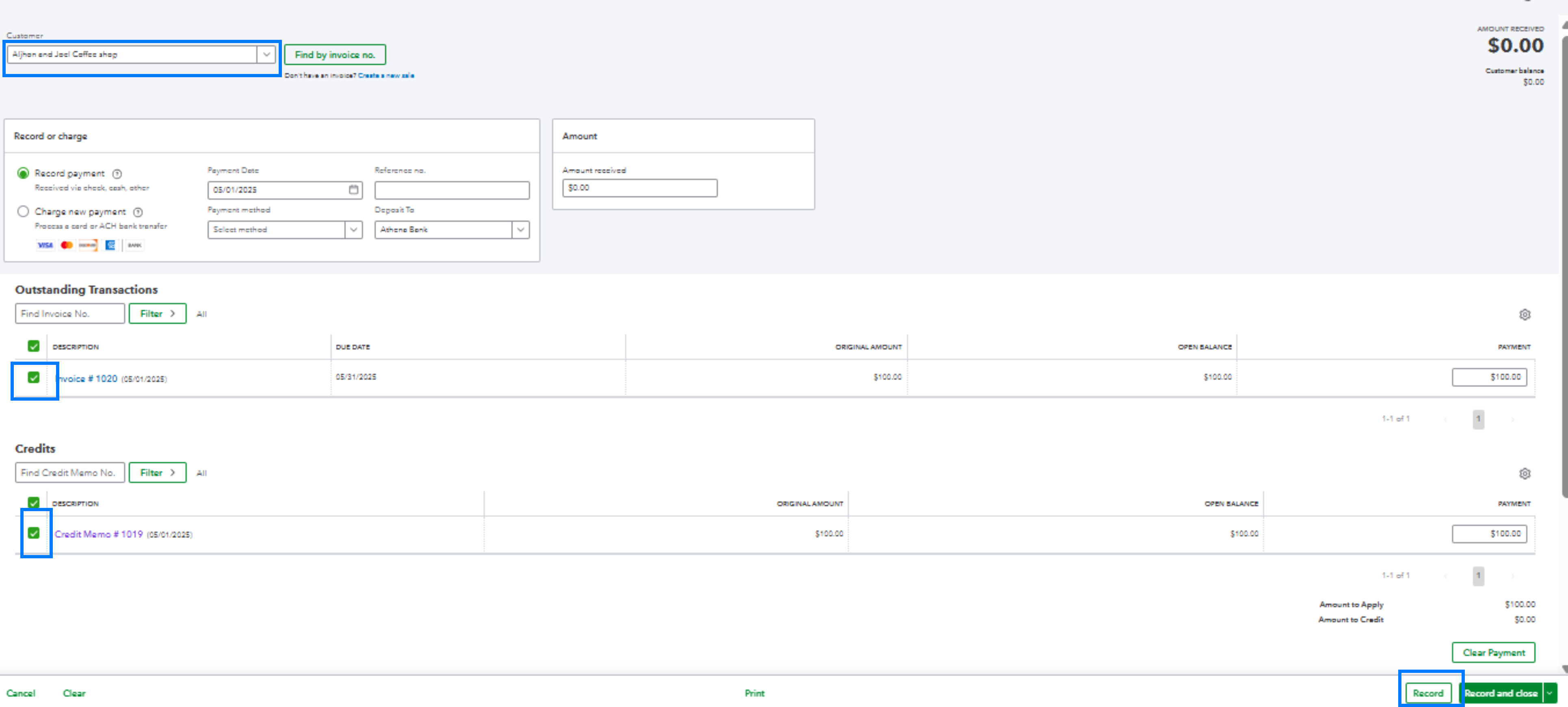
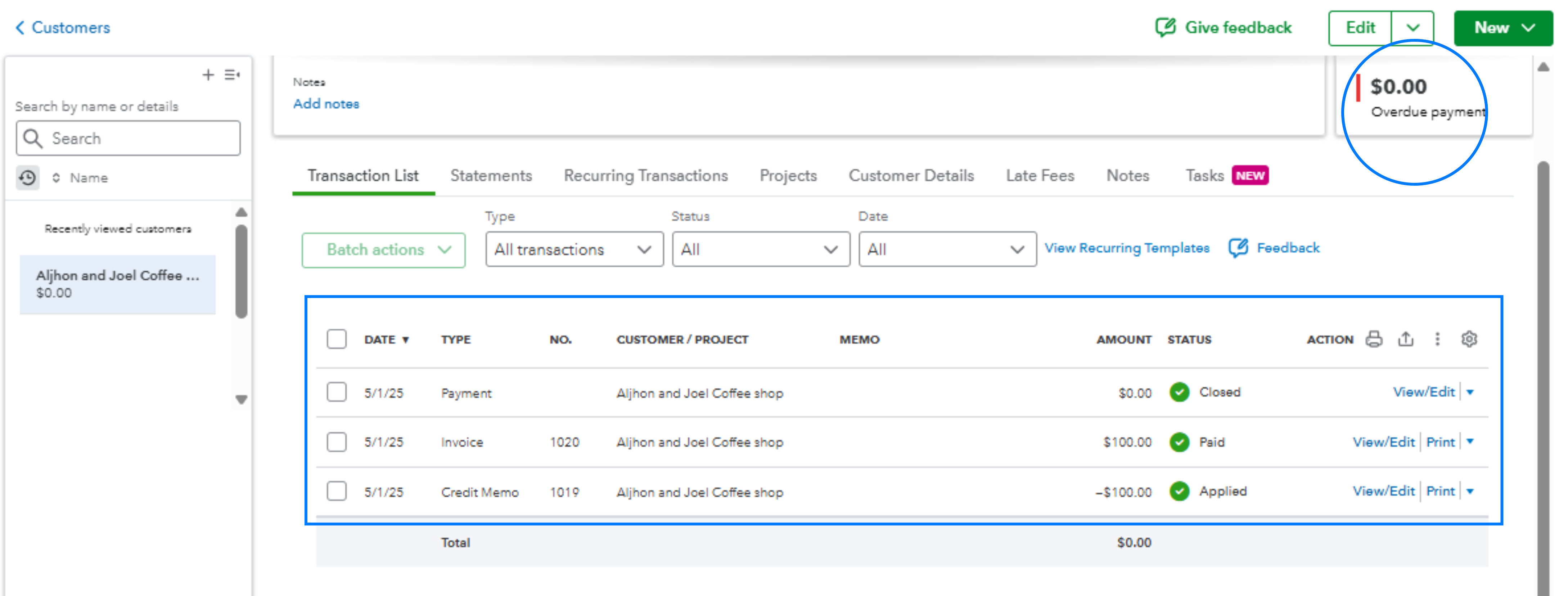
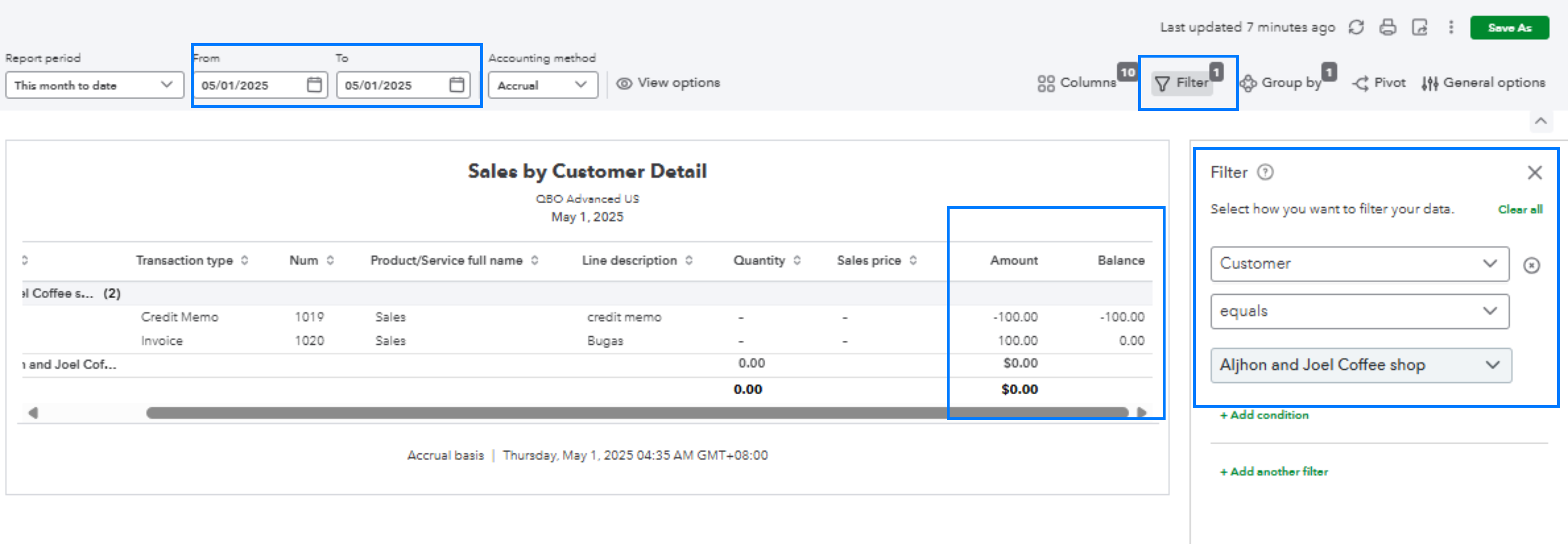
When we apply the credit memo to an open invoice, it will show a 0 balance when you go to the customer profile. However, it will still show as a negative figure (For example -$100) from your sales report since it is intended this way as a credit memo means to offset the invoice payment.
First , apply the credit memo to an invoice:
Then, go to the Customer profile:
Lastly, Run the specific sales report ( For example Sales by Customer Detail
Moreover, you can check this linked article on how to Create and apply credit memos or delayed credits in QuickBooks Online.
Additionally, consider saving this report customization for future use.
Furthermore, If you need assistance managing your books, consider scheduling a free consultation with our expert from QuickBooks Live Expert Assisted.
Should you need more detailed guidance managing your reports. Don't hesitate to reach out our support team. We're here to ensure you make the most out of your accounting software. Have a great day.

