CYBER MONDAY SALE 70% OFF QuickBooks for 3 months*   Ends 12/5

Buy now
cancel
Showing results forΒ 
Search instead forΒ 
Did you mean:Β 
Announcements
Simplify payday and set payroll to run automatically on QuickBooks. Explore QuickBooks Payroll

Reply to message

View discussion in a popup

Replying to:
SashaMC
Moderator

Reply to message

Hey Promise3,


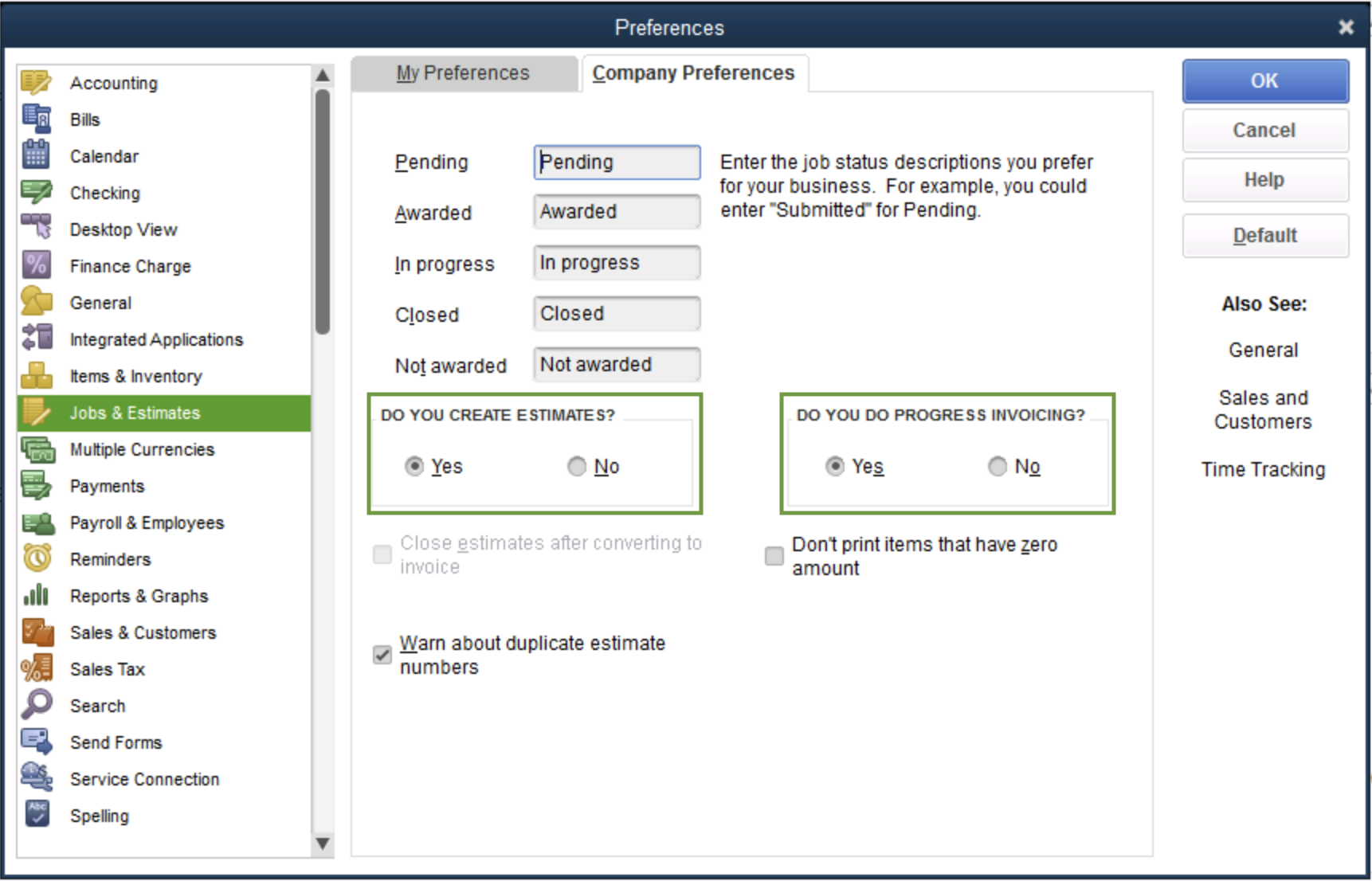
Thank you for reaching out to the QuickBooks Community! With QuickBooks Desktop, you would have to create a progressive invoice. What this does is makes you create an estimate and split it into many invoices. This allows you to invoice customers for partial payments and keep your project organized. If this is something you are interested in you would first need to turn on the progress invoicing.
 

  1. Sign in to QuickBooks Desktop as an admin.
  2. Click File menu and select Switch to Single-user mode.
  3. Select Edit menu and select Preferences.
  4. Choose Jobs & Estimates from the list of menus.
  5. Select the Company Preferences tab.
    This is an image of the Jobs and Estimates tab in the Preferences menu. It shows Yes selected for the do you create estimates and do you do progress invoicing sections.
  6. Select Yes in the DO YOU CREATE ESTIMATES? section. Then select Yes in the DO YOU DO PROGRESS INVOICING? section.
  7. Select OK to save and close your preferences.
  8. If you need to, go back to the File menu and select Switch to Multi-user mode.


The following steps would be to create the estimate and progress invoice, which can be found in this article. 


Please let me know if you have any other questions and so forth! I will be around to assist further. Take care. 


Need to get in touch?

Contact us