Turn on suggestions
Auto-suggest helps you quickly narrow down your search results by suggesting possible matches as you type.
Showing results for
Get 50% OFF QuickBooks for 3 months*
Buy nowWelcome to the Community, @YugoTran!
In QuickBooks Online (QBO), you can edit and adjust the term to make it due by a specific day of the month. Here's how:
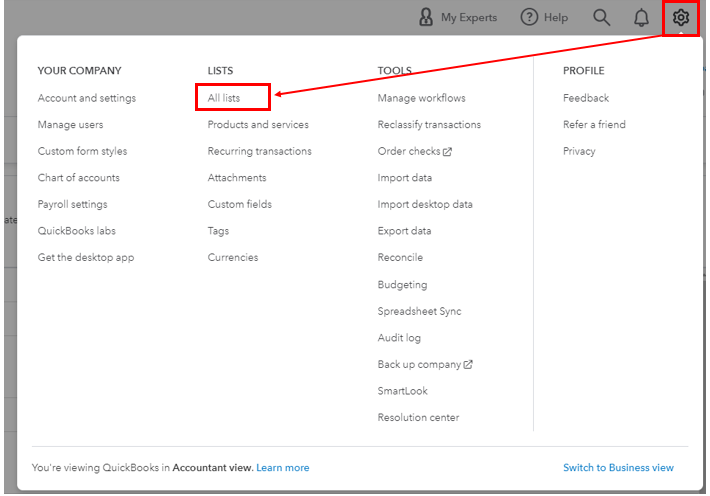
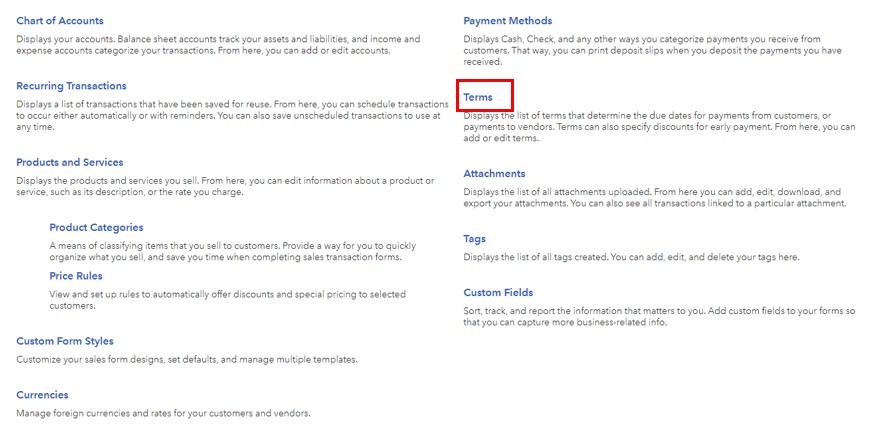
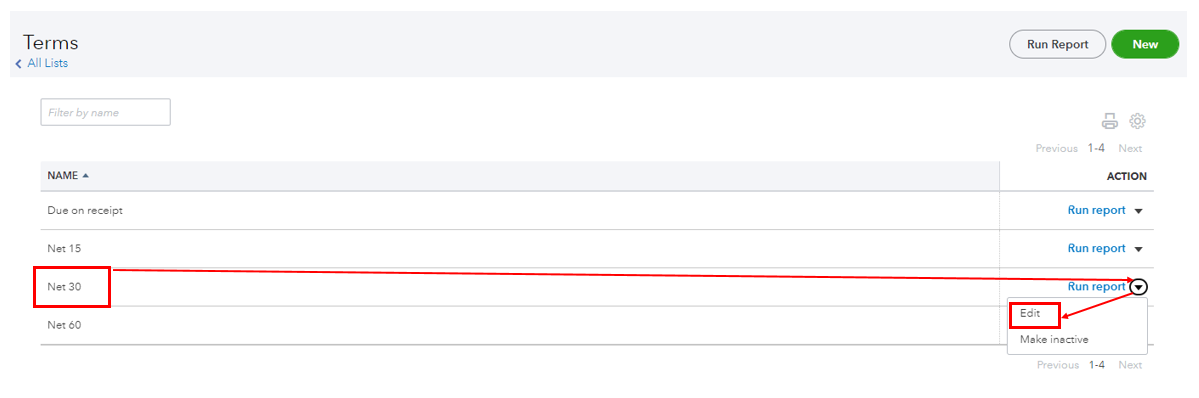
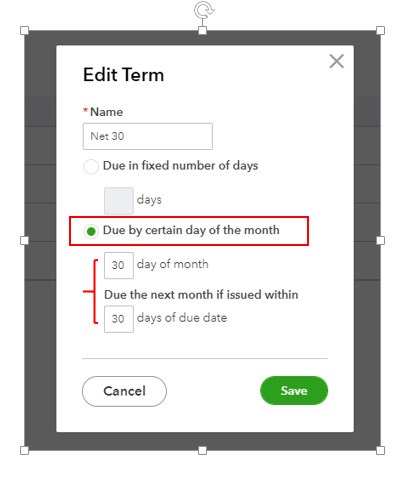
Once done, open the vendor bill and toggle the Terms drop down to reflect the changes (see the screenshot below).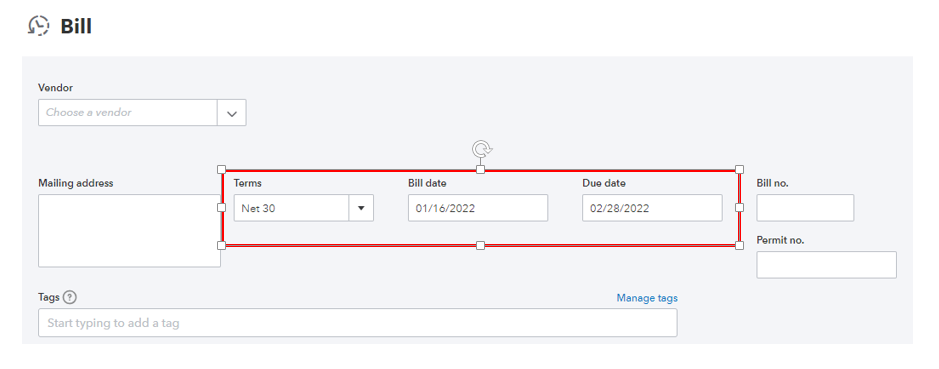
You can read these articles for the detailed guidelines if you need to keep track of bills and invoicing transactions:
If you have further questions about your transactions, please leave a comment below. We're here to help, Tran!

