Turn on suggestions
Auto-suggest helps you quickly narrow down your search results by suggesting possible matches as you type.
Showing results for
CYBER MONDAY SALE 70% OFF QuickBooks for 3 months* Ends 12/5
Buy nowThanks for checking us out, @cheide23,
If you already tried the recommended troubleshooting steps in this thread and still getting the same unexpected behavior, I highly recommend contacting our Technical Department.
They have the tools to check your account with us ans can run some diagnosis on the company file. This way we can identify what's causing the Notes not to display on first entry.
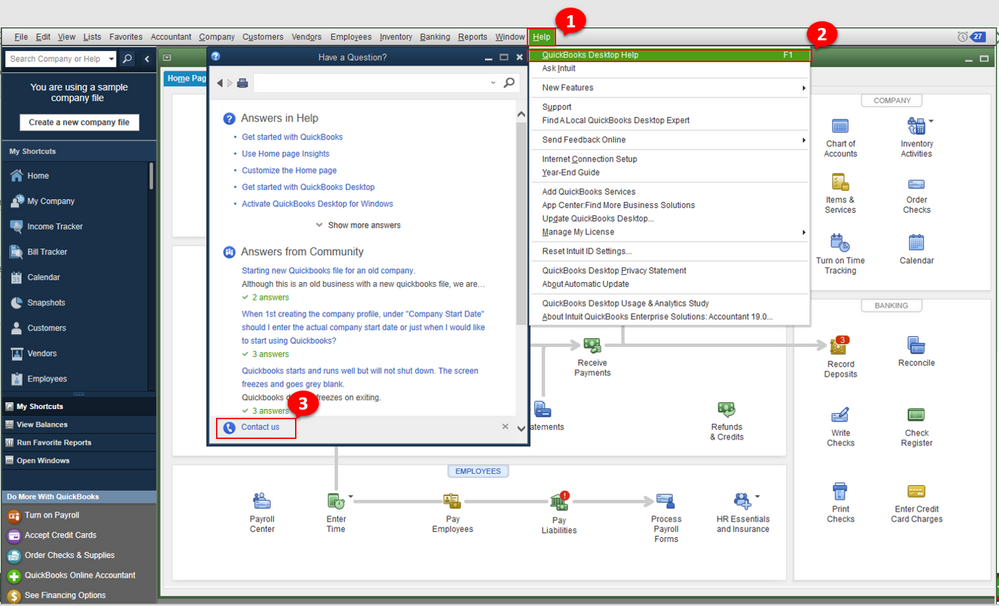
Here's how to contact us:
Kindly update me on the result of the call. I want to ensure everything is working well for you, and I'm here to provide further assistance and insights. Have a great day!