Turn on suggestions
Auto-suggest helps you quickly narrow down your search results by suggesting possible matches as you type.
Showing results for
CYBER MONDAY SALE 70% OFF QuickBooks for 3 months* Ends 12/5
Buy nowWelcome to the Community, @lweiner1 .
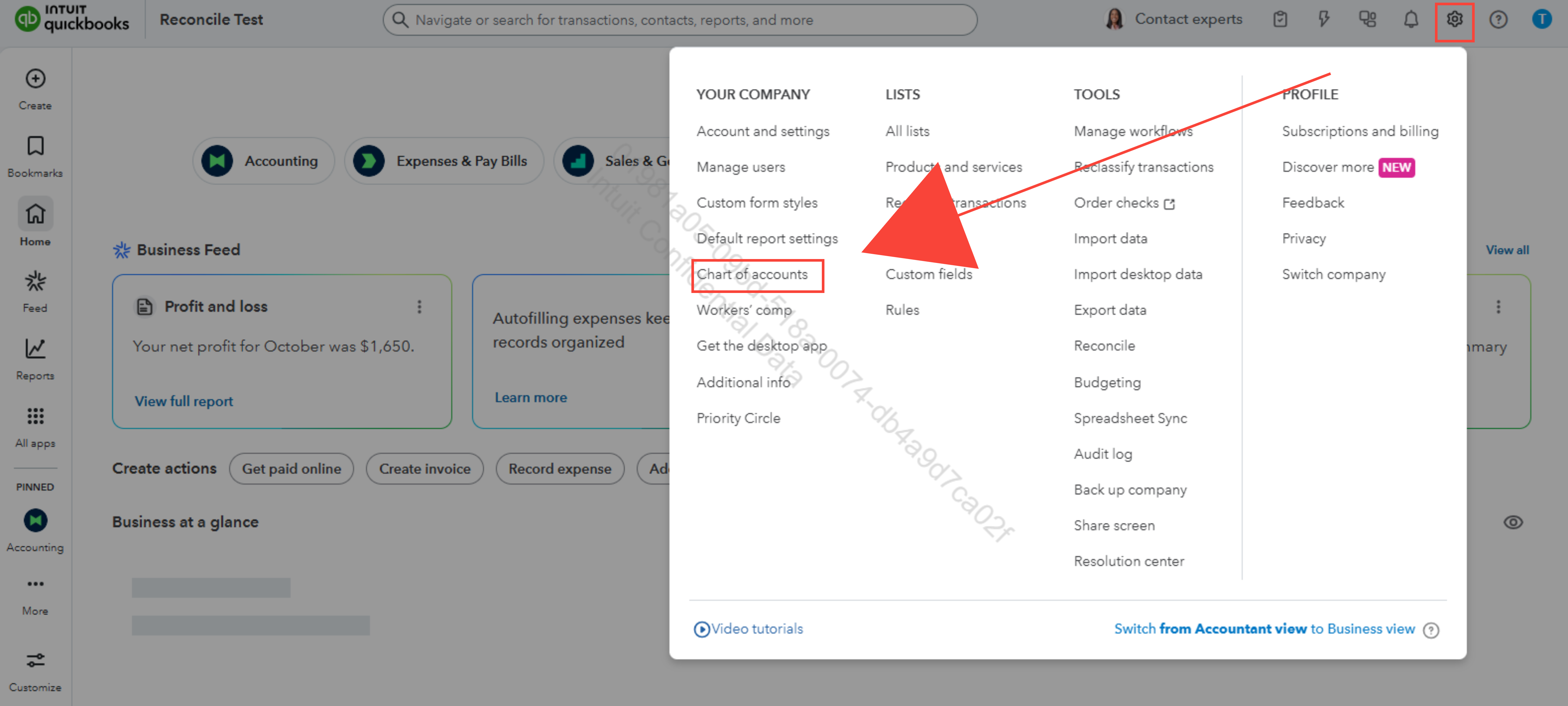
Let me walk you through the process on how you can create custom categories in QuickBooks Online (QBO).
To start, the limited categories you're seeing are just the default accounts that come with QBO. You can create as many custom expense accounts as you need. Once you add them through the Chart of Accounts, they’ll appear in all your category dropdowns when you enter transactions.
Here’s how to create a new expense category:
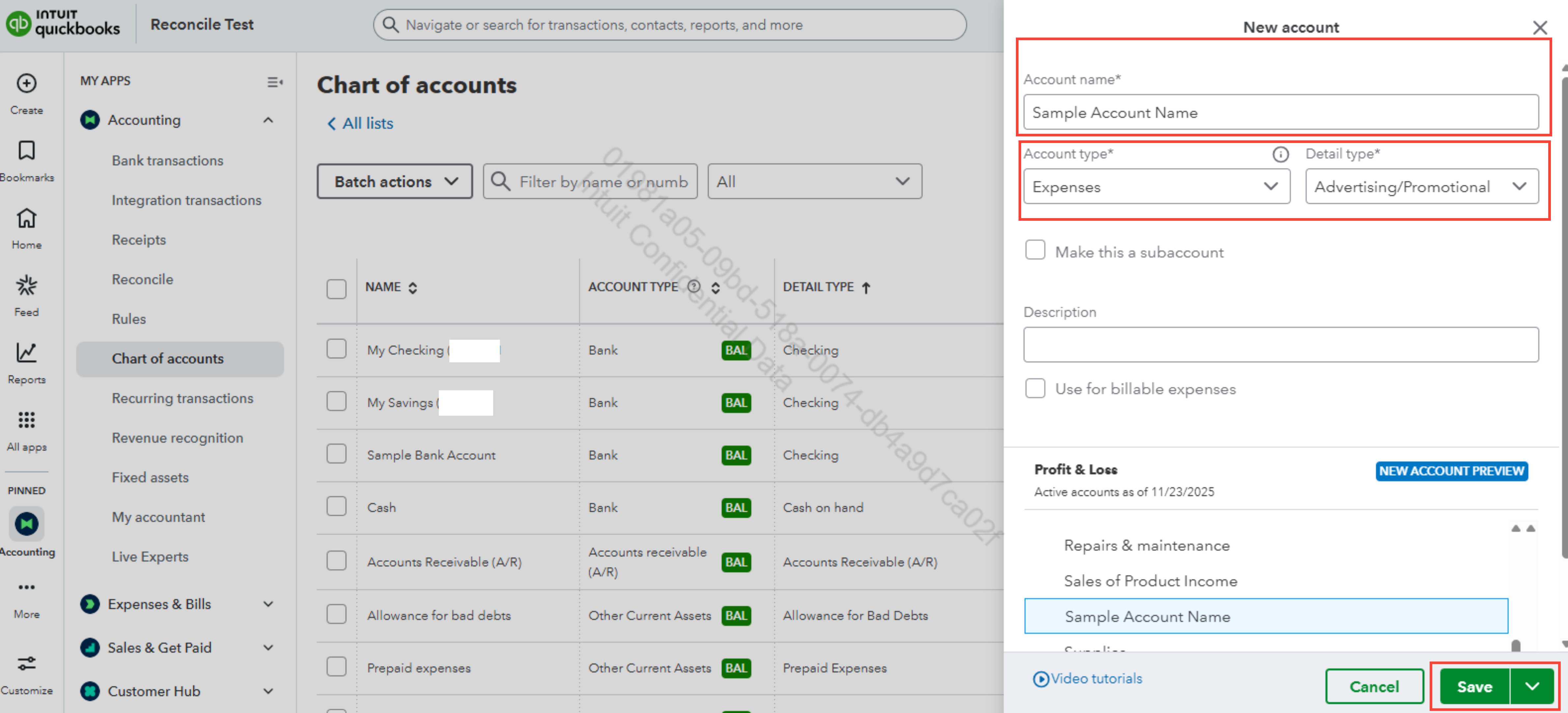
Once created, your new expense category account will appear in the Chart of Accounts account list. If you don’t see it right away, use the filter or search bar to find it quickly.
If you want to organize related expenses together (like having Client Activities under a parent Program Expenses category), you can create sub-accounts by simply checking Make this a subaccount checkbox and selecting the parent account before saving.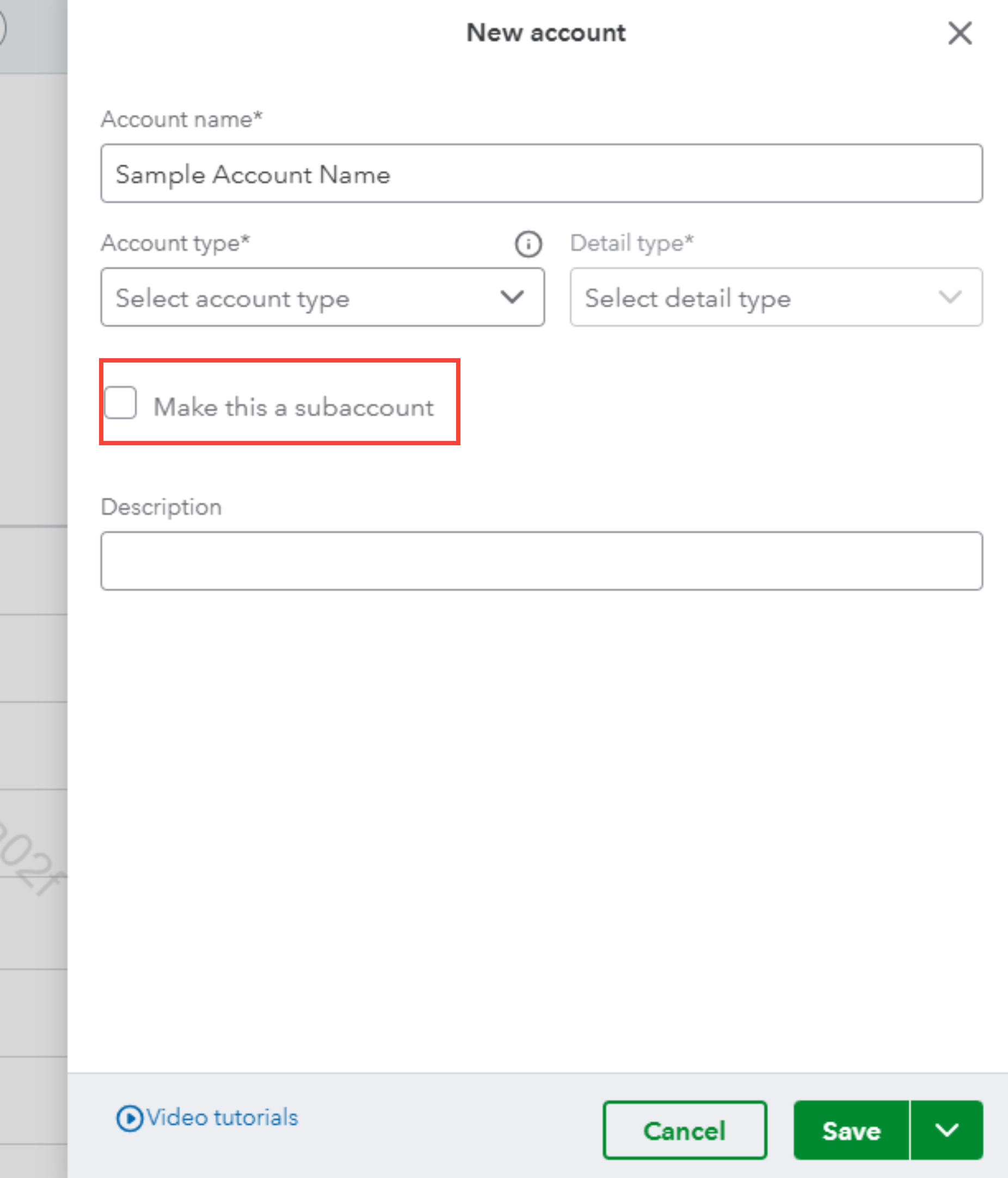
In QBO, Account Types determine how accounts are categorized on your financial reports, such as Assets for what you own, Liabilities for what you owe, Income for money coming in, and Expenses for business costs. Detail Types provide more specific context within those categories, like Advertising or Utilities under Expenses.
You must choose a detail type from QBO's list, but you can name the account anything you want. If you’re unsure which type to select, I recommend consulting your accountant to make sure your setup fits your business needs.
We’re always here if you need additional help with setting up your accounts or anything else in QBO. Feel free to Reply.

