Turn on suggestions
Auto-suggest helps you quickly narrow down your search results by suggesting possible matches as you type.
Showing results for
CYBER MONDAY SALE 70% OFF QuickBooks for 3 months* Ends 12/5
Buy nowYes, ELM33. You can make the existing client a job for another client without losing their transaction history.
To convert an existing customer to a job, you need to do it from the Add/Edit Multiple Customer window. Here are the steps to guide you through:
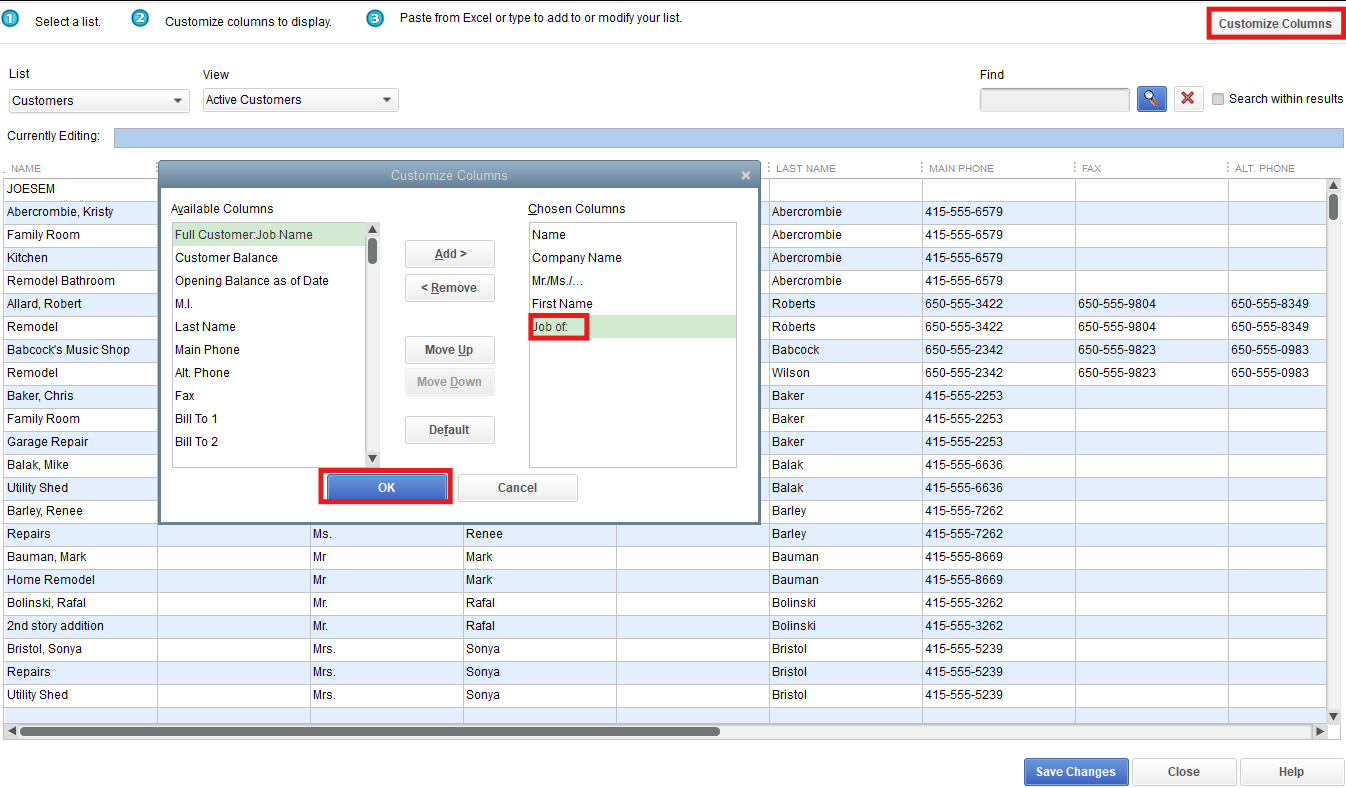

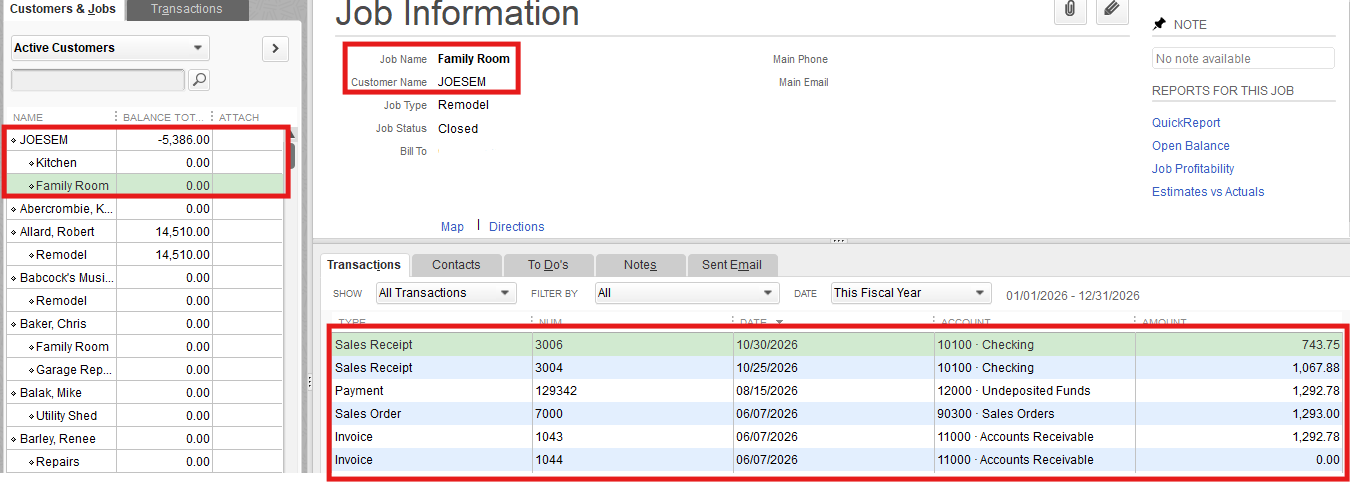
Please note that if the customer has existing transactions, those transactions will now be linked to the new parent customer as part of the job. Refer to the screenshots for guidance.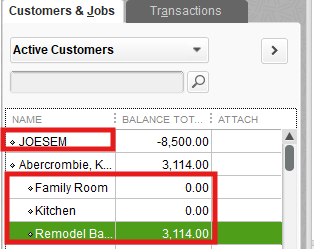
If you need further assistance, feel free to ask. I'm here to help.

