Turn on suggestions
Auto-suggest helps you quickly narrow down your search results by suggesting possible matches as you type.
Showing results for
Get 50% OFF QuickBooks for 3 months*
Buy nowHi there, Vishal. If your reference number appears greyed out, it's probably because the Print Later option has been selected. To resolve this, let's simply uncheck the Print Later option, which will remove the To Print status from your reference number and ensure it updates correctly.
Here's how:
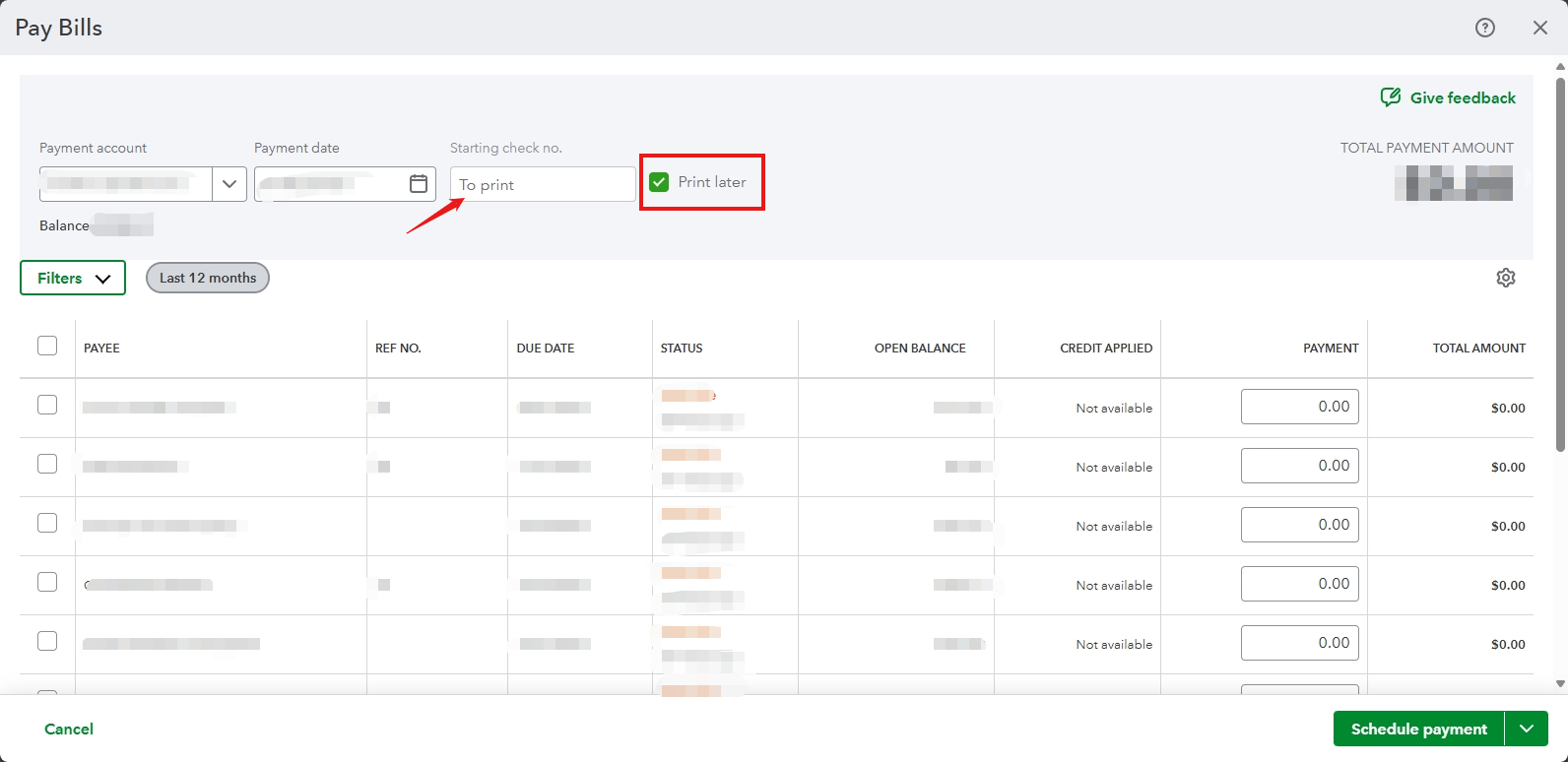
If you need to to modify your reference number for your vendors, you can follow the steps provided by my colleague, @Rea_M.
Once you've successfully updated the reference number, you can proceed to pay your bills.
Feel free to reach out to us if you have any further concerns. We're here to help you!

