Turn on suggestions
Auto-suggest helps you quickly narrow down your search results by suggesting possible matches as you type.
Showing results for
CYBER MONDAY SALE 70% OFF QuickBooks for 3 months* Ends 12/5
Buy nowI appreciate you for getting back on this thread, @SCJazzCat.
I understand the importance of accessing your books to review and track your transactions. With that said, I'd like to take this opportunity to address the issue.
Since the company file can’t be fixed, I recommend contacting our QuickBooks Support Team. They have tools to help you restore your data. I've included the steps to contact support below.
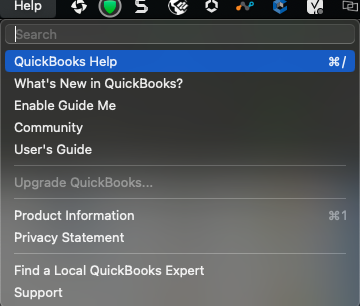
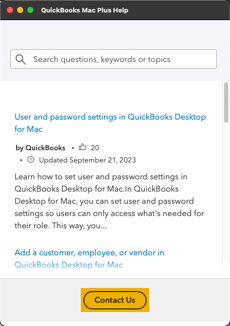
If you can't get into your product, we can still help. You can contact us and we'll get you up and running again.
Moreover, I've included these articles to help you learn what's new in QuickBooks Desktop 2024 and find out what your computer needs for the best experience:
I appreciate your patience in light of this issue. If you have any other concerns regarding working and managing books, please let me know, and I'll help you out.

