Turn on suggestions
Auto-suggest helps you quickly narrow down your search results by suggesting possible matches as you type.
Showing results for
Hello there, lefamphirime01.
To set the As of Date in QuickBooks Online when recording stock, you can do this by specifying the date under the Stock Info tab while entering the inventory details.
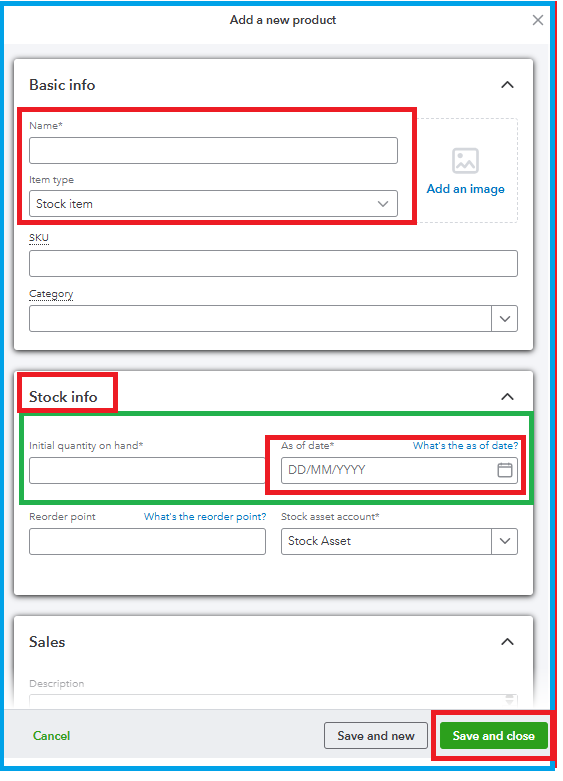
If you have any additional questions or concerns regarding QuickBooks, feel free to click the Reply button below. We're always here to help.

