Turn on suggestions
Auto-suggest helps you quickly narrow down your search results by suggesting possible matches as you type.
Showing results for
Hello there, Ralton.
In QuickBooks Time, when a team member appears as deleted, we can change their status back to active by going to their profile and selecting the Unarchive option. Since your team members are showing as deleted or their names are displaying incorrectly, let's reactivate them.
Here's how:
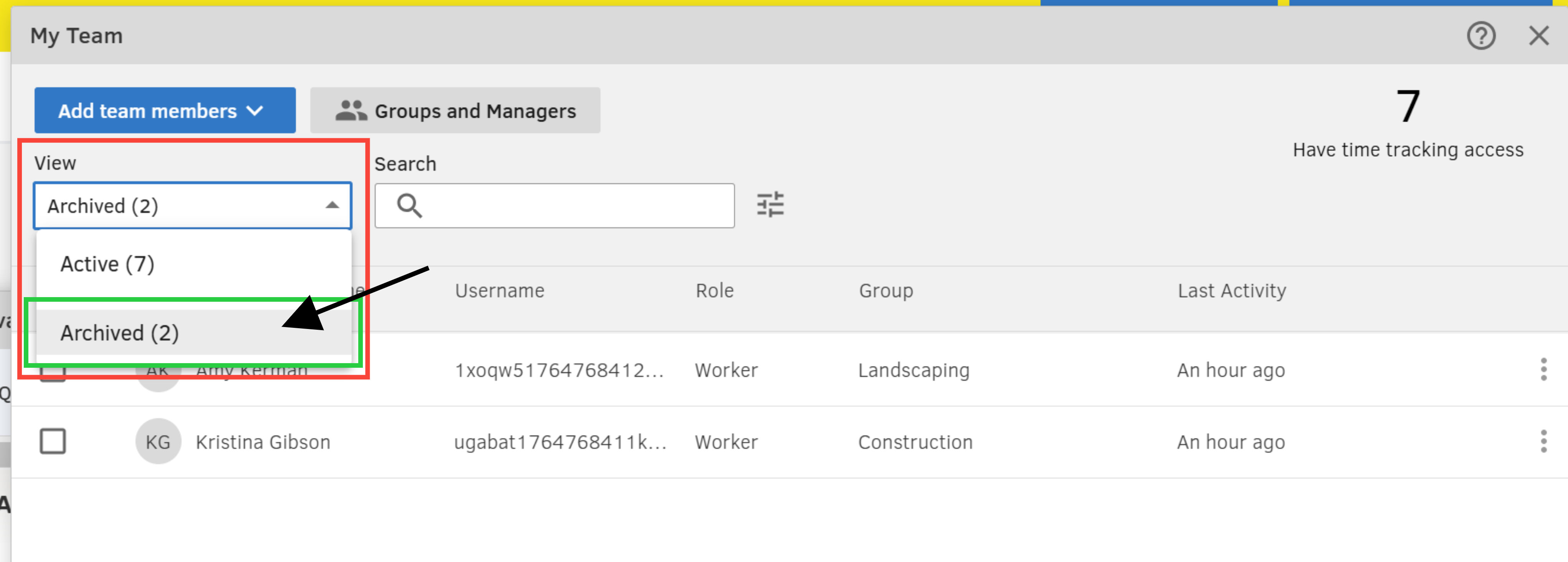

If the issue persists and the display name is incorrect, you can try opening QuickBooks in an incognito or private browsing window or switch to a supported browser. This can help refresh the display and often resolves such inaccuracies effectively.
Refer to the shortcut keys below:
If you have follow-up questions, feel free to click the reply button.

