Turn on suggestions
Auto-suggest helps you quickly narrow down your search results by suggesting possible matches as you type.
Showing results for
SALE EXTENDED 70% OFF QuickBooks for 3 months* Ends 12/8
Buy nowWe can create a sub-customer by navigating through the Sales or Customers & Leads menu in QuickBooks Online (QBO), Sisonnn.
Before you can create one, make sure the parent customer is already set up. Now, here's how to create a sub-customer:
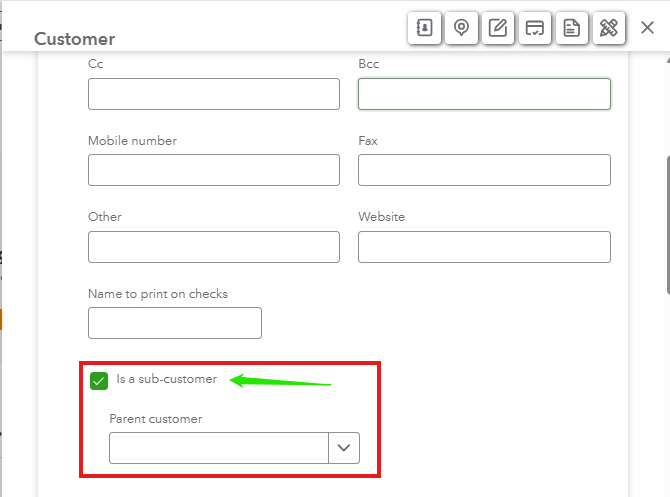
You can also refer to this article for comprehensive instructions: Adding new customers in QuickBooks Online.
In case you want to change or add details to your customer's profile, you have the option to edit it in QuickBooks.
Do you have further questions or need additional assistance with? Please let us know in the comments below. The Community team is always available to help.

