Turn on suggestions
Auto-suggest helps you quickly narrow down your search results by suggesting possible matches as you type.
Showing results for
Get 50% OFF QuickBooks for 3 months*
Buy nowI appreciate the additional details. Allow me to help you remove the transactions in the reconciliation window, Steve.
Please note that you can only reconcile bank and credit card accounts in QBO. Because of this the Reconcile status columns can only be found in those type of registers.
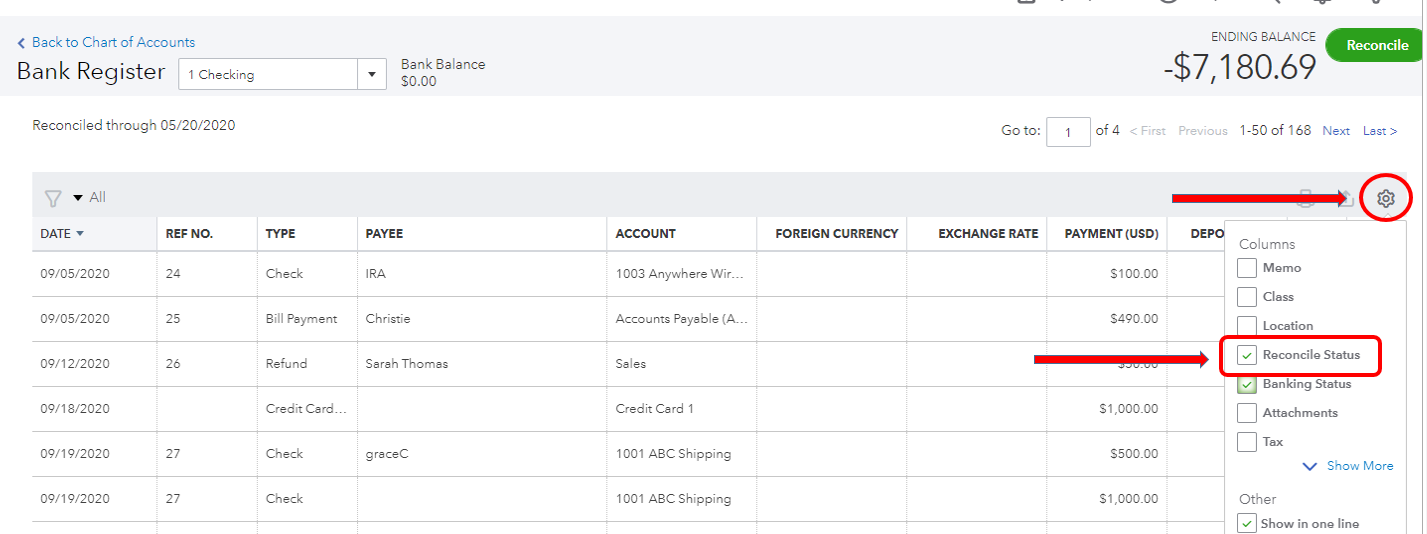
Instead of opening the A/R and A/P accounts , you can go back to the bank register and add the column so you can change the status of the transactions. Here's how:
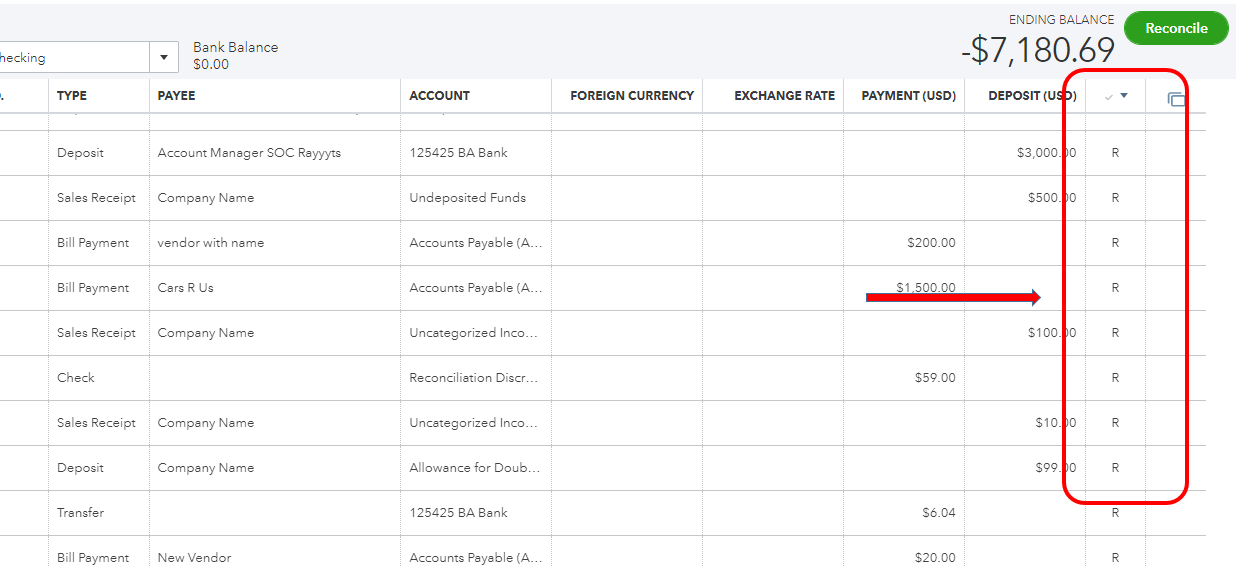
Once done, look for a column with a checkmark on its header. Then, manually change the status to R by following the steps in the previous response.
You can also take a look at this article for more details: Undo or Remove Transactions From Reconciliations in QuickBooks Online.
Let me know if you're able to clear the transactions on the reconciliation page. The Community is always here if you need anything else.

