Turn on suggestions
Auto-suggest helps you quickly narrow down your search results by suggesting possible matches as you type.
Showing results for
Get 50% OFF QuickBooks for 3 months*
Buy nowI have a couple of solutions that we can try to fix this issue, Dee125.
Let's make sure to click this link to update your QuickBooks Desktop to the latest release before following the steps below. When you notice any odd behavior in your Chart of Accounts or the Write Checks option, re-sorting will help you fix them by making your lists go back to its default order.
To re-sort from the Banking menu, here's how:
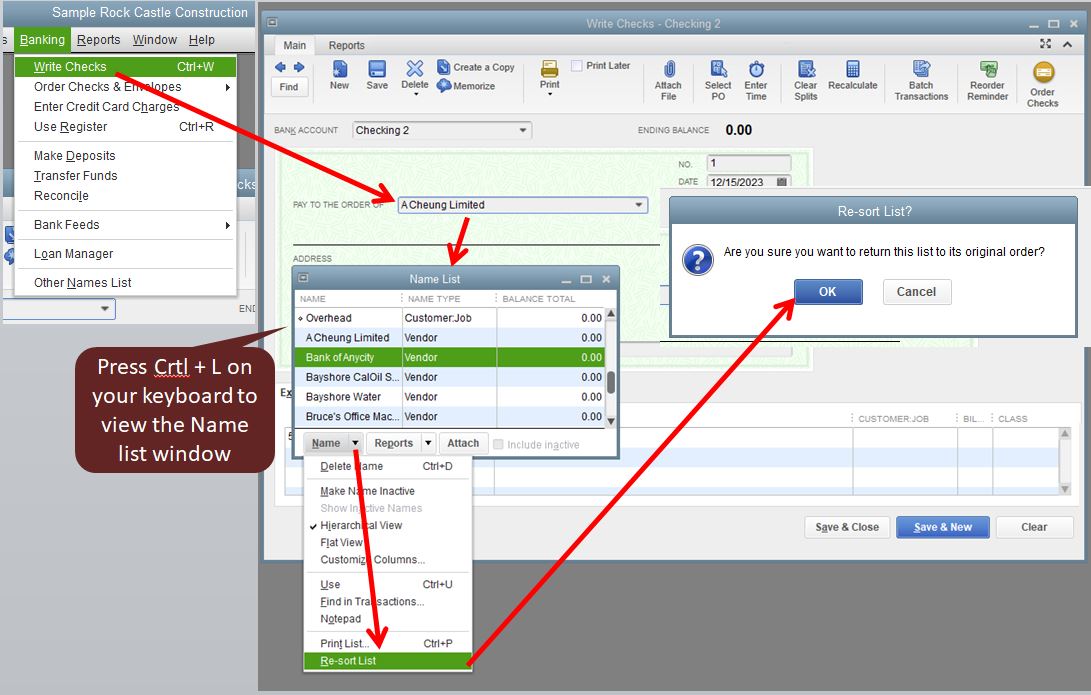
From the Chart of Accounts page, you can follow these steps:
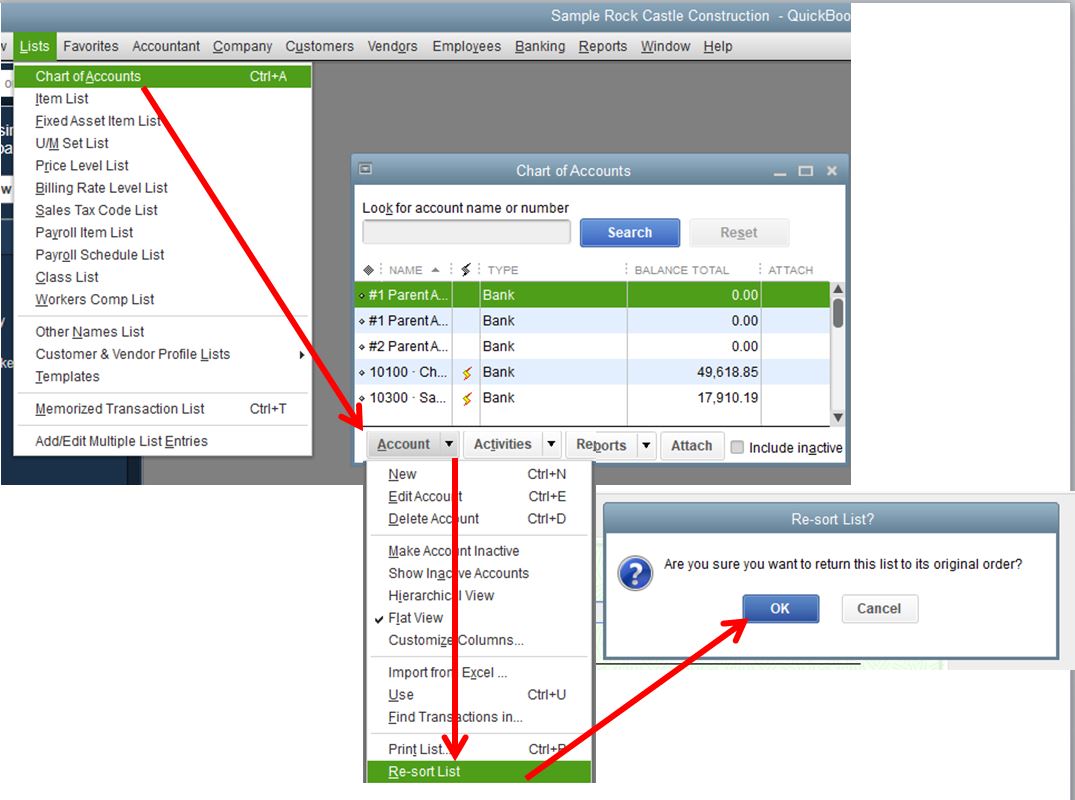
Once done, try to write a check and see if the balance matches what you have in the Chart of Accounts. Otherwise, follow the the instructions in this article: Verify and Rebuild Data in QuickBooks Desktop to resolve data issues within a company file.
I'm also adding these articles for reference:
Please keep me posted on how it goes or if you have other concerns for QuickBooks Desktop. I'm here to help you out again.

