Turn on suggestions
Auto-suggest helps you quickly narrow down your search results by suggesting possible matches as you type.
Showing results for
Get 50% OFF QuickBooks for 3 months*
Buy nowHey there, @bdiamondbuilders. I see that your financial institution has long been partnered with QuickBooks based on your verbatim, and it is unusual to have a connection issue with both systems.
There are several reasons why you are encountering this issue, and to point you to the right resolution, I'd like to know if there is an error message showing on your banking page so we can further understand the root cause of this.
While waiting for your response, try logging in to your online banking account. See if there are any maintenance issues or any financial errors notification that trigger the connection issue between your bank and QuickBooks.
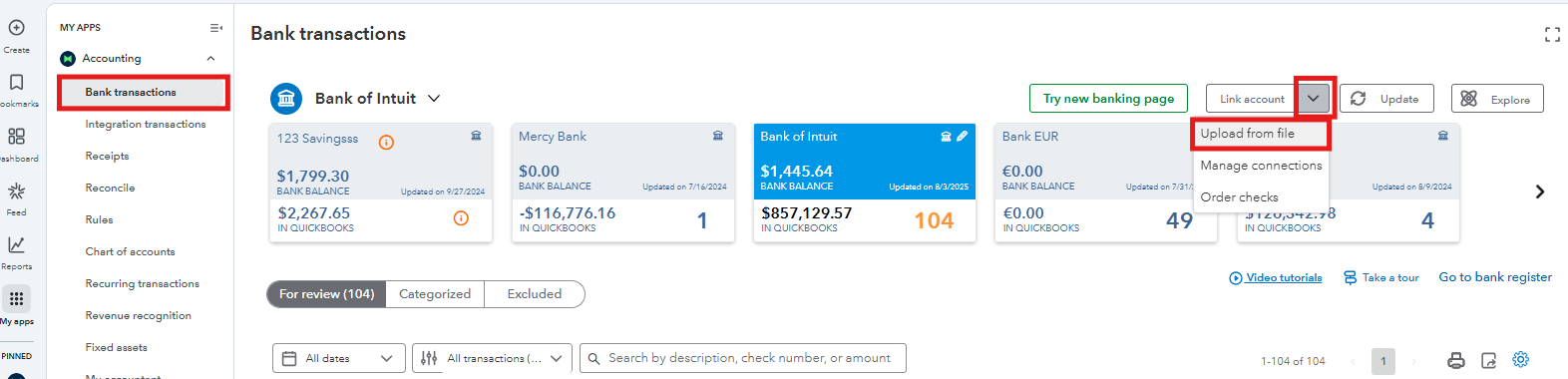
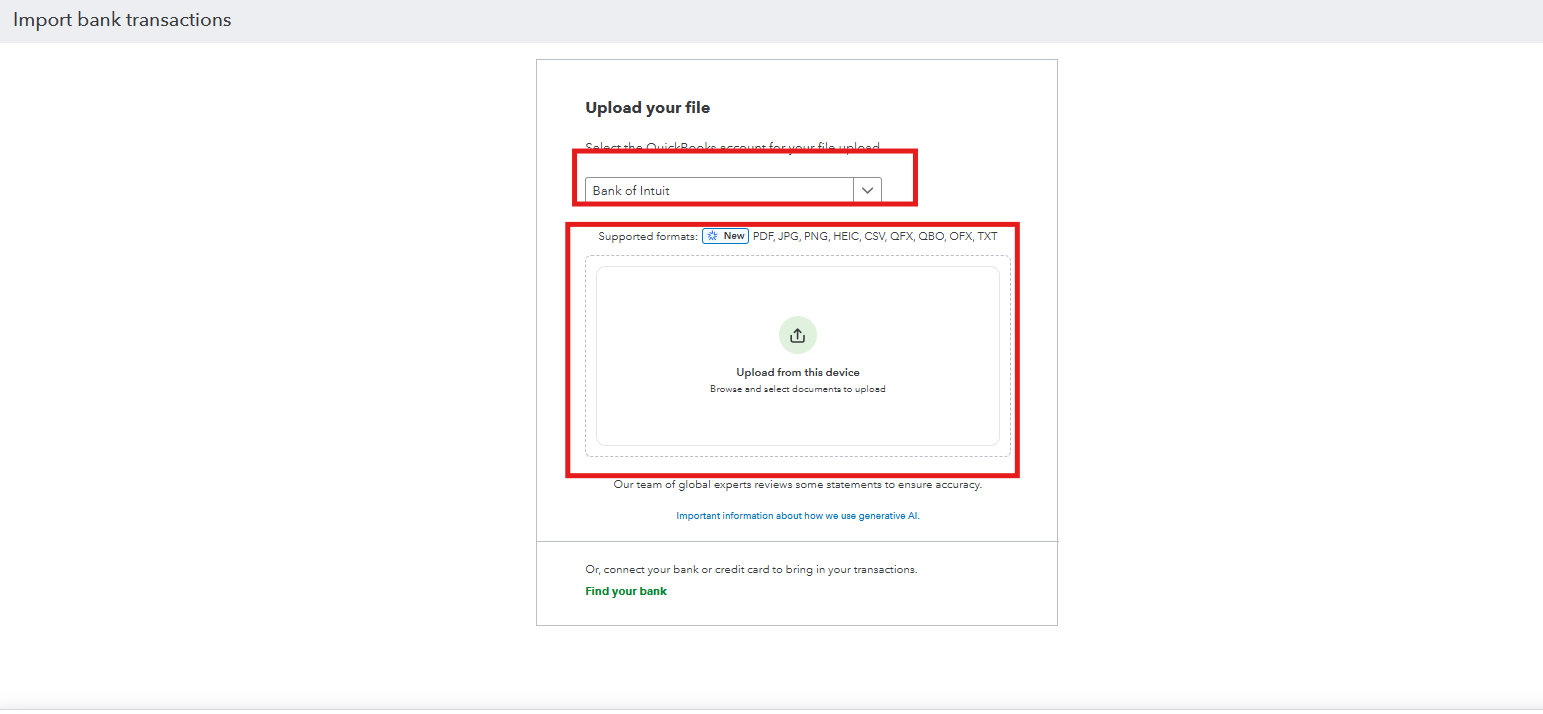
In the meantime, you can manually upload your credit card transactions in QuickBooks so you can still continue with your banking tasks and be able to record them accurately in our system. Make sure to prepare the transactions first based on the file guidelines our software requires to upload them successfully.
Here's how:
I am always here, willing to help you fix the connection of your bank in QuickBooks and make sure you can still proceed with your tasks despite these challenges.

