Turn on suggestions
Auto-suggest helps you quickly narrow down your search results by suggesting possible matches as you type.
Showing results for
Get 50% OFF QuickBooks for 3 months*
Buy nowQuickBooks Online can display check images from your bank, but only if the bank allows third-party access like QuickBooks. I recommend checking with your bank to see if they permit this.
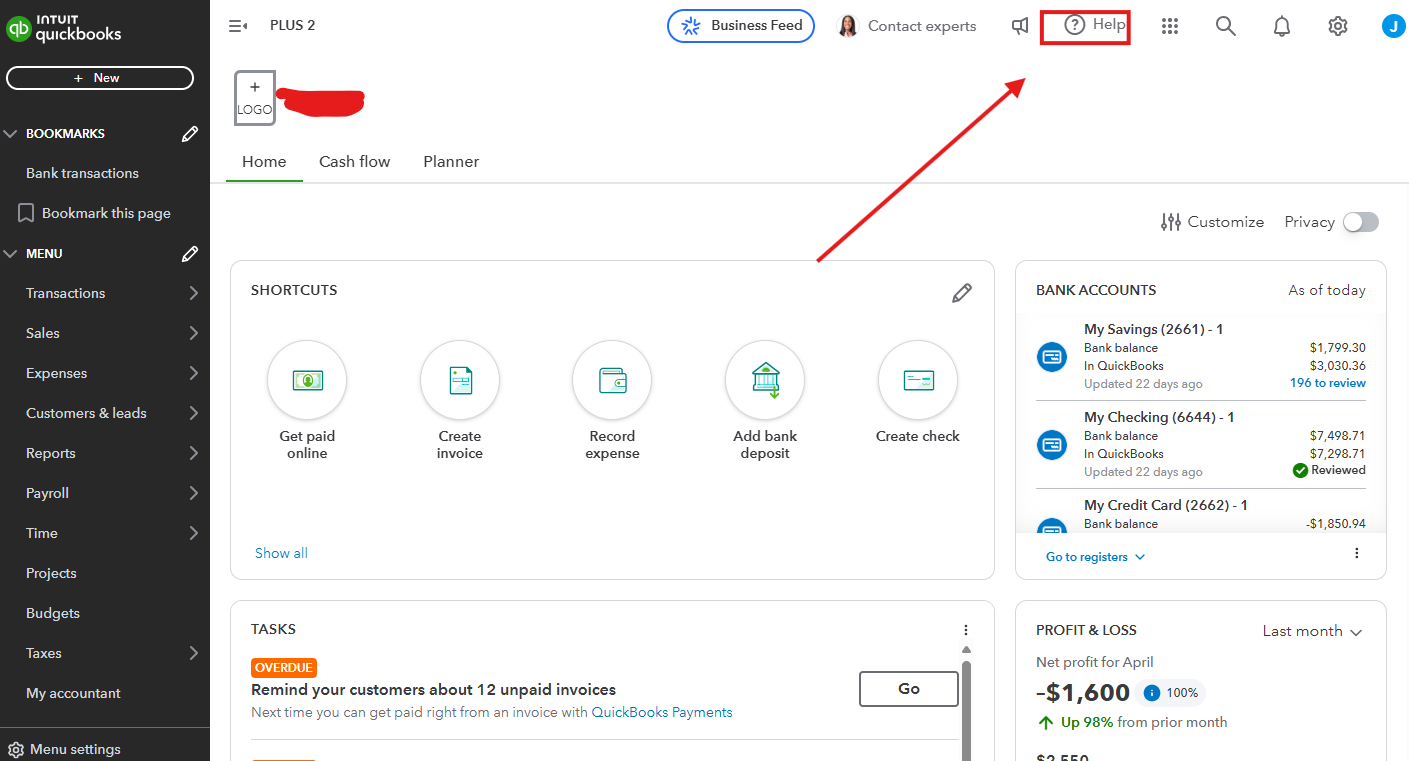
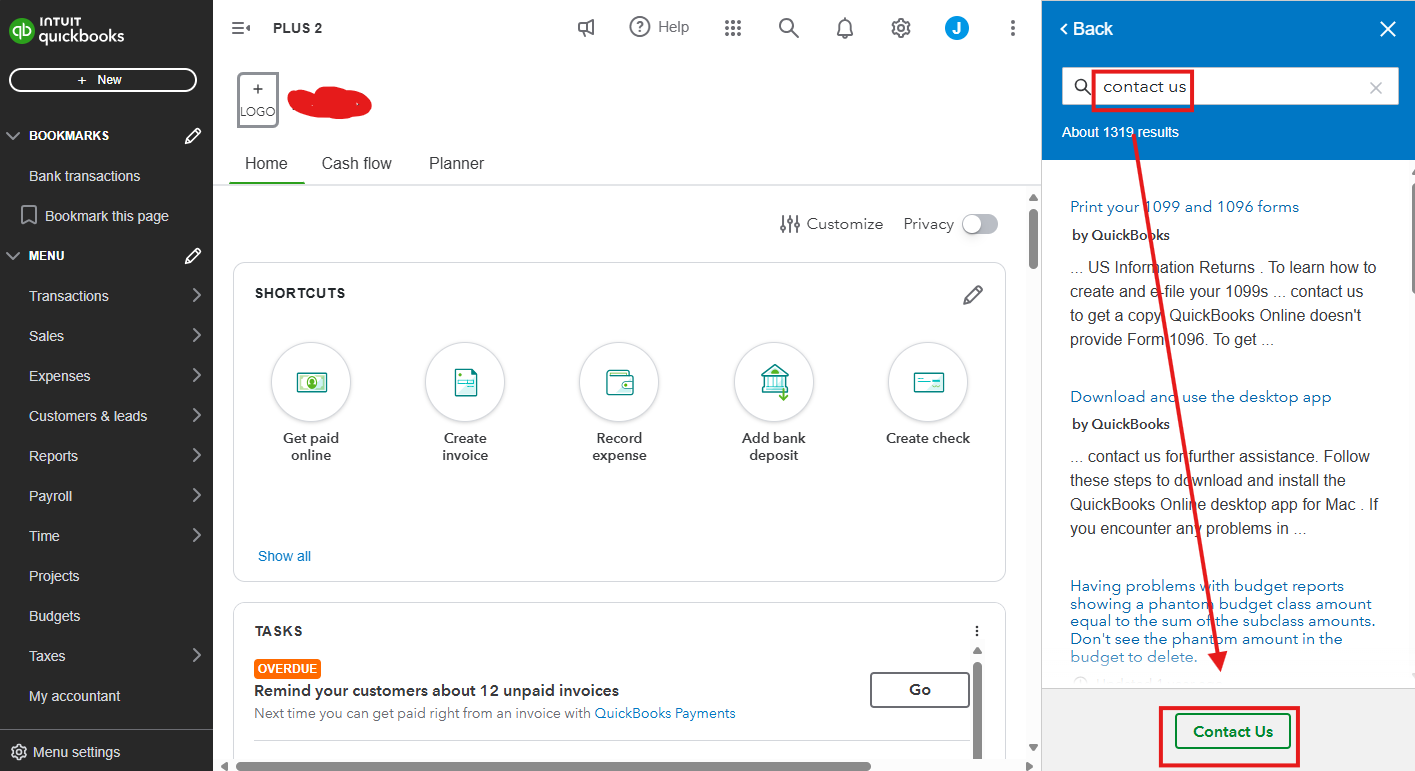
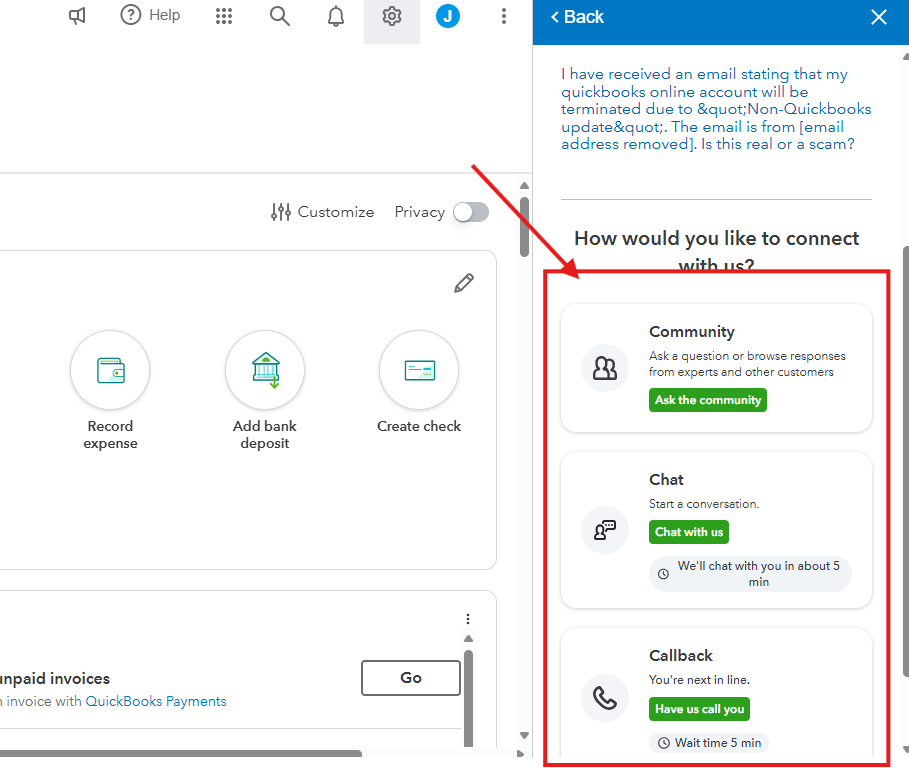
After confirming with your bank that they allow this and you still can't see check images in your transactions, contact our Live Support team for further help. They have the tools to see what's on your end and help investigate the check auto-import. I'll show you how below.
Here's how:
Moreover, to learn about our support availability, you can check this material: Get help with QuickBooks products and services.
Additionally, this resource guides you on how to view your transactions to ensure there are no duplicates or discrepancies and categorize transactions to maintain organized financial records: Categorize online bank transactions in QuickBooks Online.
If you have any other queries about check auto-import in QuickBooks Online, drop a comment below. I'm here to help.

