Turn on suggestions
Auto-suggest helps you quickly narrow down your search results by suggesting possible matches as you type.
Showing results for
I understand how frustrating it can be to be asked for a password when you're using a passkey intended to simplify and secure your account login process, Chris. Let me clarify why this issue occurred and assist you in resolving it to ensure a smooth sign-in experience using your passkey.
Passkeys eliminate the necessity of entering passwords or receiving one-time passcodes via text or email. However, if Two-Step Verification or 2-Factor Authentication (2FA) is enabled on your account, the system may still prompt you for a password. This behavior works as designed.
To bypass password prompts while using a passkey, I recommend disabling 2FA. Here's how to do it if you're using the same phone number linked to your account:
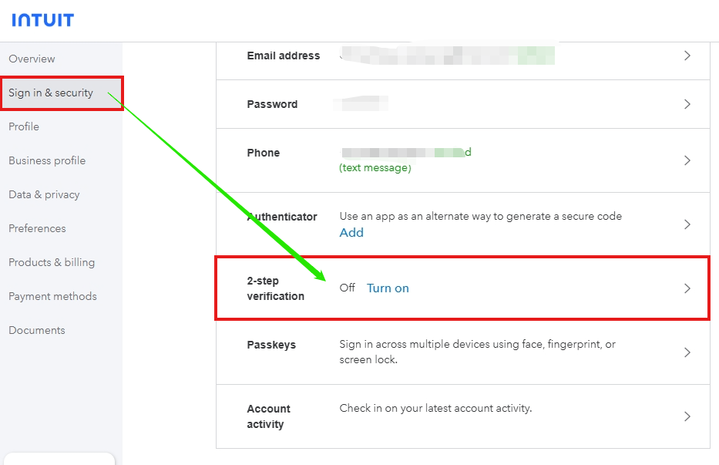
If you're using a different phone number, kindly refer to this article and follow the detailed instructions provided: Turn off two-step verification.
Once you've disabled 2FA, sign in to your account using your passkey. You should no longer be required to enter your password when accessing your account.
I hope this clarifies why the system requested a password despite your use of a passkey. If you have further questions or need assistance, feel free to reply here. Our Community team is always here to help.

