

- Mark as New
- Bookmark
- Subscribe
- Permalink
- Report Inappropriate Content
Other questions
We appreciate your effort in verifying and rebuilding your file twice, then providing detailed information regarding the issue you're experiencing with credits not being applied in QuickBooks Desktop (QBDT) for Mac, Susan.
To ensure that the credits are applied correctly, make sure to check the Apply Existing Credits? checkbox. This will allow the system to automatically retrieve and apply the appropriate credits to the invoice.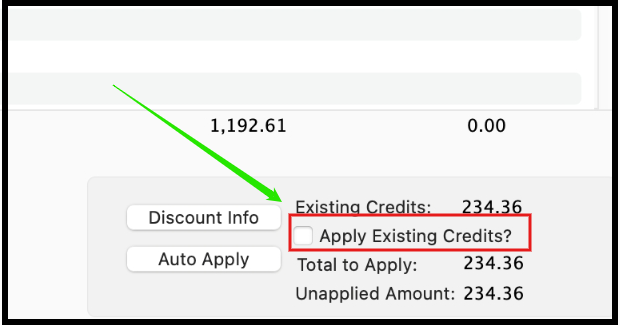
If you enter the credit amount manually, it may result in credits being left unapplied, leading to potential issues or discrepancies in your account. Using the checkbox ensures that credits are handled properly.
You can click the reply button if you have further questions or concerns. We're here to assist you.
