

- Mark as New
- Bookmark
- Subscribe
- Permalink
- Report Inappropriate Content
Other questions
We appreciate you sharing your concern about the recurring transactions reminder list no longer appearing on the Dashboard after the October 1st update, Kim.
While QuickBooks Online has made changes to streamline the interface based on customer feedback and feature prioritization, all your recurring transaction templates remain available and accessible.
Here's how:
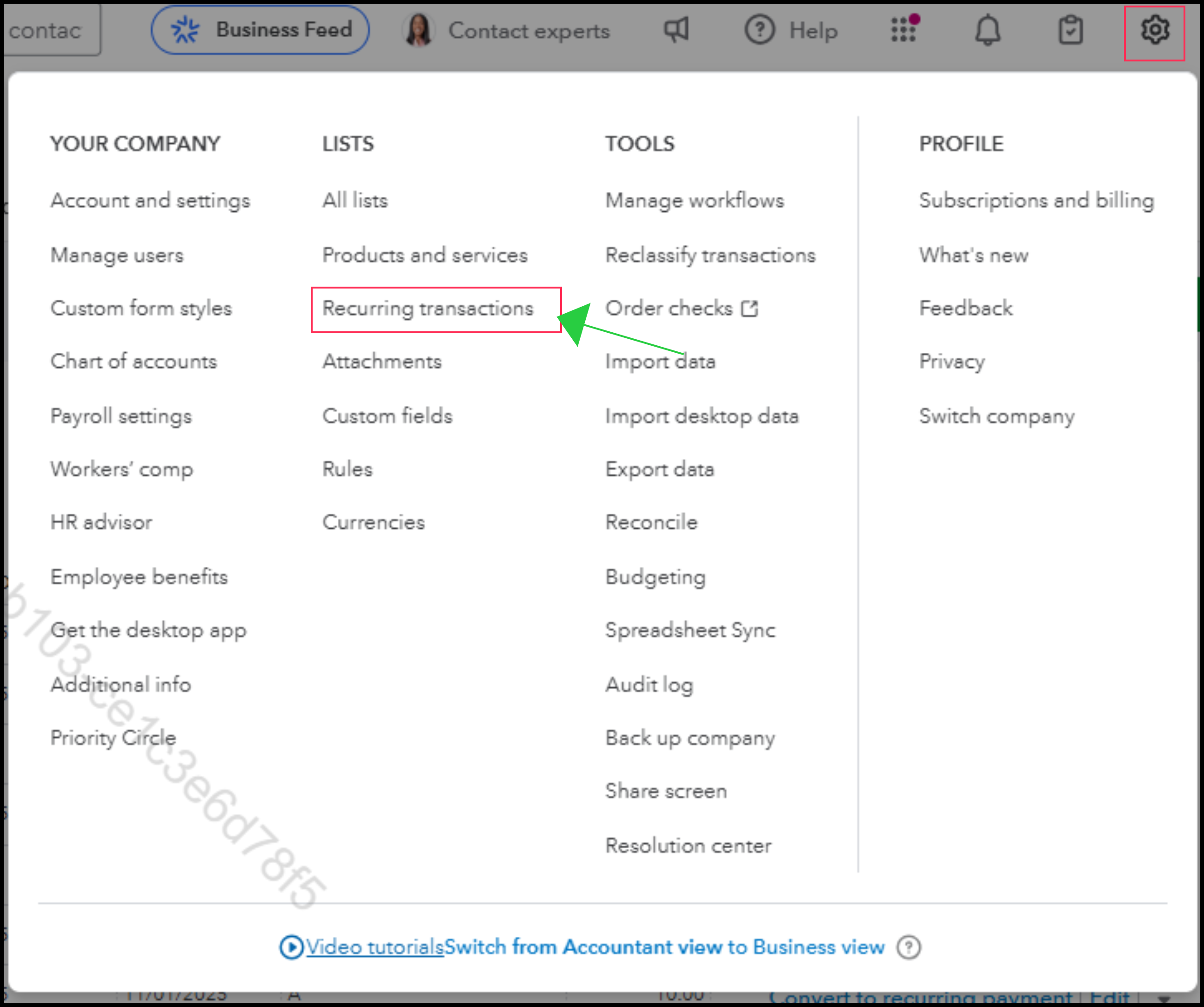
- Go to the Gear icon.
- Under the LISTS column, select Recurring transactions.
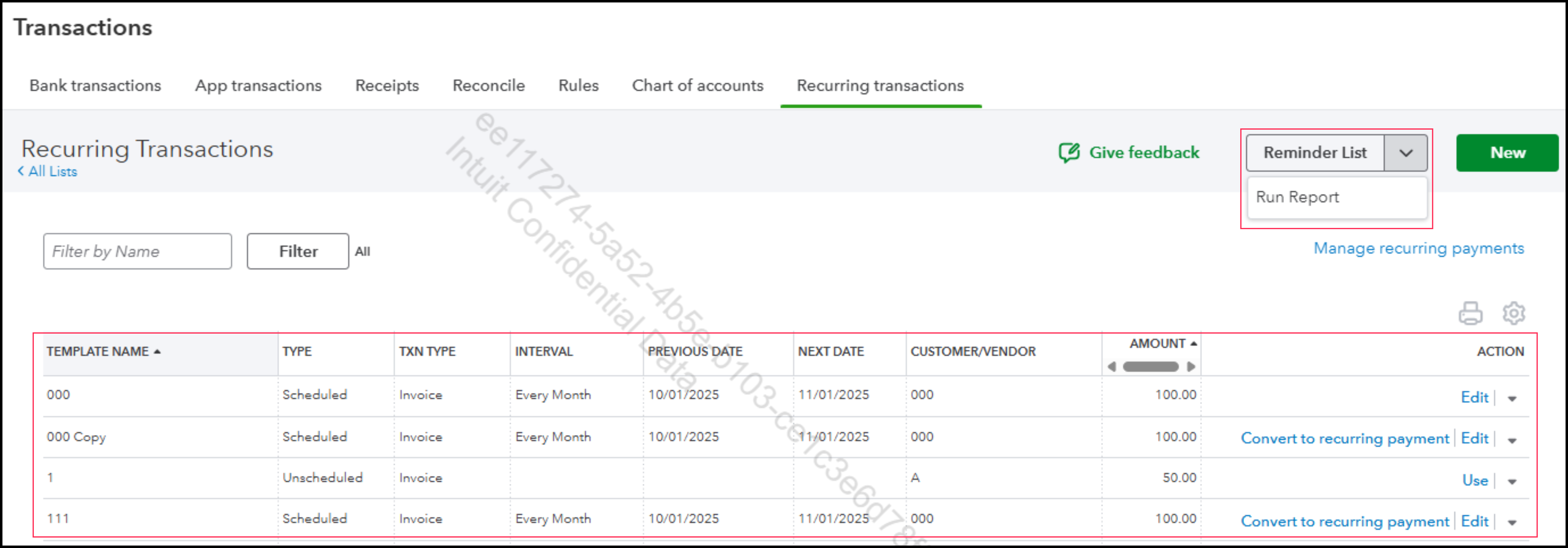
- This screen shows all your templates (Scheduled, Reminder, and Unscheduled), their next date, and the actions you can take, eliminating the need for an external spreadsheet.
If you have further questions or need more assistance, you can reply to this thread, and the Community team is always here to support you.
