
- Mark as New
- Bookmark
- Subscribe
- Permalink
- Report Inappropriate Content
How do I restore my reminder list for recurring transactions back to the Dashboard. October 1st with the update it disappearded from the dashboard. Techs can't help.
Recurring transactions list of reminders is not accessible on the Dashboard. It use to appear as a shortcut with the outstanding invoices in its own block on the dashboard. I will have to maintain an excel sheet to keep recurring invoices current. It doesn't appear on the clipboard.


- Mark as New
- Bookmark
- Subscribe
- Permalink
- Report Inappropriate Content
Other questions
We appreciate you sharing your concern about the recurring transactions reminder list no longer appearing on the Dashboard after the October 1st update, Kim.
While QuickBooks Online has made changes to streamline the interface based on customer feedback and feature prioritization, all your recurring transaction templates remain available and accessible.
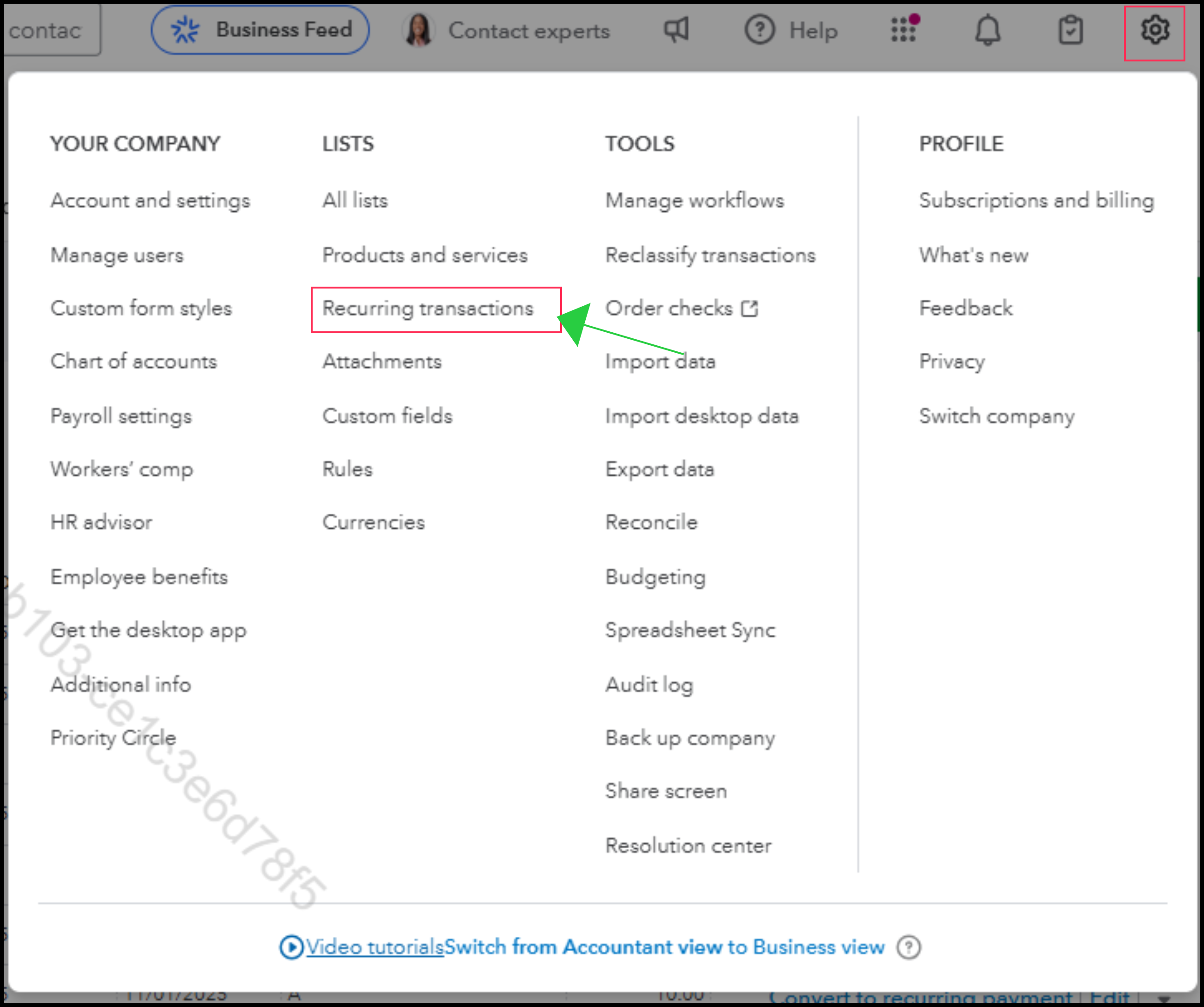
Here's how:
- Go to the Gear icon.
- Under the LISTS column, select Recurring transactions.
- This screen shows all your templates (Scheduled, Reminder, and Unscheduled), their next date, and the actions you can take, eliminating the need for an external spreadsheet.
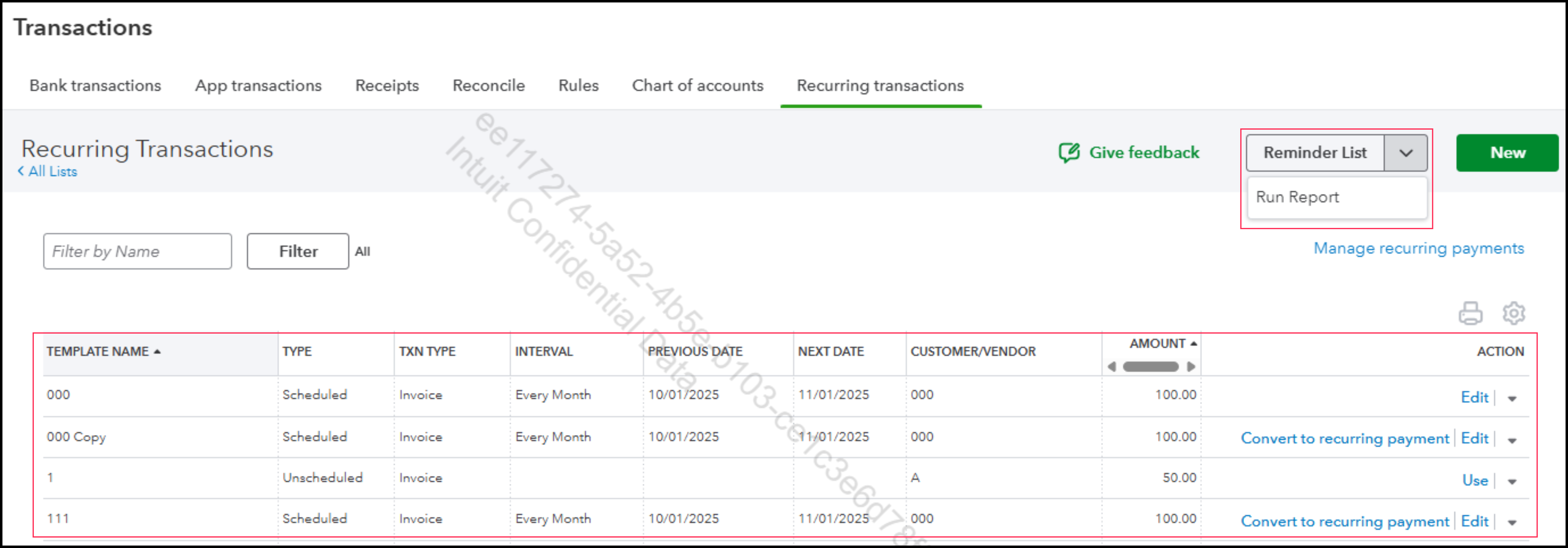
If you have further questions or need more assistance, you can reply to this thread, and the Community team is always here to support you.
- Mark as New
- Bookmark
- Subscribe
- Permalink
- Report Inappropriate Content
Other questions
Yes, I can find the list of reminders for invoices. I have had to save it in Excel so I may sort the next day column and ensure I do not miss posting an Annual Invoice. But the reminders do not pop up in the dashboard or the clipboard for tasks when they are due.

- Mark as New
- Bookmark
- Subscribe
- Permalink
- Report Inappropriate Content
Other questions
Good morning, @kim-incontrolcei.
Thanks for reaching out with all the details you gave.
As of right now, we recommend submitting feedback to our Product Developers so that they can consider adding this feature back on the dashboard for you and other users. Here's how:
- Go to the Gear icon in the top right-hand corner.
- Press the Feedback option.
- Enter your suggestions.
- Tap Next to submit them.
Feel free to come back if you have any other questions or concerns. Have a wonderful day!
- Mark as New
- Bookmark
- Subscribe
- Permalink
- Report Inappropriate Content
Other questions
The steps you gave me give me all my recurring transactions. It does not create a reminder list for those transactions due weekly or even monthly. I must sort the list per the next date column to achieve as sort of idea who is due to be billed. One previous step on the dashbaord has turned into 4 steps.
