

- Mark as New
- Bookmark
- Subscribe
- Permalink
- Report Inappropriate Content
Manage Your Account
We have a dedicated Chat support team that can assist you, providing an efficient and effective way to resolve your queries without the need for verbal communication, Thomas366.
Before we begin, could you please let us know what version of QuickBooks product you are currently using?
You can reach our Chat support team through the QuickBooks Community page by following these steps:
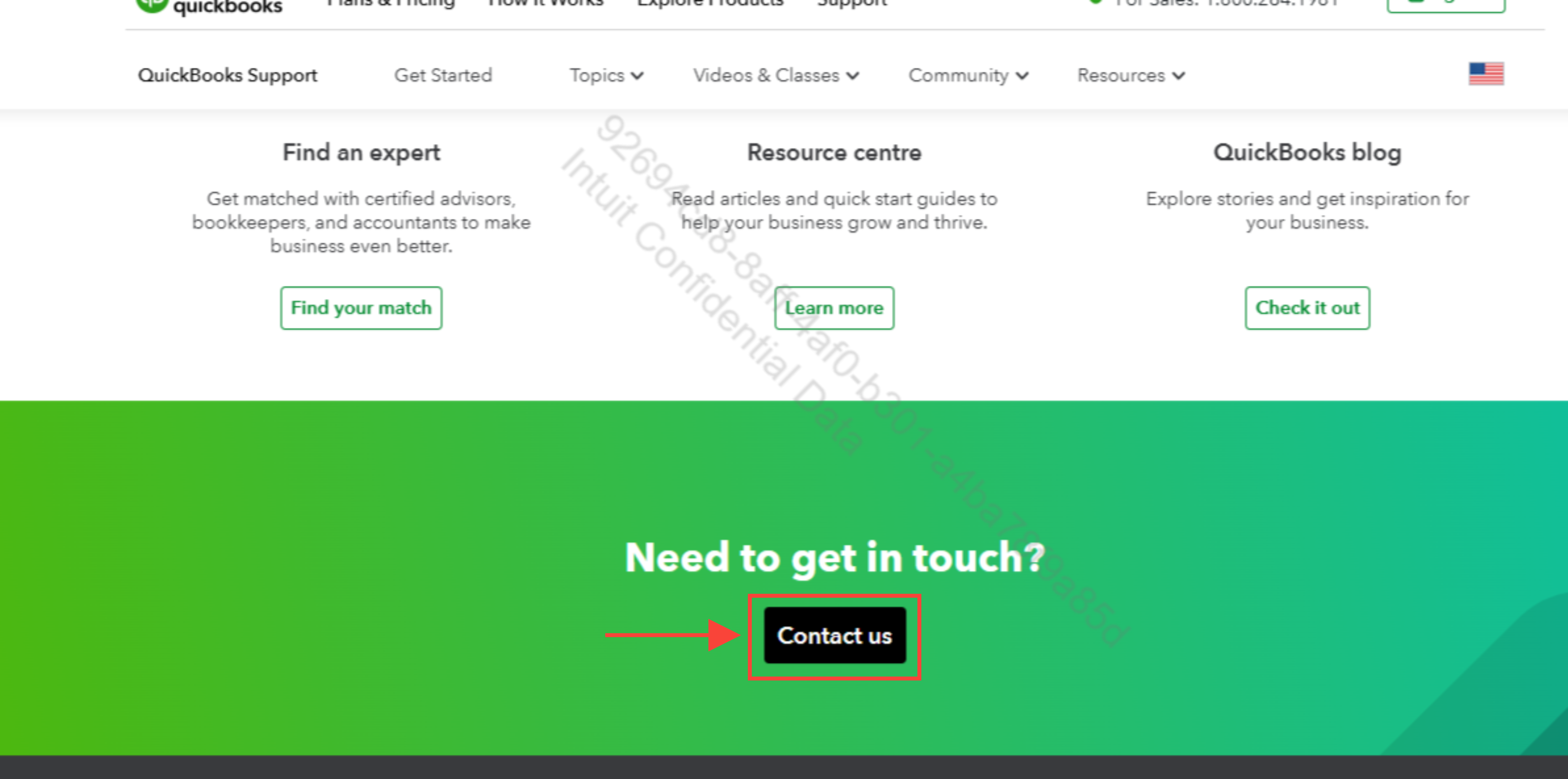
- Go to the Community page.
- Scroll down to locate the Contact Us button and click it.
- Select your QuickBooks product version and click Continue.
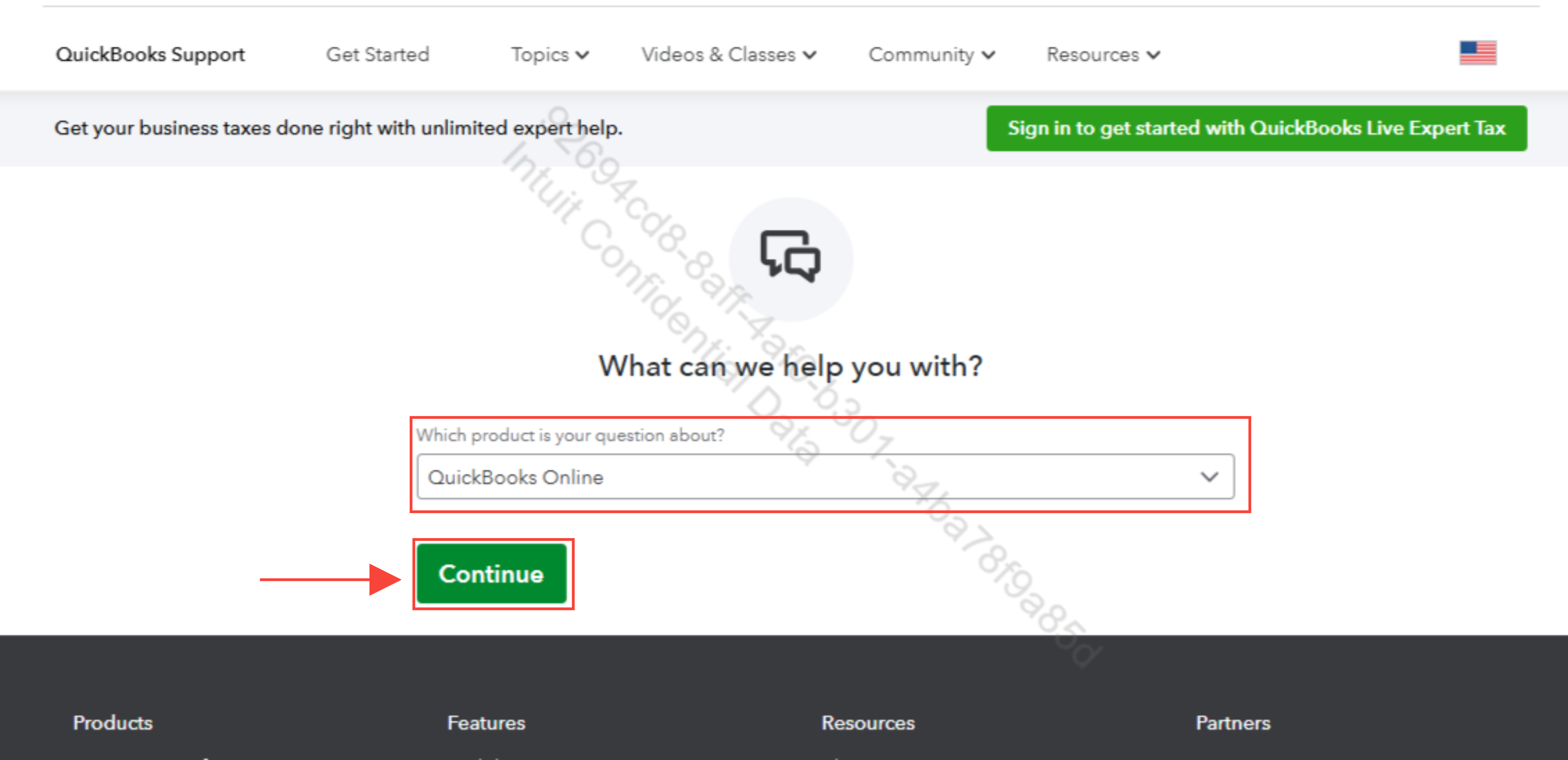
- Sign in using your QuickBooks credentials.
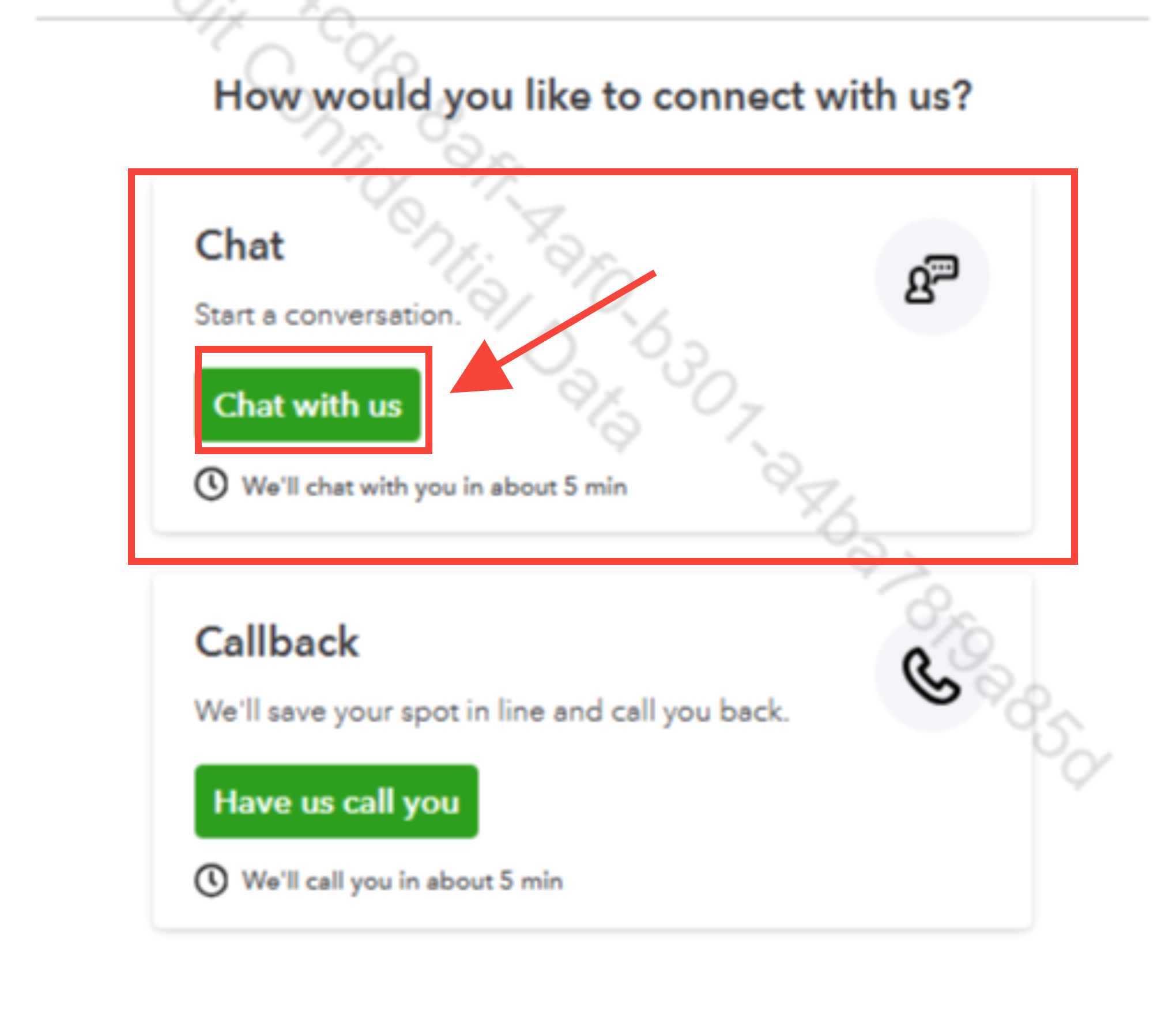
- Click on the Chat with us button.
To ensure you reach us at the most convenient time, here are our support hours:
- QuickBooks Online Simple Start, Essentials, Plus, and Solopreneur:
- Monday to Friday: 6 AM to 6 PM PT.
- Saturday: 6 AM to 3 PM PT.
- Sunday: Closed.
- QuickBooks Online Advanced:
- Monday to Friday: 6 AM to 7 PM PT.
- Saturday and Sunday: 6 AM to 3 PM PT.
- QuickBooks Desktop Pro, Plus, Premier, and for Mac:
- Monday to Friday: 6 AM to 6 PM PT.
- Saturday and Sunday: Closed.
- QuickBooks Desktop Enterprise:
- Monday to Friday: 5 AM to 7 PM PT.
- Saturday and Sunday: 6 AM to 3 PM PT.
You can also post your concern here in the Community, and we’ll collaborate to find a solution. We’re here to assist you with any general QuickBooks-related questions or issues.
Please feel free to let us know if you need any further assistance.
