

- Mark as New
- Bookmark
- Subscribe
- Permalink
- Report Inappropriate Content
Manage Your Account
QuickBooks Online offers a Custom Role feature that allows you to set specific rules for what your users can access, including separating access to customer data and suppliers/vendors data, Dheeraj.
However, this feature is exclusively available in QuickBooks Online Advanced. If you're using this version, here's how you can create a Custom Role:
- Click on the Gear icon, then Manage users.
- Go to the Roles tab, and click Add role.
- Enter a Role name and Role description.
- Choose what the user is allowed to see or do (like viewing customers or suppliers).
- Click Save Role once done.
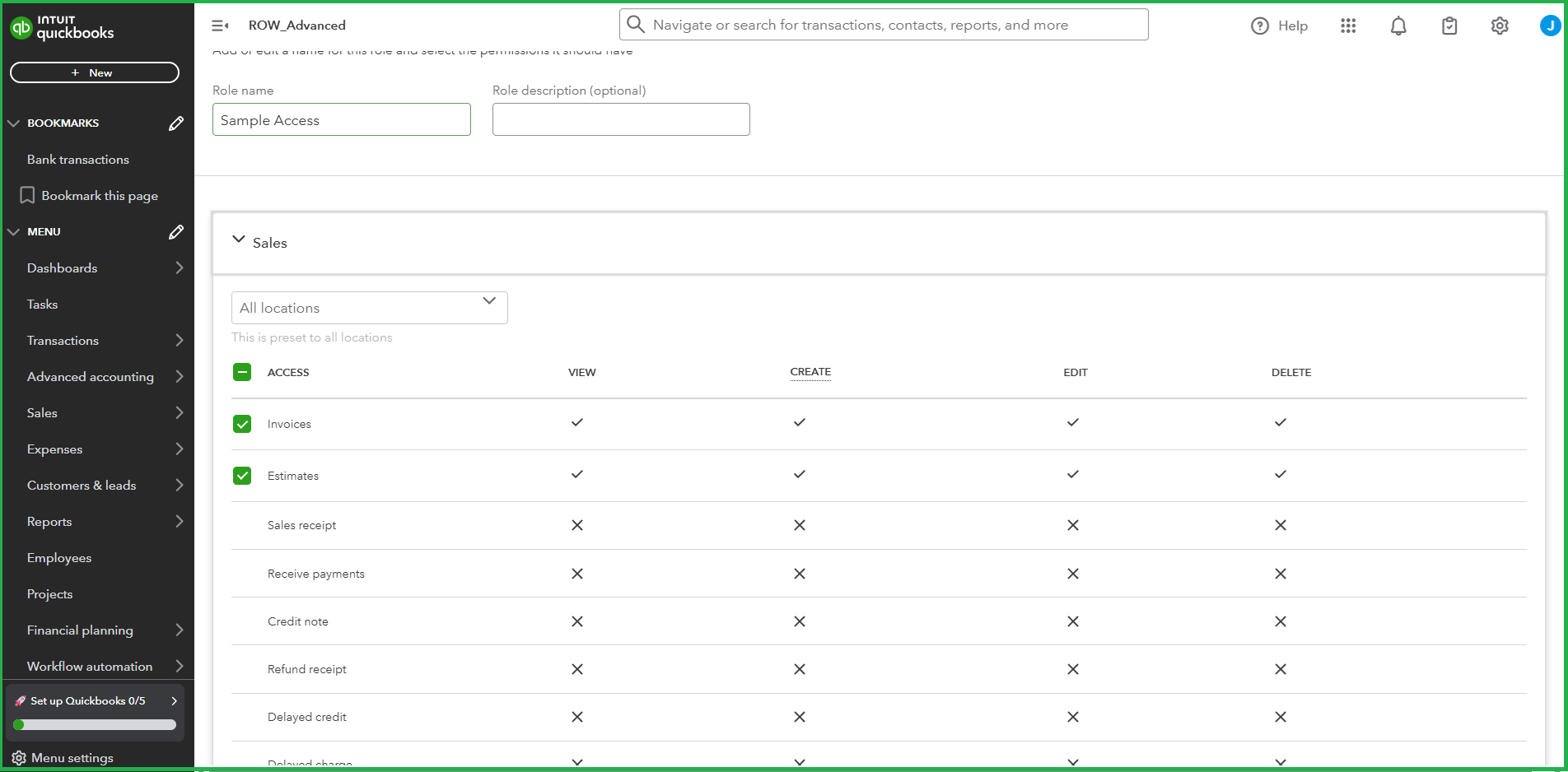
For more information, please refer to this guide: Add and manage custom roles in QuickBooks Online Advanced.
If you're current subscription is under the Simple Start, Essentials, or Plus plan, consider upgrading your subscription to access the custom roles feature.
If you have any further concerns, feel free to let us know. We're here to help.
