

- Mark as New
- Bookmark
- Subscribe
- Permalink
- Report Inappropriate Content
Manage Your Account
Thanks for reaching us here, monicah-wanjiru.
I'd like to help get you back on track and be able to update your credit card information in QuickBooks Online (QBO).
The error 81624 occurs when the account information such as address is not complete. You can verify this information on your QuickBooks Account and settings.
Here's how:
- Go to the Gear icon and choose Account and settings.
- Select the Company tab.
- From the Address section, click the Edit icon and verify and fill in the correct address.
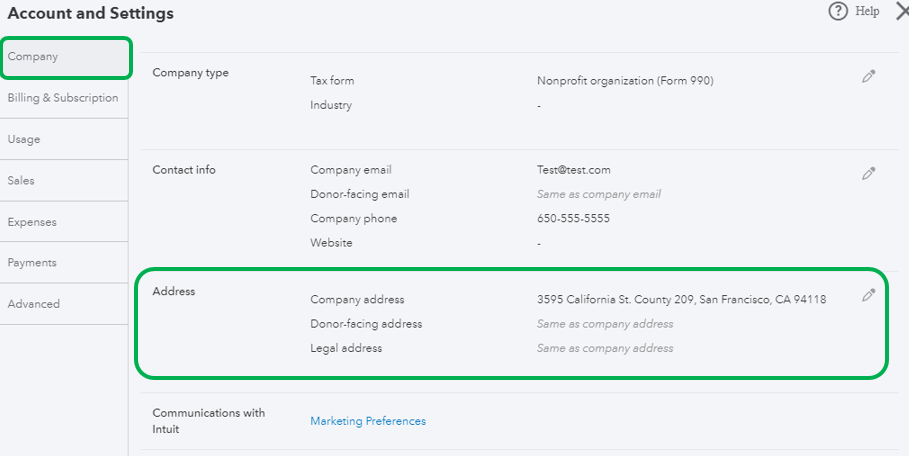
- Click Done.
Then, you can proceed in trying to update your payment information again. Before doing so, make sure you are the Master or Company Admin. I'll show you the steps below:
- Go to Gear icon, then select Account and Settings.
- From the left menu, select Billing Subscription.
- Select Edit beside your payment method.
- Update your credit card info.
- Make sure the address in QuickBooks is the same as the one on your credit card statement.
- Once everything’s good, select Confirm card or Save.
You can refer to this article fro more information about updating payment information in QBO: Update the payment information for your subscription.
Be sure to get back to me if you have follow-up questions. I'm always happy to help. Have a good day!
