

- Mark as New
- Bookmark
- Subscribe
- Permalink
- Report Inappropriate Content
Install
This error may occur due to one or more missing Windows components, lenduffey. You'll need to close QuickBooks in order to use the Tool Hub. I'll provide you with the steps to fix this one.
Here's how:
We recommend you use Tool Hub on Windows 10, 64-bit.
- Close QuickBooks.
- Download the most recent version (1.6.0.8) of the QuickBooks Tool Hub. Save the file somewhere you can easily find it (like your Downloads folder or your Windows desktop). Note: If you've installed Tool Hub before, you can find out which version you have. Select the Home tab. The version will be on the bottom.
- Open the file you downloaded (QuickBooksToolHub.exe).
- Follow the on-screen steps to install and agree to the terms and conditions.
- When the install finishes, double-click the icon on your Windows desktop to open the tool hub.
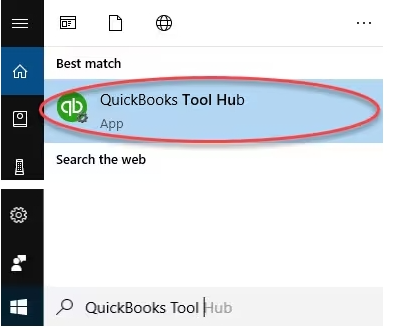
Please know that if you can't find the icon, do a search in Windows for QuickBooks Tool Hub and select the program.
Moving forward, run the Fix my Program from the QuickBooks Tools Hub.
1. In the QuickBooks Tools Hub, select Program Problems.
2. Select Quick Fix my Program.
3. Retry installing QuickBooks.
If that did not fix the error, Add or create a Windows user with Administrator rights, then attempt QuickBooks installation.
Furthermore, we can open this link to learn what to do if you get a subscription error when you install update your QuickBooks: Fix Error: Verify your subscription before installing QuickBooks Desktop.
For future reference to learn different ways in tracking customer transactions in QuickBooks Desktop, check out this article: Get started with customer transaction workflows in QuickBooks Desktop.
If you have any more questions about this topic, please don't hesitate to ask here in the Community. We'll provide continuous assistance. Have a nice one ahead.
