

- Mark as New
- Bookmark
- Subscribe
- Permalink
- Report Inappropriate Content
Account management
I understand this issue is related to a password not being accepted when trying to access your QuickBooks company file, Bar2.
Since you were able to activate it without being prompted to log in to your Intuit account, another option is to change the password of your QuickBooks Desktop Pro 2020.
Here's how:
- Open QuickBooks and access your company file.
- On the sign-in screen, select I forgot my password.
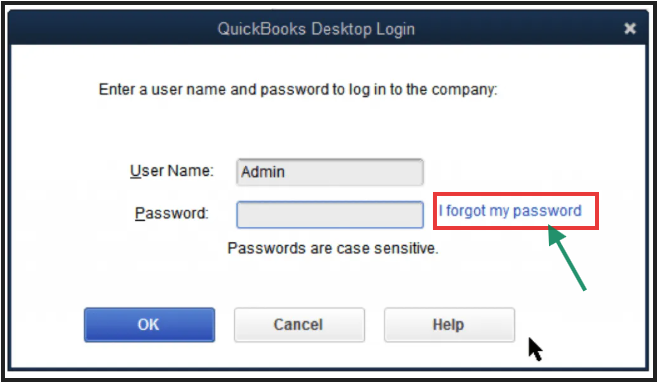
- Choose an email address from the list, then click Next. QuickBooks will email you a token to reset your password.
- If you don't see your email address listed, choose Don't see your email in the list above? and follow the on-screen instructions.
- Enter the token that was sent to your email to complete the password reset process.
Please ensure to check your spam or junk folders if you don't see the password reset code in your inbox, as emails from us may end up in those folders.
Feel free to let me know if there's anything else I can do while managing your company data. The Community is here whenever you need additional assistance, Bar2.
