

- Mark as New
- Bookmark
- Subscribe
- Permalink
- Report Inappropriate Content
Account management
I appreciate the effort, @MVEBA. I understand how important it is to sign in to the Community forum. Please ensure to follow my colleague’s suggestion to use a different browser or you can open an incognito/private window which disables extensions and then attempt to sign in.
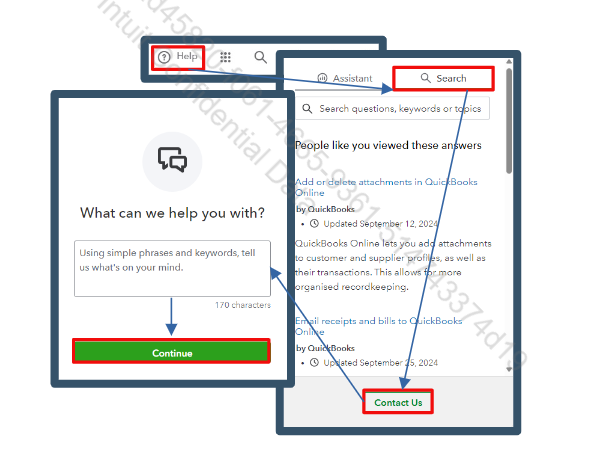
If you’ve already done that and are still unable to sign in, please reach out to our QuickBooks Live Support Team, they can also help you resolve Community sign‑in concern. To contact support, follow these steps:
- Click the (? Help) icon in your QuickBooks Online account in the top-right corner.
- Select Contact Us, then enter a short description of your concern.
- Choose Chat with us to start a live chat with an agent or request a callback for phone support.
You can also check our support hours to know our support availability time: Get help with QuickBooks products and services.
Let us know if you have further questions, we'll be right here to help you anytime.
