Thanks for sharing your concern about editing the transaction, Ben. It sounds like you're having trouble making changes to a specific transaction. Let me assist you in understanding why this is happening and what steps we can take for resolution.
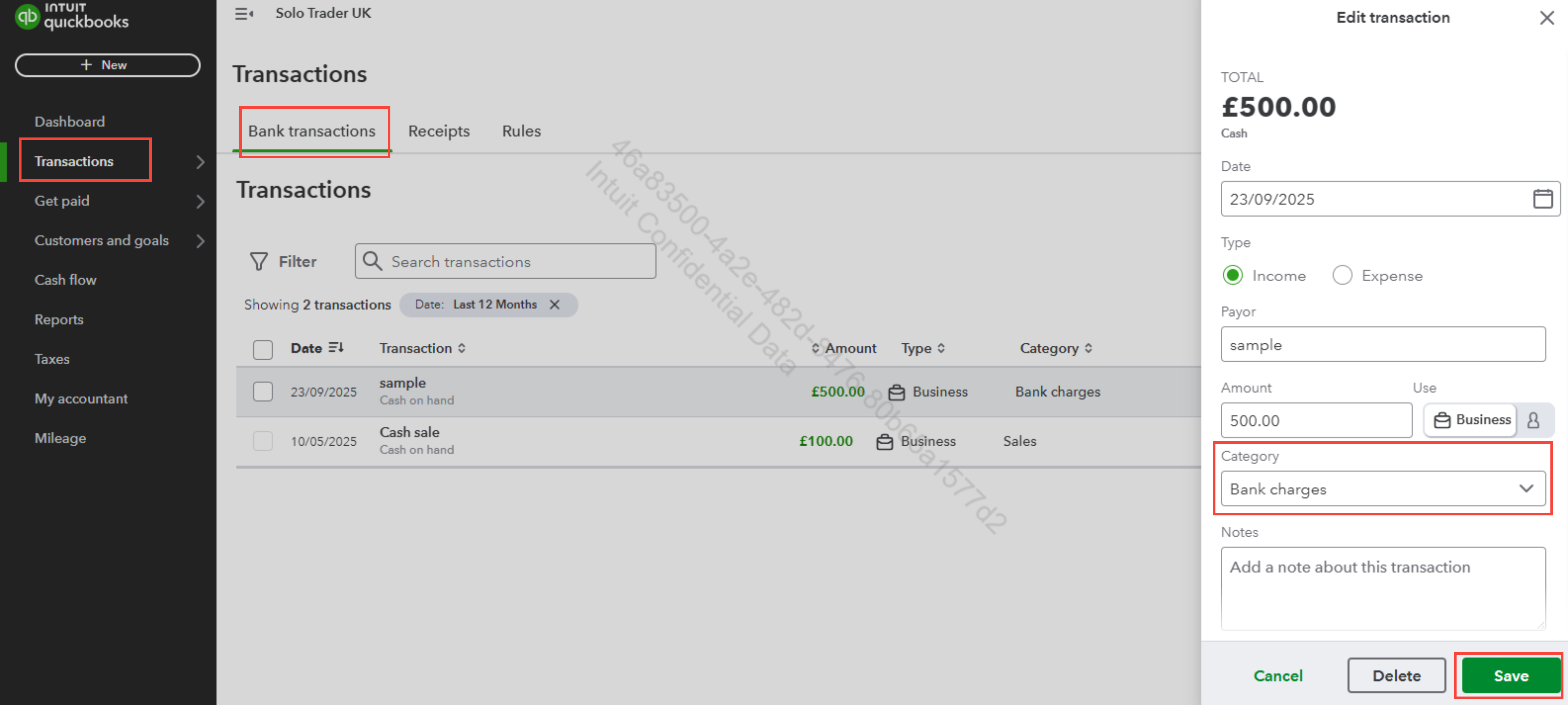
You have the flexibility to update the category of a specific transaction by simply editing it. To recategorise your transaction, please follow these steps:
- Go to Transactions.
- Select Bank Transactions.
- Click the Pen icon next to the transaction you'd like to update.
- From the dropdown menu, choose the correct Category.
- Once you're done, click Save.
However, the description of a transaction cannot be changed, as this information is directly provided by your bank and reflects the original details from the transaction record. This helps ensure accuracy in tracking and managing your finances.
I hope these steps resolve your concern! If you need any more help or clarification, feel free to comment down below. Take care!


