Turn on suggestions
Auto-suggest helps you quickly narrow down your search results by suggesting possible matches as you type.
Showing results for
Welcome to the Community space, 1977dm.
I'm here to help you match those receipts and clear out those duplicate entries.
Once you've added your receipts, QuickBooks will try to find a match. You'll just need to click the Find a match from the dropdown menu under the Action column. However, if you choose to Create Bill instead of Match from the receipt entry, and the transactions has already downloaded from your bank feed, this will cause your fuel bills to create duplicate entries.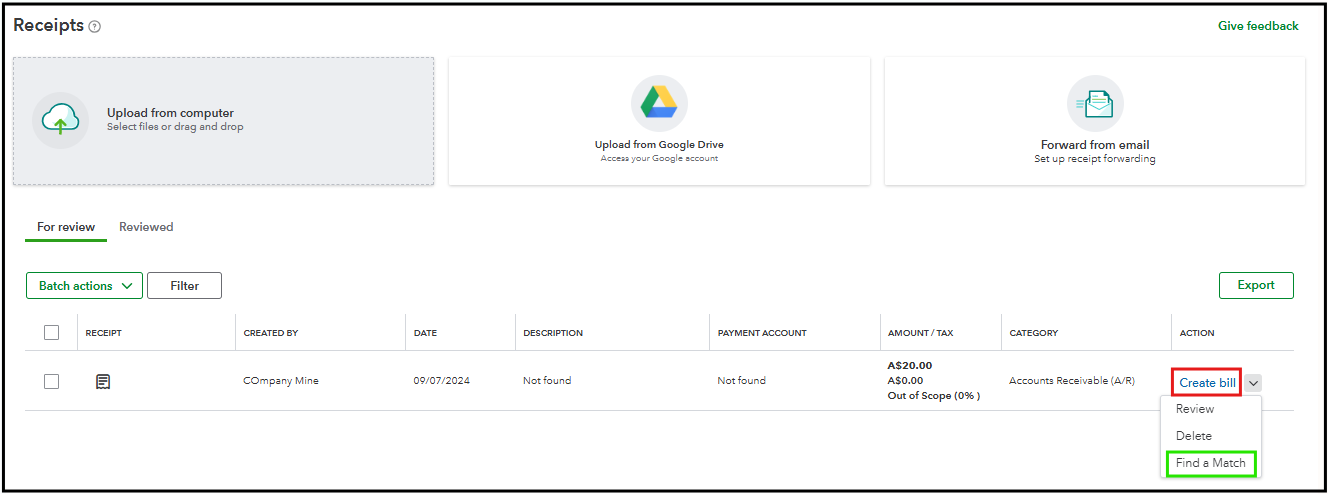
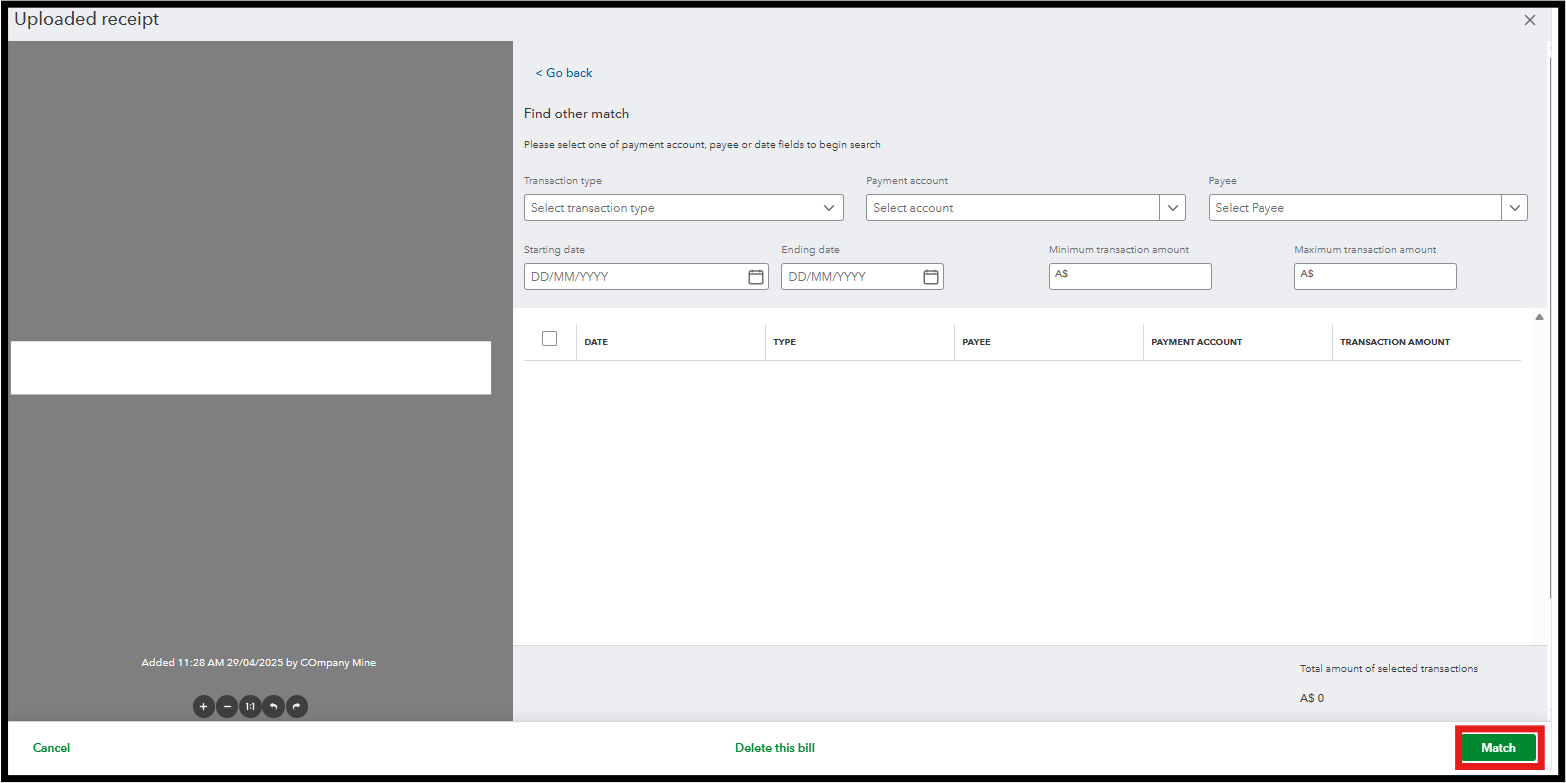
Since a duplicate entry has already been created in your ledger, we can Exclude the unnecessary transaction from your banking page. Here's how:
Once done, this removes the manually created bill from your books, leaving only the downloaded bank transaction. For more details about uploading, reviewing and matching your receipts, I'll add this reference for you to review: Upload your receipts.
The thread is still open if you have more concerns about your receipts. We're always ready to lend a helping hand.
You have clicked a link to a site outside of the QuickBooks or ProFile Communities. By clicking "Continue", you will leave the community and be taken to that site instead.
For more information visit our Security Center or to report suspicious websites you can contact us here

