Turn on suggestions
Auto-suggest helps you quickly narrow down your search results by suggesting possible matches as you type.
Showing results for
Get 50% OFF QuickBooks for 3 months*
Buy nowHi there, Rani1.
Thanks for dropping by the Community, I'm happy to help. If you're trying to add a message to an invoice and you're using QuickBooks Online, follow along below:
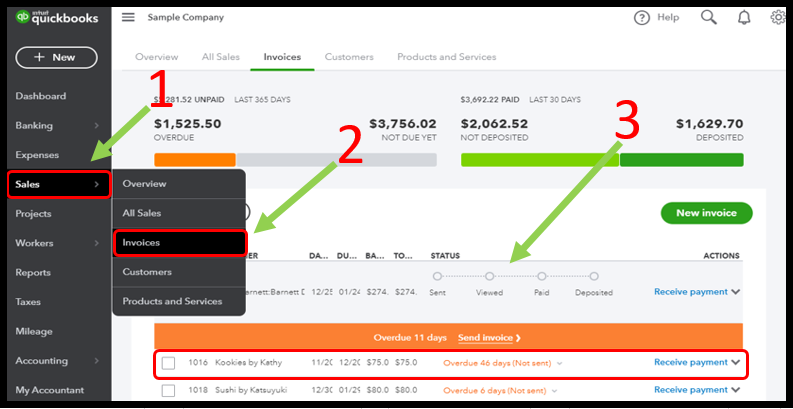
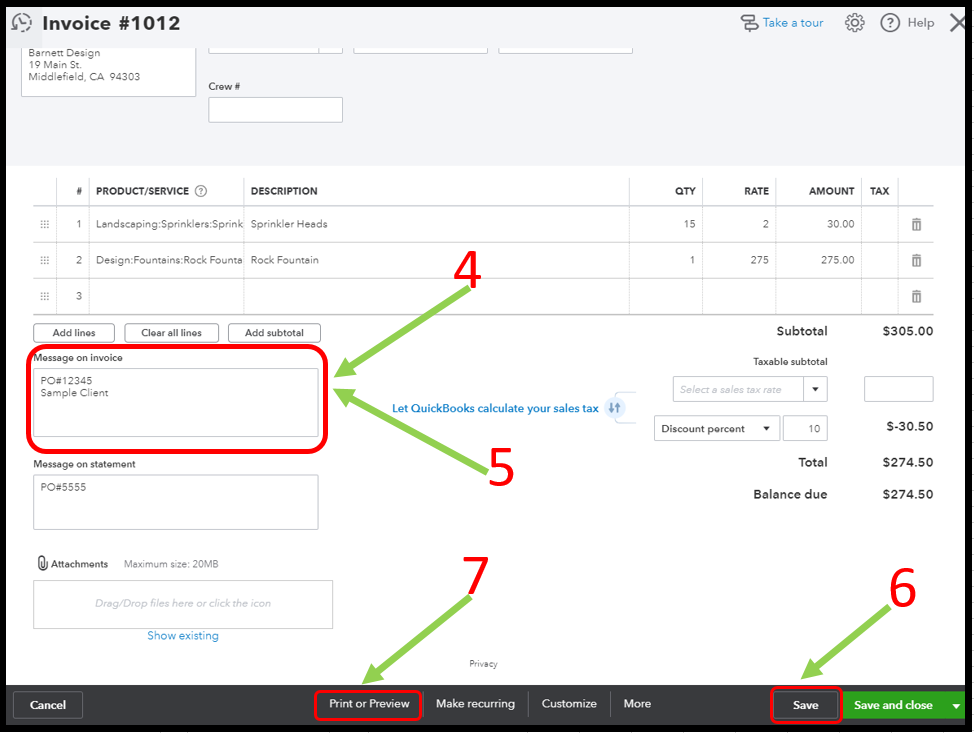
Once done, print the invoice again, and check if you can see the number already.
There’s also an option for you to personalize your messages for each sales form. Please check this article for further details: How to Set Up or Change Customer Messages.
If you have any other questions, feel free to bring them to our attention down below. Thank you for your time and have a nice afternoon.

