Turn on suggestions
Auto-suggest helps you quickly narrow down your search results by suggesting possible matches as you type.
Showing results for
Hello! Daniel.
I see you are trying to select an amended Statement of Cash Flows custom report in Spreadsheet Sync.
The main reason you can't select an amended Statement of Cash Flows in Spreadsheet Sync is due to a limitation in the tool. Spreadsheet Sync only supports the default, unamended versions of the Statement of Cash Flows (both direct and indirect methods) from QuickBooks Online (QBO).
As an alternative, you will have to export it directly from QuickBooks Online.
If you already have your custom report saved, follow these steps:
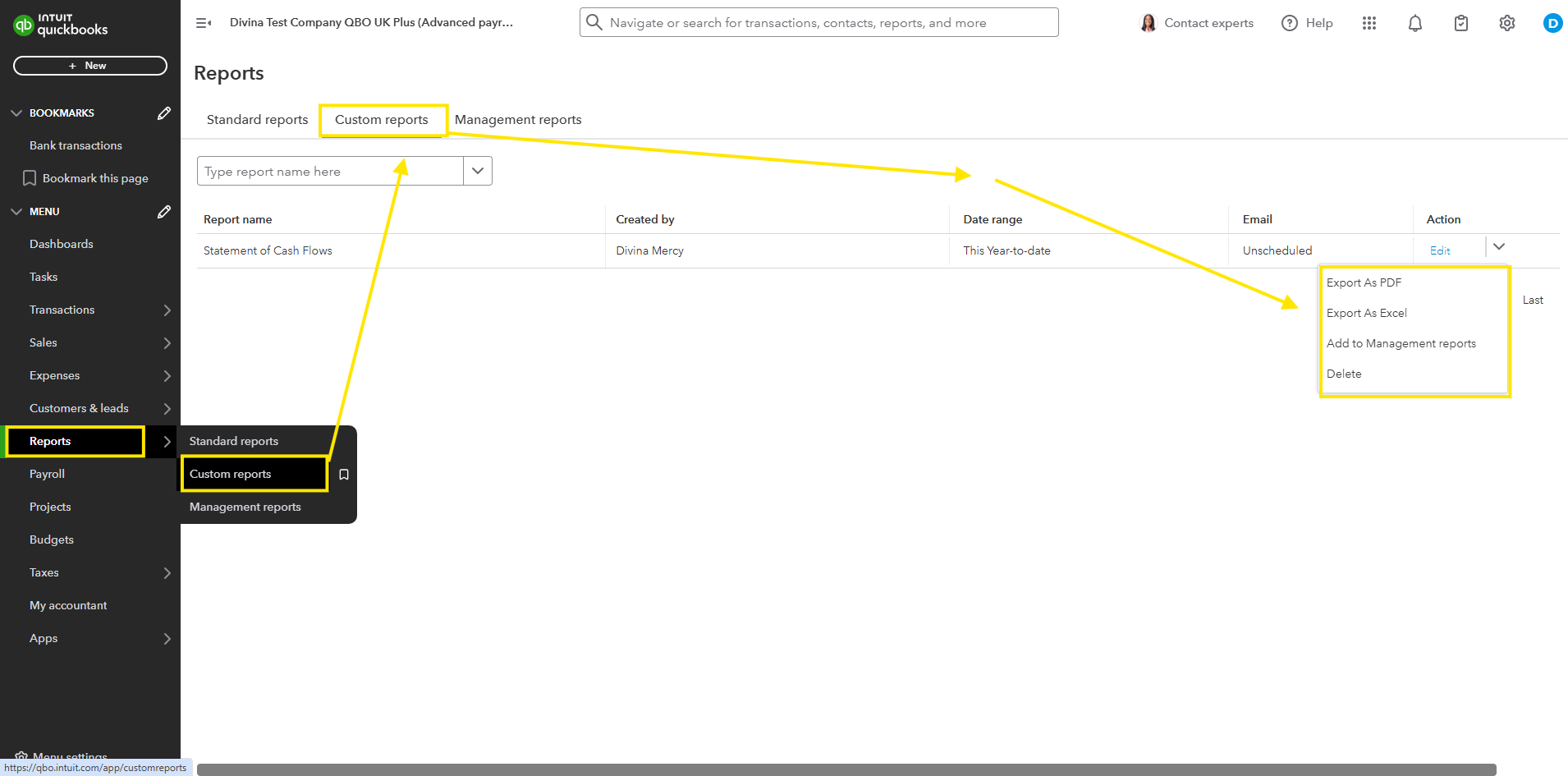
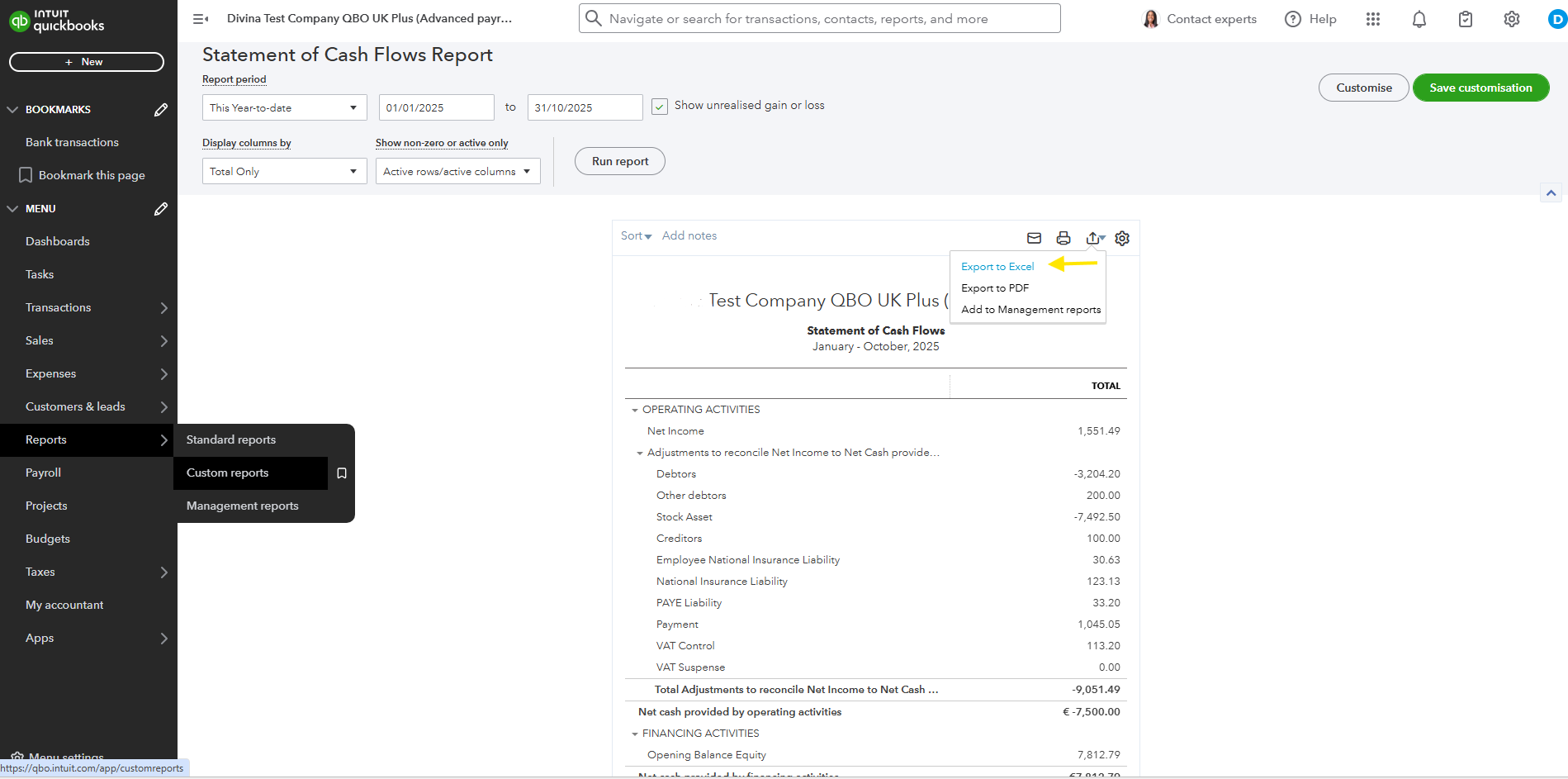
It will download the custom report, so you can manually upload the data into your working spreadsheet.
Moving forward, I recommend checking the Frequently Asked Questions. It gives insights and provides helpful tips.
If there's anything you want to ask before you proceed, leave a response below. We're always here to help you.

