Turn on suggestions
Auto-suggest helps you quickly narrow down your search results by suggesting possible matches as you type.
Showing results for
Hi there, Mildura.
Yes, we can switch your Bank Feed from a Standard Feed to a Direct Feed in QuickBooks Online. The error you received 187 indicates a connection or authentication issue caused by security changes.
To change the Bank Feed from Standard Feed to Direct Feed, follow these steps:
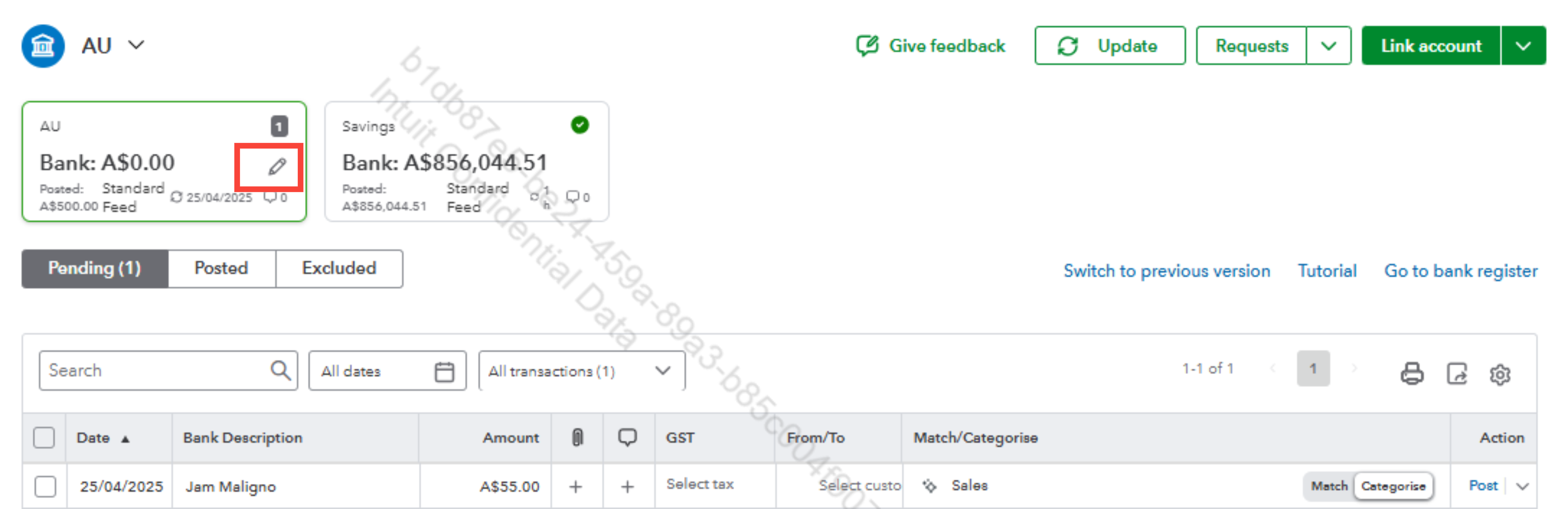
To fix the error 187, go to your bank's website and follow the on-screen steps to enter the correct information. Check out this article for more information about bank error messages: Fix specific bank errors.
You can also refer to this article for more details on how to connect a direct feed from Commonwealth Bank: Connect your bank and credit card to QuickBooks Online with Open Banking.
You are always welcome to return to the Community whenever you need assistance.

