Turn on suggestions
Auto-suggest helps you quickly narrow down your search results by suggesting possible matches as you type.
Showing results for
Hi Judy,
When importing a bank file into QuickBooks Online (QBO), the application relies on data provided by your bank. Before importing, let's verify the transaction dates and their format so they align with QuickBooks’ column requirements.
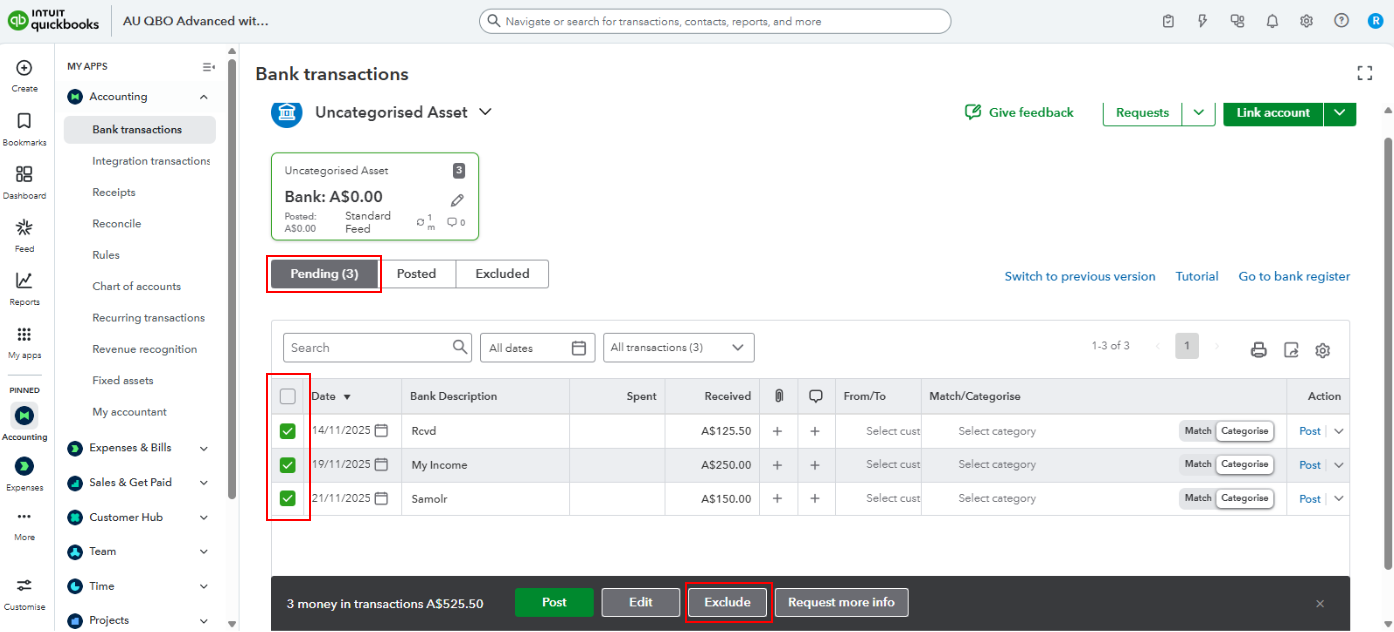
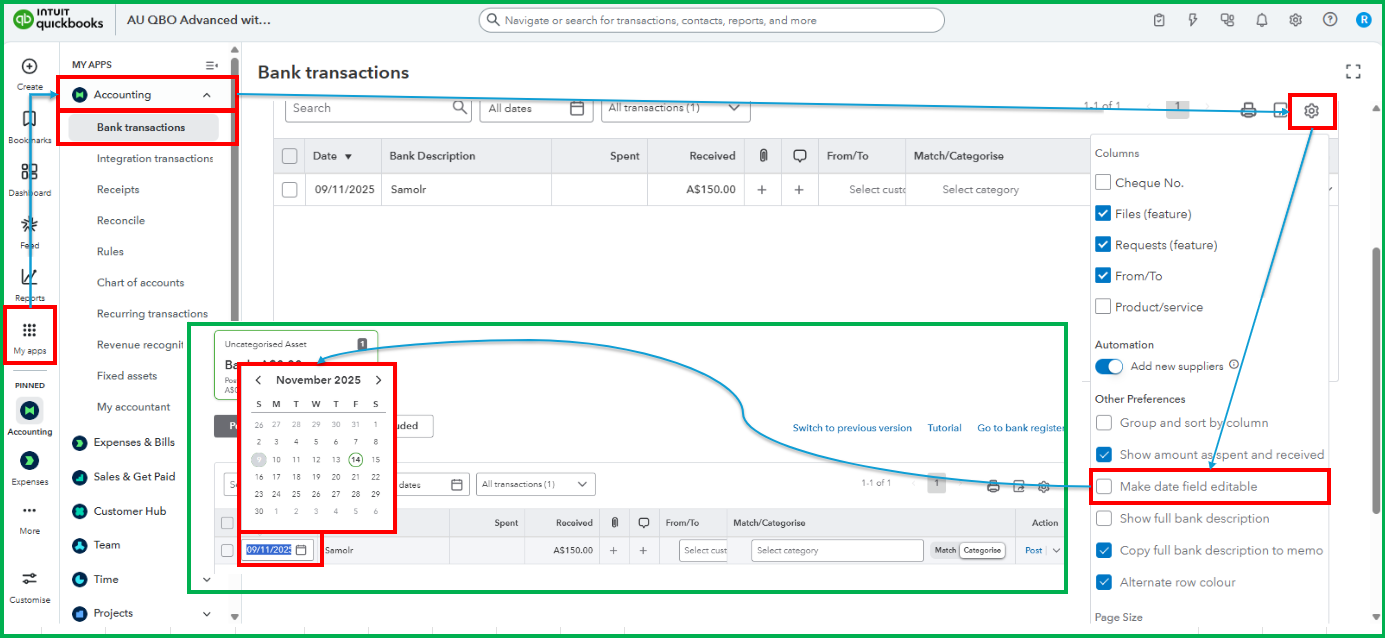
To correct this, we can either exclude the recent import, fix the dates in the file, and reimport it, or enable the editable dates option in bank feeds and update the dates manually for each transaction.
You can follow these steps to exclude transactions:
If you prefer to edit dates manually in your bank feeds, follow these steps to make the date field editable:
Feel free to reply to this thread if you require additional help managing bank transactions. The Community is always here to help.

