Turn on suggestions
Auto-suggest helps you quickly narrow down your search results by suggesting possible matches as you type.
Showing results for
CYBER MONDAY SALE 70% OFF QuickBooks for 3 months* Ends 12/5
Buy nowI appreciate your efforts in following the steps to remove the information listed on the Termination tab, JM1210.
After deleting the data from the Termination tab, the next step is to reactivate the employee by unchecking the Employee is inactive checkbox. Doing so ensures you can enter the worker's Original Hire Date and Hire Date details accordingly.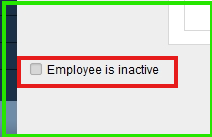
If the issue persists, I suggest utilizing the Quick Fix my Program feature from the QuickBooks Tool Hub to resolve the problem you're currently experiencing. Here's how:
However, if you encounter the same outcome, it's best to update your QBDT to install the latest security patches and system repairs of the software.
After setting up the rehired worker's Original Hire Date and Hire Date seamlessly, you might need to modify their profile. Refer to this article for guidance: Edit or change employee info in QuickBooks Payroll.
Revisit this thread if you need further assistance.

