
Turn on suggestions
Auto-suggest helps you quickly narrow down your search results by suggesting possible matches as you type.
Showing results for
Hi there, Zekra.
I'll provide steps on how you can handle the total amounts collected a minus percentage of 20% for a contributor.
I suggest creating a Bundles item to track a sale, and a vendor commission for that sale, at the same time. You'll need first to create an Income Account to track your Bundle.
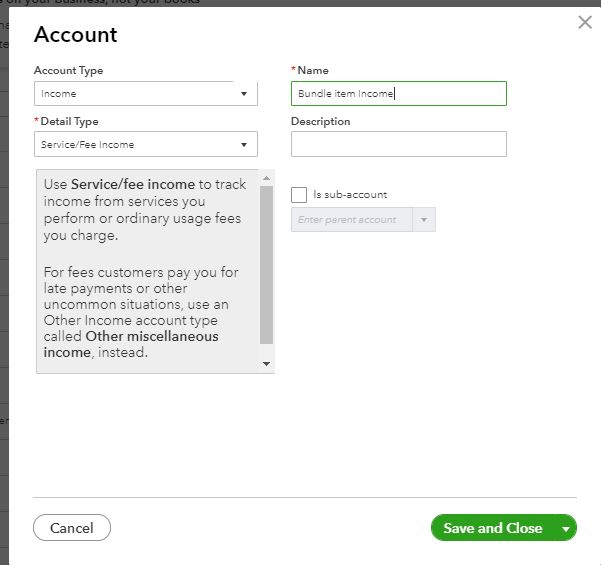
Then, create an Expense Account or Cost of Goods Sold Account to track the vendor expense. And, create an Expense Account or Cost of Goods Sold Account to track the vendor expense. NOTE: You’ll want this to be an Other Current Liability, and you’ll need one for each vendor to whom you pay commission.
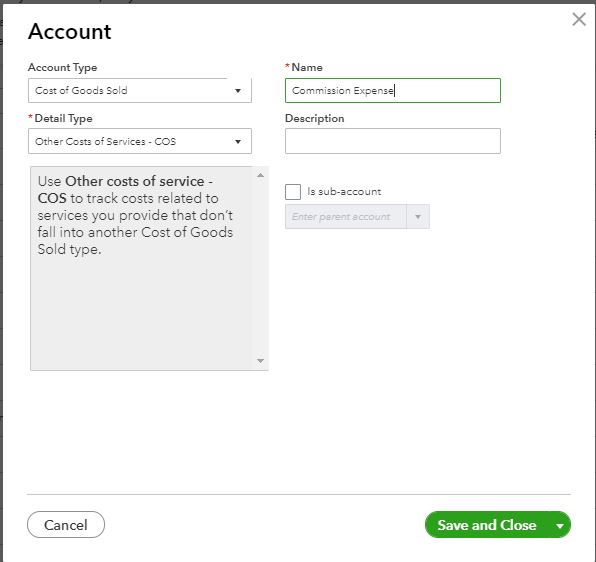
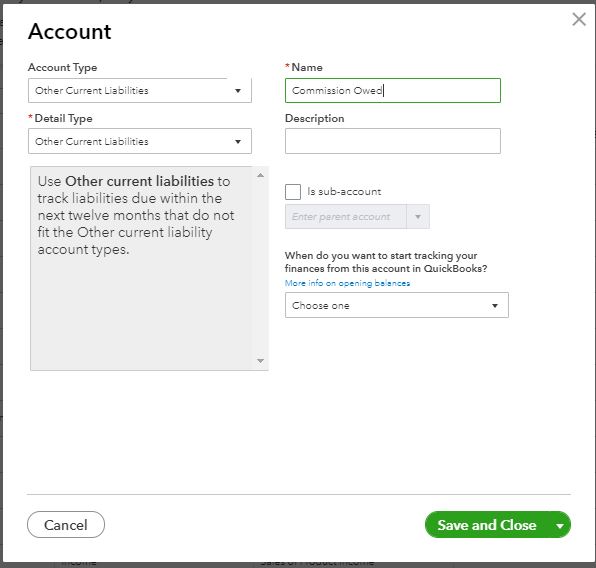
Once done, create a Liability Account to track the vendor commission that is owed. NOTE: You’ll want this to be an Other Current Liability, and you’ll need one for each vendor to whom you pay commission. Then, create the item(s) for which your vendor is earning a commission. Make sure you point this to the proper Income Account. Your item will either be Inventory, non-inventory, or service, depending on what you’re selling, so choose the item type as needed. While you’re still in the Products & Services list screen, create a new SERVICE item to track the vendor expense and you’ll choose the Commission Expense account you created. Click Save and New when you’re done.
For additional information and to finish the process, you can click this article: Using Bundles to Track Vendor Commissions.
For your other concern, there's no option in P&L to show or grouped it by country. However, you can generate a Customer Contact List report to have your customers’ shipping address.
Follow these steps to have this report:
For further details to guide you with QuickBooks reports, please check the articles below.
I'm always here if you need more help with your report. Take care and have a wonderful day!

