
- Mark as New
- Bookmark
- Subscribe
- Permalink
- Report Inappropriate Content
bank transaction import brought wrong dates
bank transactions file import worked but date on each row shows 01/01/1970


- Mark as New
- Bookmark
- Subscribe
- Permalink
- Report Inappropriate Content
Other questions
Hi Judy,
When importing a bank file into QuickBooks Online (QBO), the application relies on data provided by your bank. Before importing, let's verify the transaction dates and their format so they align with QuickBooks’ column requirements.
To correct this, we can either exclude the recent import, fix the dates in the file, and reimport it, or enable the editable dates option in bank feeds and update the dates manually for each transaction.
You can follow these steps to exclude transactions:
- Go to My apps and select Accounting.
- Click Bank transactions.
- In the Pending tab, select the transactions you want to remove.
- At the bottom, click the Exclude button.
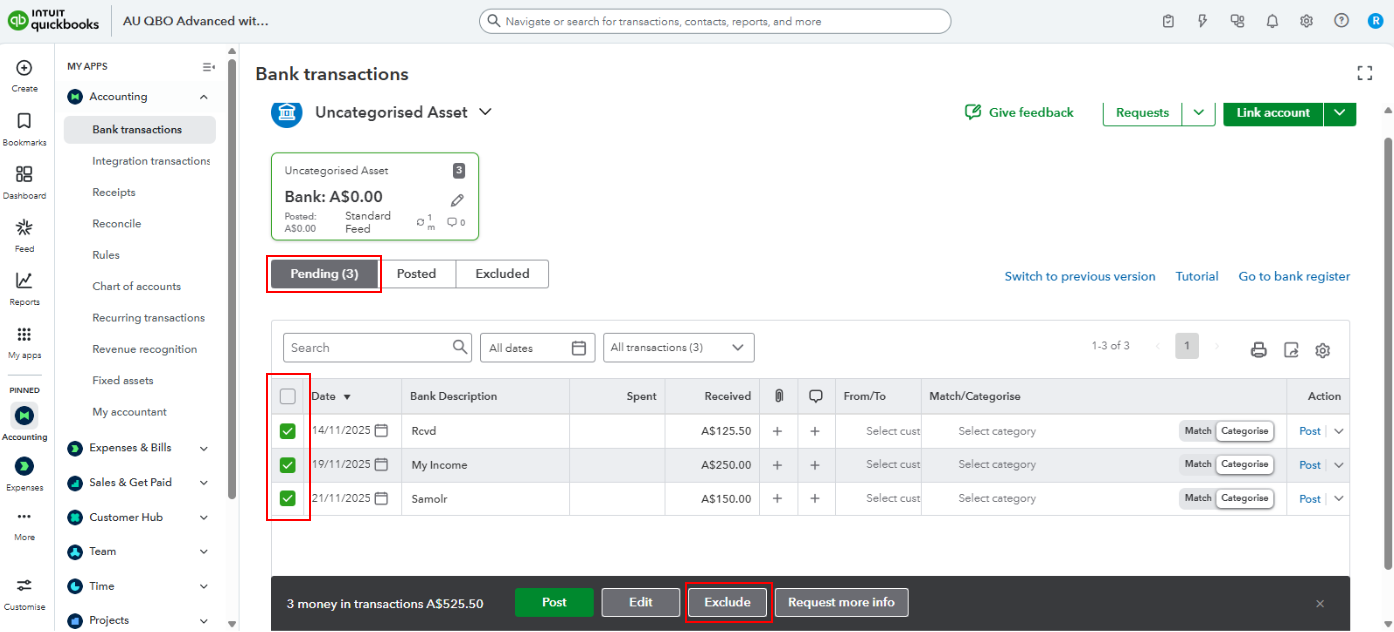
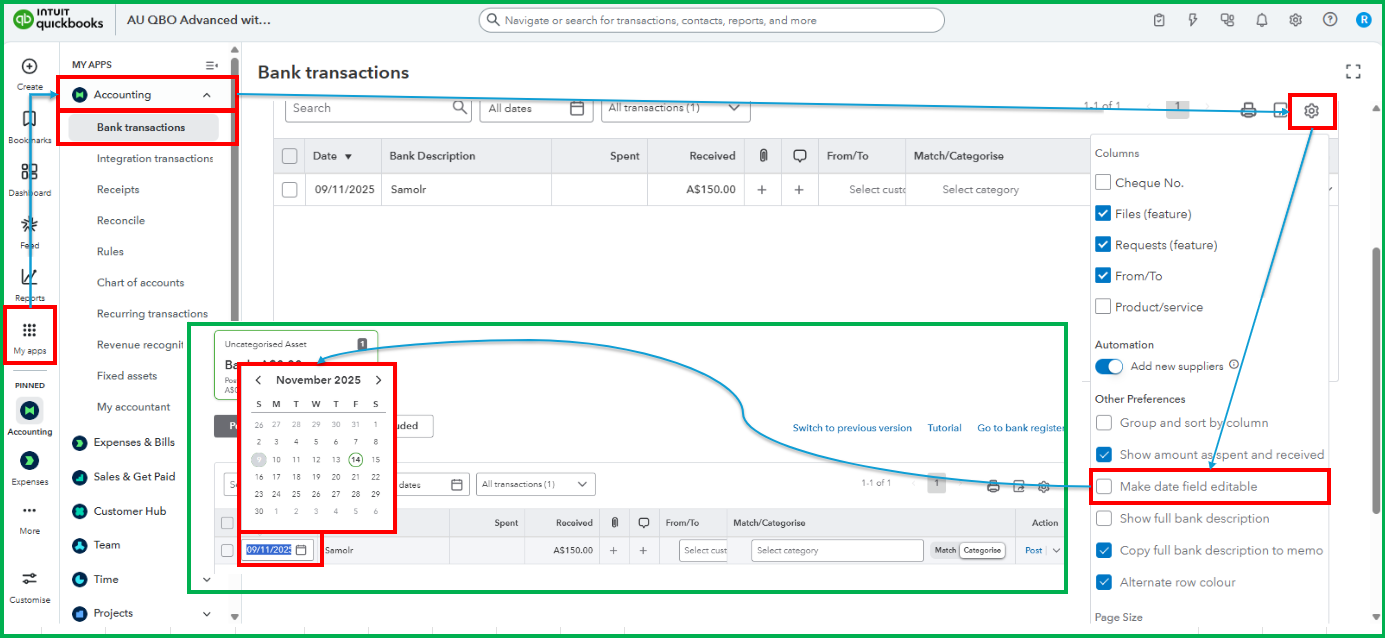
If you prefer to edit dates manually in your bank feeds, follow these steps to make the date field editable:
- In the bank transactions, click the Gear icon.
- Check Make date field editable under Other preferences.
- Start correcting the transaction dates one at a time.
Feel free to reply to this thread if you require additional help managing bank transactions. The Community is always here to help.
