
- Mark as New
- Bookmark
- Subscribe
- Permalink
- Report Inappropriate Content
Can anyone help me fix this error - "You and were working on this at the same time. finished before you did, so your work was not saved." ?


- Mark as New
- Bookmark
- Subscribe
- Permalink
- Report Inappropriate Content
Manage Your Account
Welcome to the Community, @amito2025amito.
The error appears to happen when you work with multiple tabs for the same company file. I’ve seen it happen on my end too.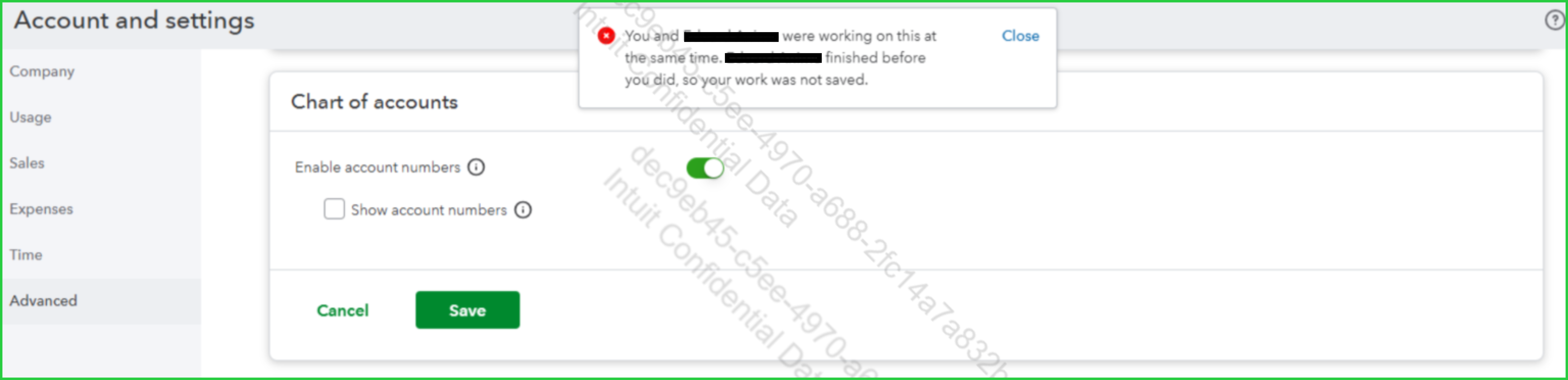
Here's what I recommend, try clearing the cache on your browser before you re-login to your QuickBooks account, as this removes temporary data and helps resolve unusual behavior. Alternatively, you can also log in to your QuickBooks account using a different browser.
If you continue experiencing the same issue, please contact our Live Support team for further assistance. They have the tools necessary to look into this matter.
Here’s how you can reach out to our Live Support team:
- Go to the Help (?) icon, then select the Search tab.
- Type 'support' in the search box and select Contact Us.
- Provide a brief description of your concern, then select Continue.
- Choose one of the following options: Appointment, Chat, or Callback.
Before reaching out, it’s a good idea to check their support hours to ensure you can connect with them successfully.
If you have any further questions or concerns, please let us know in the comments. We're here to assist you in the Community.
