

- Mark as New
- Bookmark
- Subscribe
- Permalink
- Report Inappropriate Content
Banking
I appreciate all your efforts, Poppers. Since you've mentioned that there are no bank rules in place and you've already followed the suggested steps above, it would be best to contact our live support team for a deeper review.
As much as I want to assist you directly, your case requires further examination. Our live experts can thoroughly check what's going on through screen-sharing to ensure you can turn off the automatic matching of transactions.
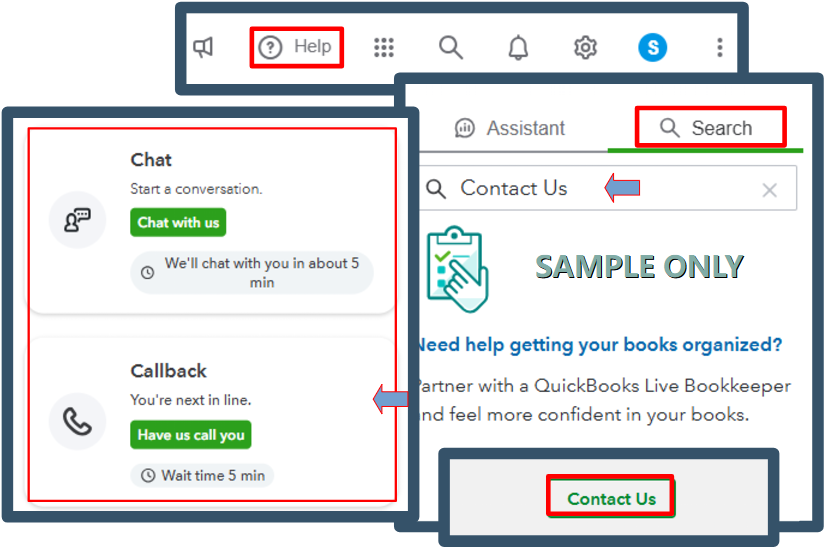
Here's how to reach them:
- Hover to the Help icon, then choose the Search tab.
- Type in Contact Us in the search bar.
- Click Contact Us, and choose the Callback option.
For successful communication, please refer to this article for our support hours: Get help with QuickBooks products and services.
To stay on top of things, here are some resources to gain a deeper understanding of transaction management and account reconciliation in QuickBooks:
If you have other questions or need further assistance managing your transactions, we're here to back you up.
